Winget Uninstall Application
Summary
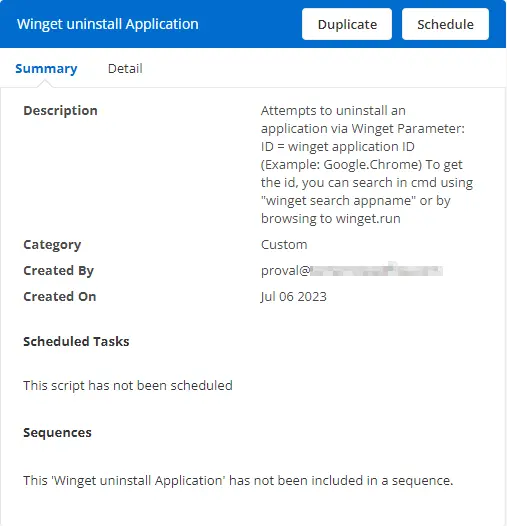
This document outlines the process to uninstall an application via Winget.
Parameters
ID = Winget application ID (Example: Google.Chrome)
To obtain the ID, you can search in the command prompt using winget search appname or by browsing to winget.run.
Dependencies
None. This script can be executed on any Windows device.
Create Script
To implement this script, please create a new PowerShell-style script on the system.


Name: Winget Uninstall Application
Description:
Category: Custom
Parameter
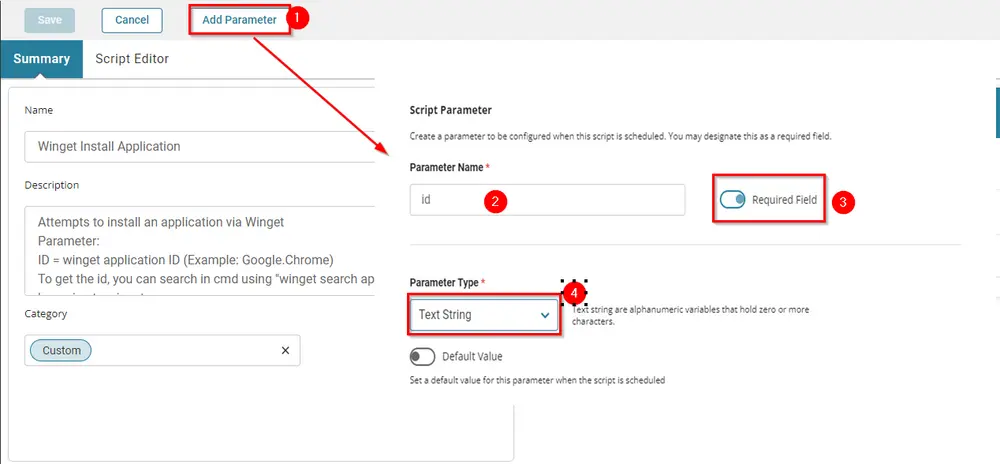
Parameter Name: id
Required Field: Selected
Parameter Type: Text String
Script
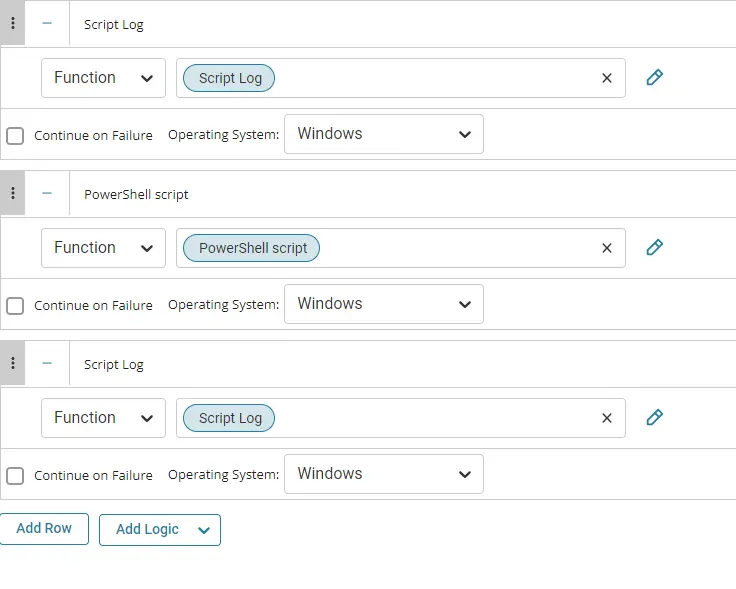
Row 1 Function: Script Log

Input the following:

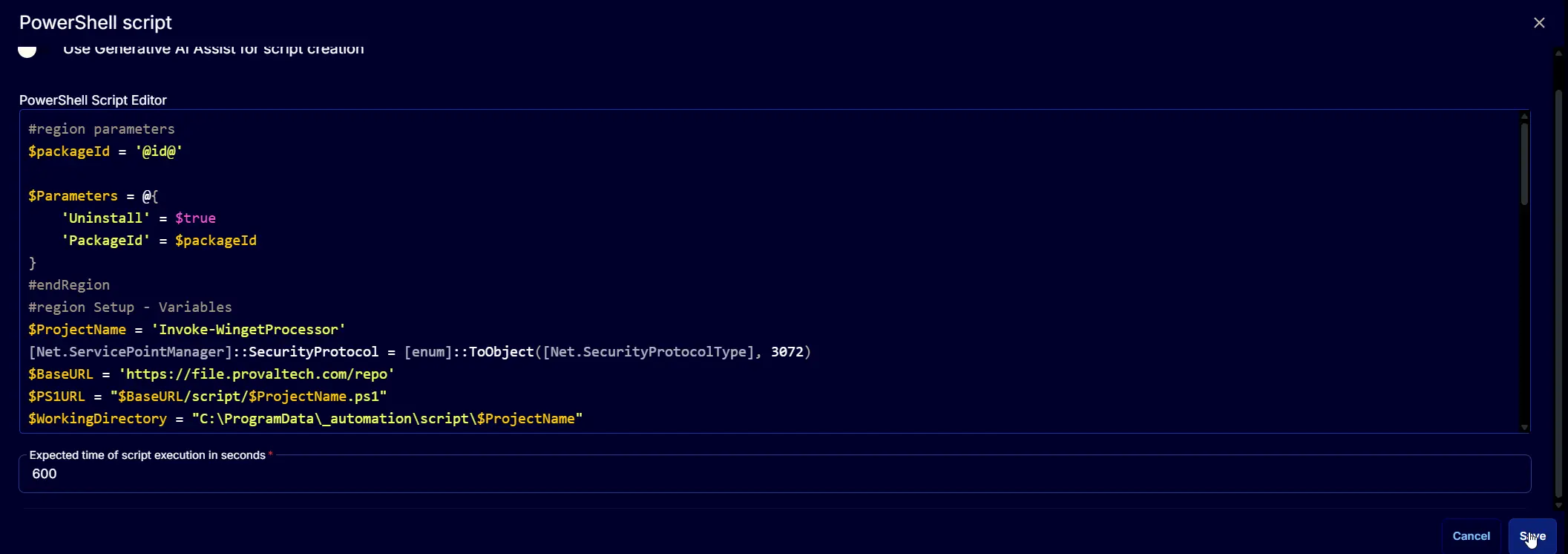
Row 2 Function: PowerShell Script

Paste the following PowerShell script and set the expected time of script execution to 600 seconds.
Row 3 Function: Script Log
In the script log message, simply type %output% so that the script will send the results of the PowerShell script above to the output on the Automation tab for the target device.

The final task should look like the screenshot below.
Script Deployment
The script is intended to run manually at this time.
Output
- Script log
Changelog
2025-04-10
- Initial version of the document