Validate TLS SSL Hardening
Overview
This script validates that insecure protocols (SSL 3.0, TLS 1.0, TLS 1.1) and specified weak cipher suites are disabled at both the server and client levels on the system, while ensuring TLS 1.2 and TLS 1.3 are enabled when supported, providing a clear PASS/FAIL status without making any changes. The result can be stored in an UDF.
- TLS_ECDHE_RSA_WITH_AES_256_CBC_SHA384
- TLS_RSA_WITH_AES_256_CBC_SHA256
- TLS_RSA_WITH_AES_256_GCM_SHA384
- TLS_RSA_WITH_AES_128_CBC_SHA256
- TLS_RSA_WITH_AES_128_GCM_SHA256
- TLS_ECDHE_RSA_WITH_AES_128_CBC_SHA256
Implementation
-
Download the component from the
datto-rmmrepository: Validate TLS SSL Hardening -
After downloading the file, click on the
Importbutton in the Datto RMM interface. -
Select the component just downloaded and add it to the Datto RMM interface.

-
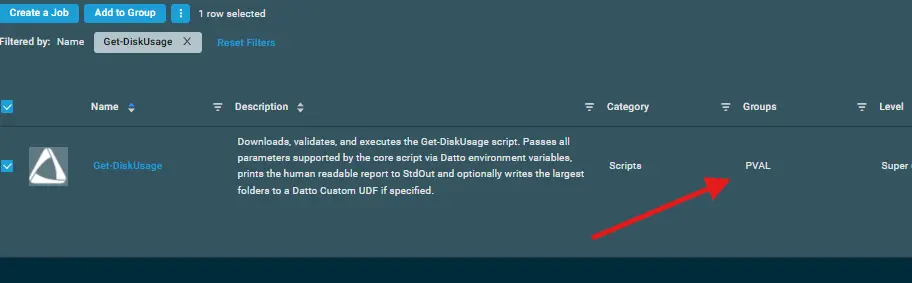
After Importing the component to the Datto RMM, make sure to add the component to the
PVALGroup always.- Steps to Add the component under
PVALGroup.
i. Click onDrop Down Icon.
ii. Click onAdd to Group.

iii. Select the group asPVAL
- Steps to Add the component under
Sample Run
To execute the component over a specific machine, follow these steps:
-
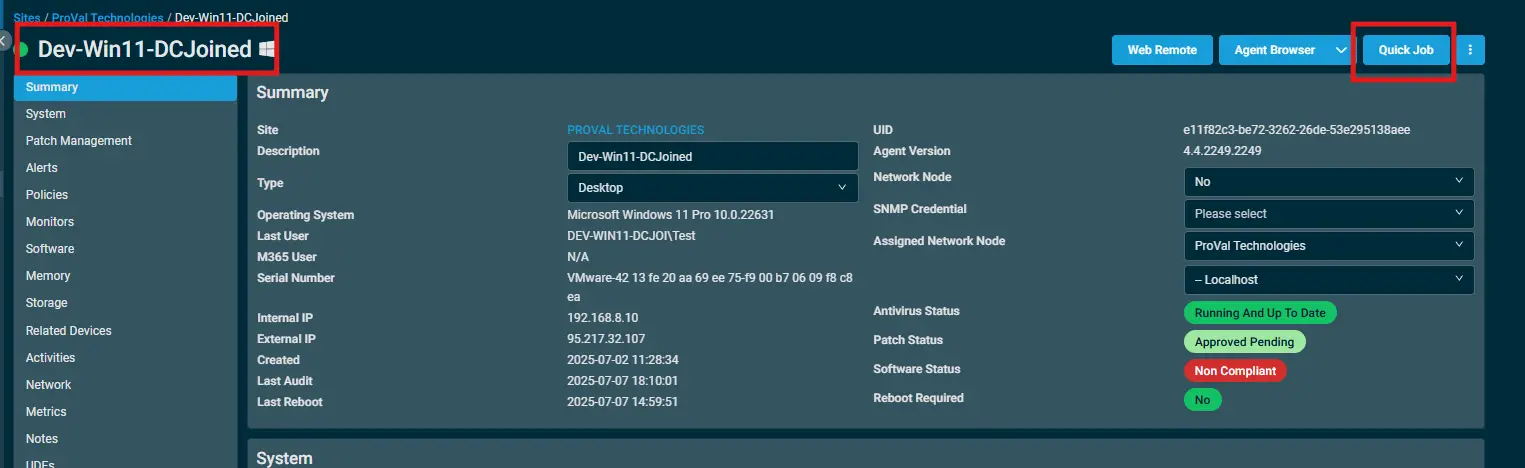
Select the machine you want to run the
componenton from the Datto RMM. -
Click on the
Quick Jobbutton.
-
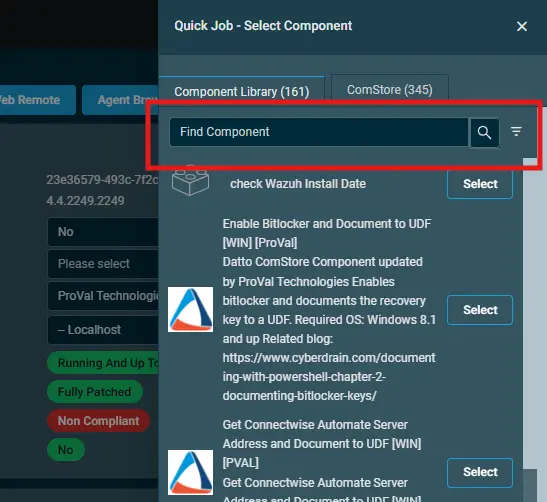
Search the component
Validate TLS SSL Hardeningand click onSelect
-
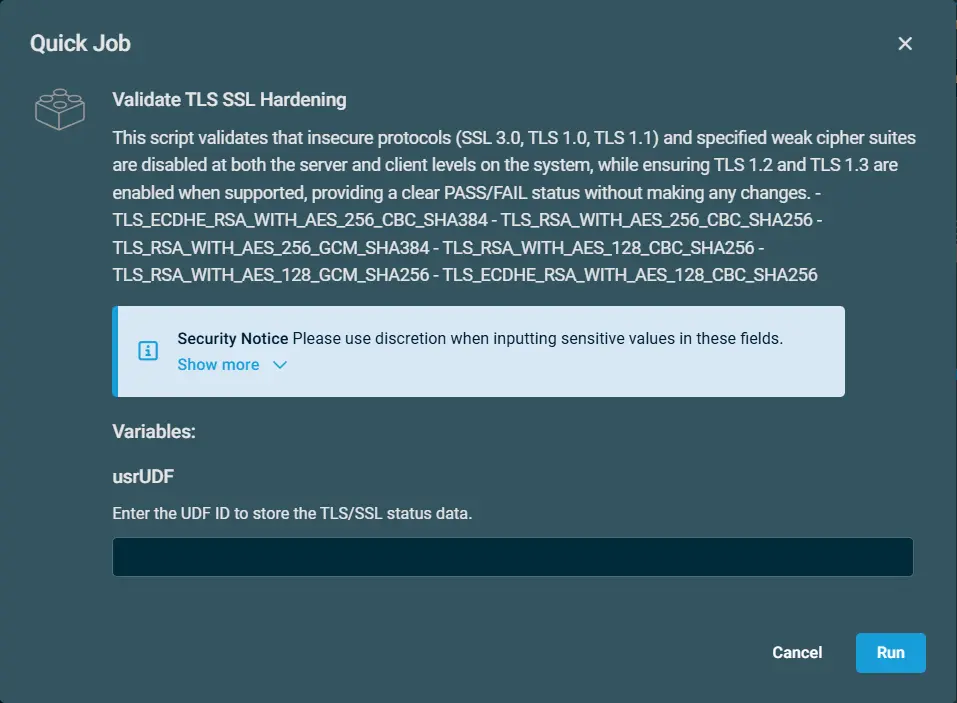
Click on
Runto execute the script:
Datto Variables
| Variable Name | Type | Default | Description |
|---|---|---|---|
| usrUDF | String | - | Enter the UDF ID to store the TLS/SSL status data |
Output
- stdOut
- stdError
Attachments
Changelog
2026-09-29
- Updated the script to store the SSL/TLS status to a UDF.
2026-09-16
- Initial version of the document