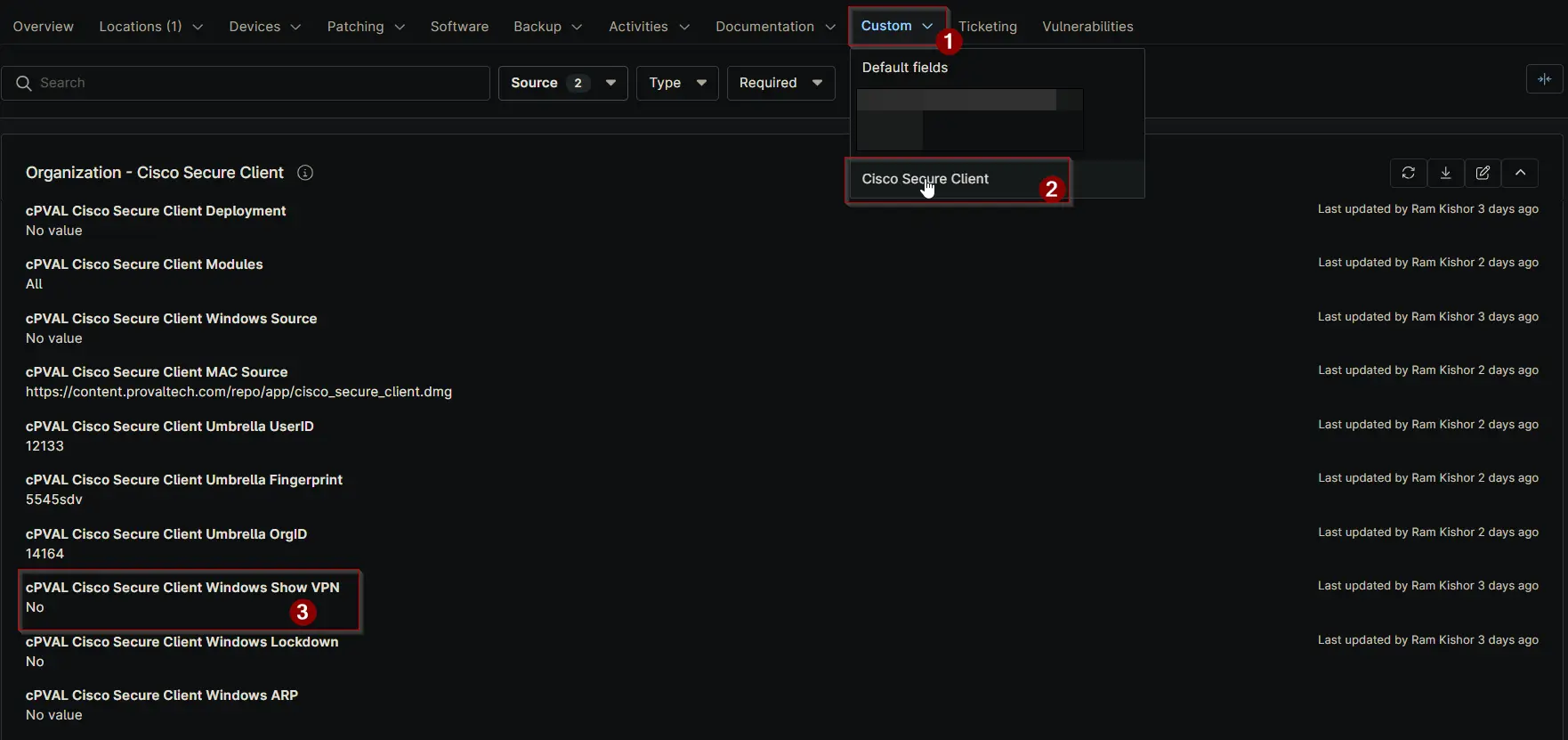
cPVAL Cisco Secure Client Windows Show VPN
Summary
Check this box if you want the Core-VPN module to appear in the system tray icon. By default, the solution does not display Core-VPN in the tray. This setting applies only to Windows systems.
Details
| Label | Field Name | Definition Scope | Type | Required | Default Value | Options | Technician Permission | Automation Permission | API Permission | Description | Tool Tip | Footer Text | Custom Field Tab Name |
|---|---|---|---|---|---|---|---|---|---|---|---|---|---|
| cPVAL Cisco Secure Client Windows Show VPN | cpvalCiscoSecureClientWindowsShowVpn | Organization, Location, Device | Checkbox | False | Editable | Read_Write | Read_Write | Check this box if you want the Core-VPN module to appear in the system tray icon. By default, the solution does not display Core-VPN in the tray. This setting applies only to Windows systems. | Enable this option to display the Core-VPN module in the system tray icon. By default, Core-VPN is not shown. Applicable for Windows only. | Tip: Leave unchecked to keep the default behavior (Core-VPN hidden). This option is supported only on Windows machines. | Cisco Secure Client |
Dependencies
Custom Field Creation
Sample Screenshot
Changelog
2025-11-17
- Initial version of the document