SSL Certificate Audit
Summary
This procedure collects all certificates from the Personal certificate store on the Windows device where it runs.
After collecting the certificate details, it creates a CSV report and saves it to a folder on the device.
By default, the CSV file is saved in:
C:\ProgramData\_Automation\AgentProcedure\SSLCertAudit
You can also choose a different folder by using the CSVPath parameter in VSA.
The report includes useful certificate details such as:
- Friendly Name
- Subject
- Issuer
- Thumbprint
- Archived status
- Private key status
- Serial number
- Version
- Certificate start date
- Certificate expiration date
- Collection date and time
The CSV file name is created automatically and includes a timestamp so each run creates a separate report.
Example file name:
SSLCertReport_20260424_103000.csv
Sample Run
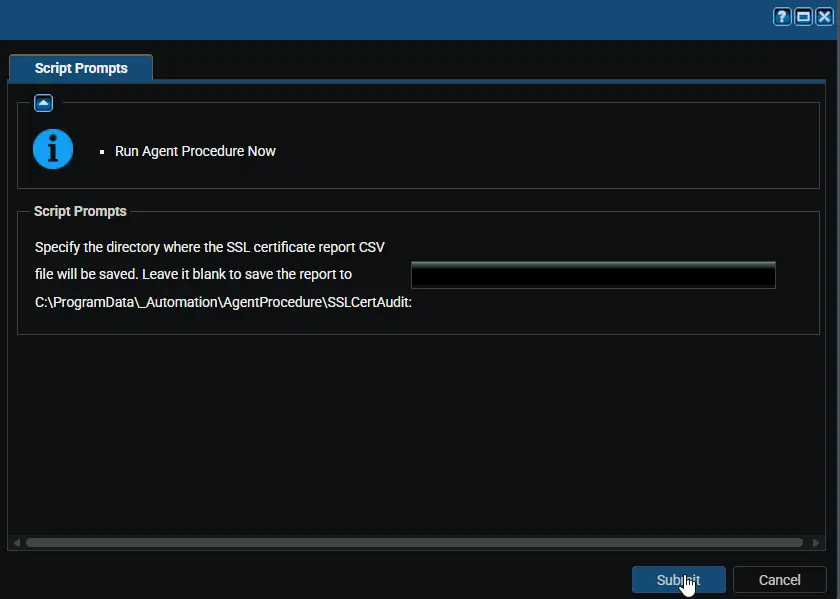
Example 1: Saving the report to the default path C:\ProgramData\_Automation\AgentProcedure\SSLCertAudit
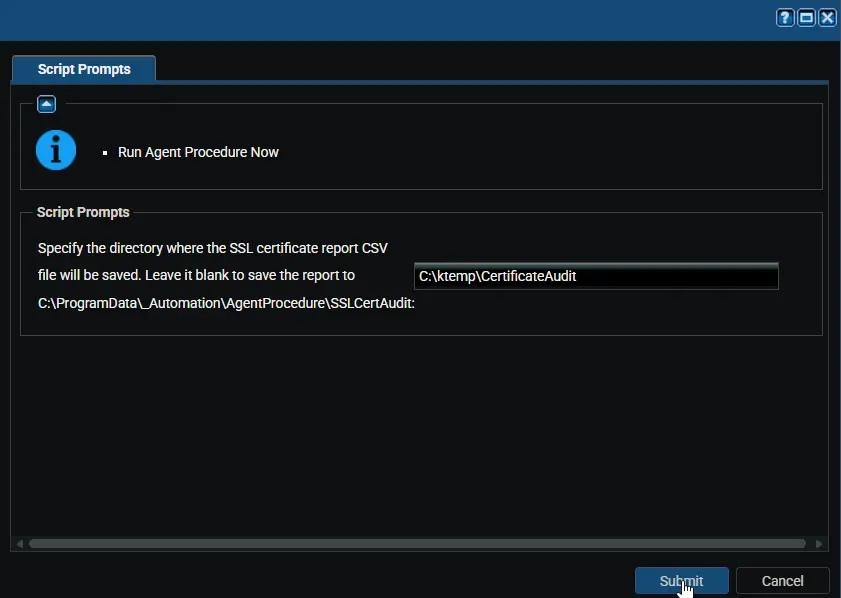
Example 2: Saving the report to a custom path: C:\ktemp\CertificateAudit
Managed Files
Manage Files->Shared Files->PVAL->Get-SSLCerts.ps1
User Parameters
| Name | Example | Mandatory | Description |
|---|---|---|---|
| CSVPath | C:\Reports\Certificates | No | Optional. Use this to choose a custom folder for the CSV report. If this is left blank or an invalid path is entered, the procedure uses the default folder: C:\ProgramData\_Automation\AgentProcedure\SSLCertAudit |
Output
- Procedure log
- CSV report saved to the default location:
C:\ProgramData\_Automation\AgentProcedure\SSLCertAudit - If
CSVPathis provided and valid, the CSV report is saved to that custom location instead
Changelog
2026-04-24
- Updated the script to use a parameterized output path, allowing the CSV file to be saved to a user-defined location or fallback to the default directory if no custom path is provided.
- Implemented logic to validate the input path and automatically use the default location
(C:\ProgramData\_automation\AgentProcedure\SSLAudit)when the parameter is null or empty. - Code-signed the PowerShell script
2026-04-08
- Initial version of the document