Windows 10 ESU License Upgrade
Summary
Applies Extended Security Updates (ESU) license for Windows 10 22H2 systems through CW RMM. The Windows 10 Extended Security Updates program provides critical security patches for up to three years beyond the official end of support date.
Sample Run
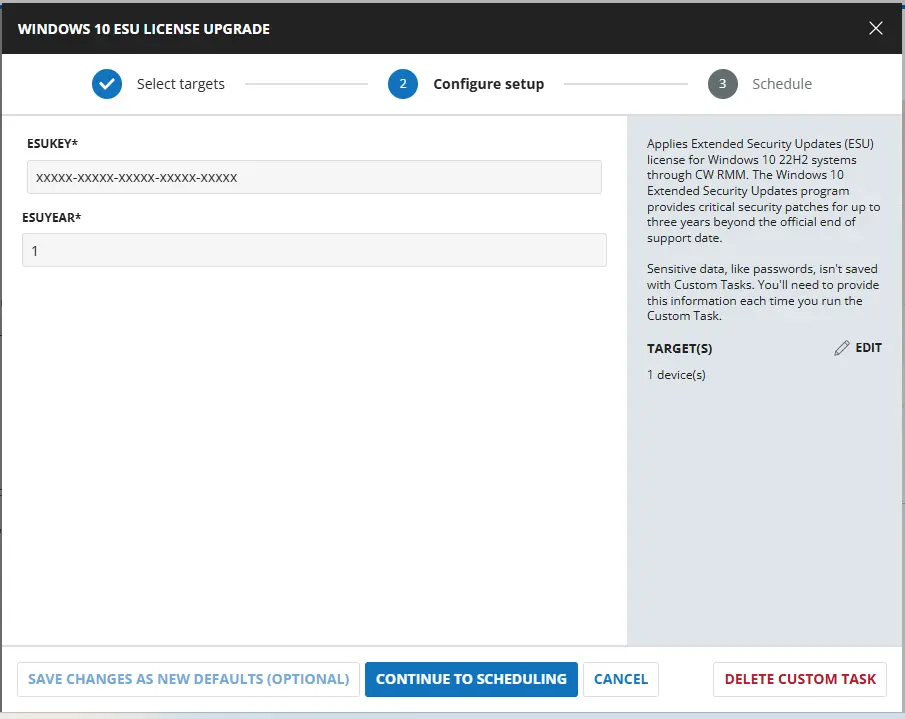
Dependencies
User Parameters
| Name | Example | Accepted Values | Required | Default | Type | Description |
|---|---|---|---|---|---|---|
| ESU Key | xxxxx-xxxxx-xxxxx-xxxxx-xxxxx | True | String/Text | Provide the ESU license key for activation of Windows 10 extended use. | ||
| ESU Year | 2 | 1, 2, or 3 | True | Number Value | Select the license key year validation like 1, 2, or 3. |
Task Creation
Script Details
Step 1
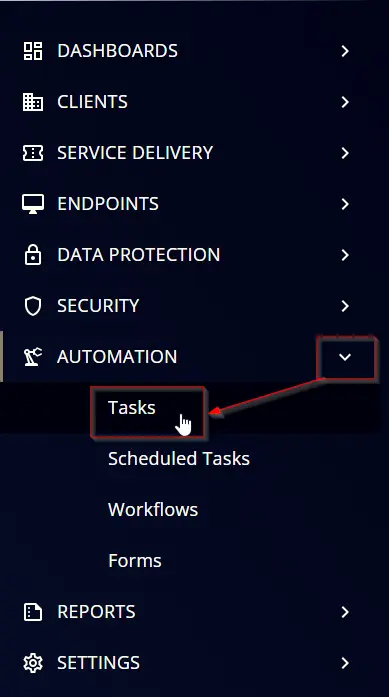
Navigate to Automation ➞ Tasks
Step 2
Create a new Script Editor style task by choosing the Script Editor option from the Add dropdown menu
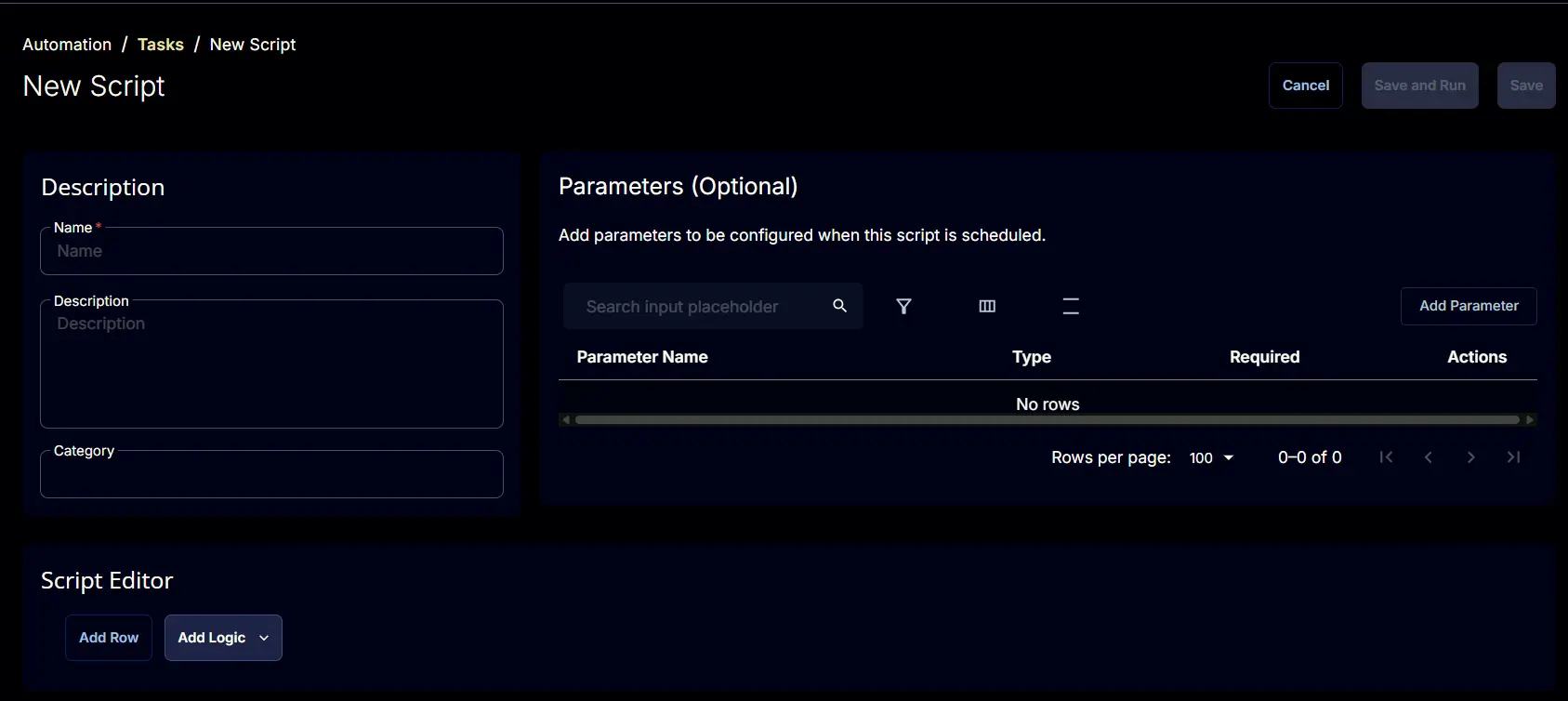
The New Script page will appear on clicking the Script Editor button:
Step 3
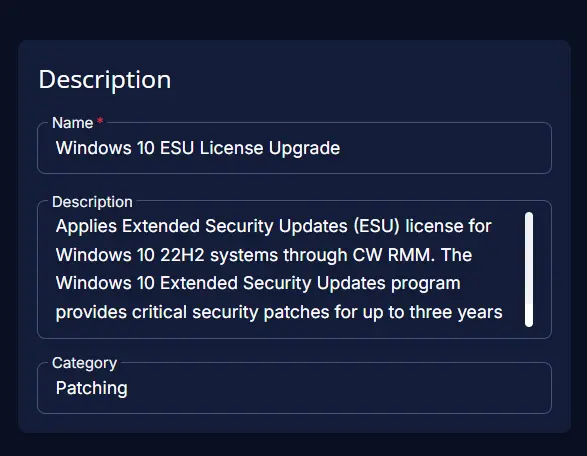
Fill in the following details in the Description section:
- Name:
Windows 10 ESU License Upgrade - Description:
Applies Extended Security Updates (ESU) license for Windows 10 22H2 systems through CW RMM. The Windows 10 Extended Security Updates program provides critical security patches for up to three years beyond the official end of support date. - Category:
Patching
Parameters
ESUKey :
Locate the Add Parameter button on the right-hand side of the screen and click on it to create a new parameter.
The Add New Script Parameter page will appear on clicking the Add Parameter button.
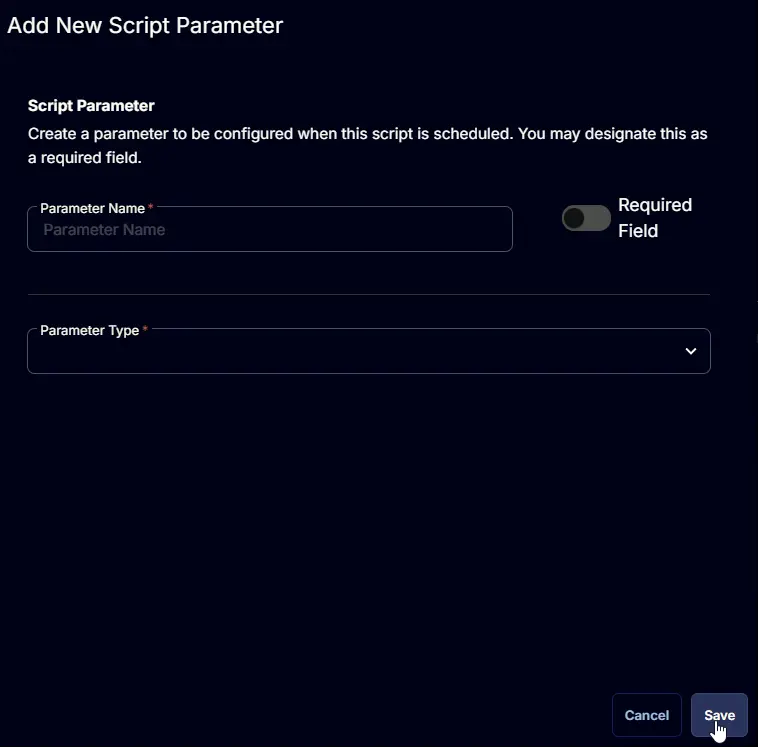
- Set
ESUKeyin theParameter Namefield. - Select
Text Stringfrom theParameter Typedropdown menu. - Enable the
Required Fieldbutton. - Click the
Savebutton.
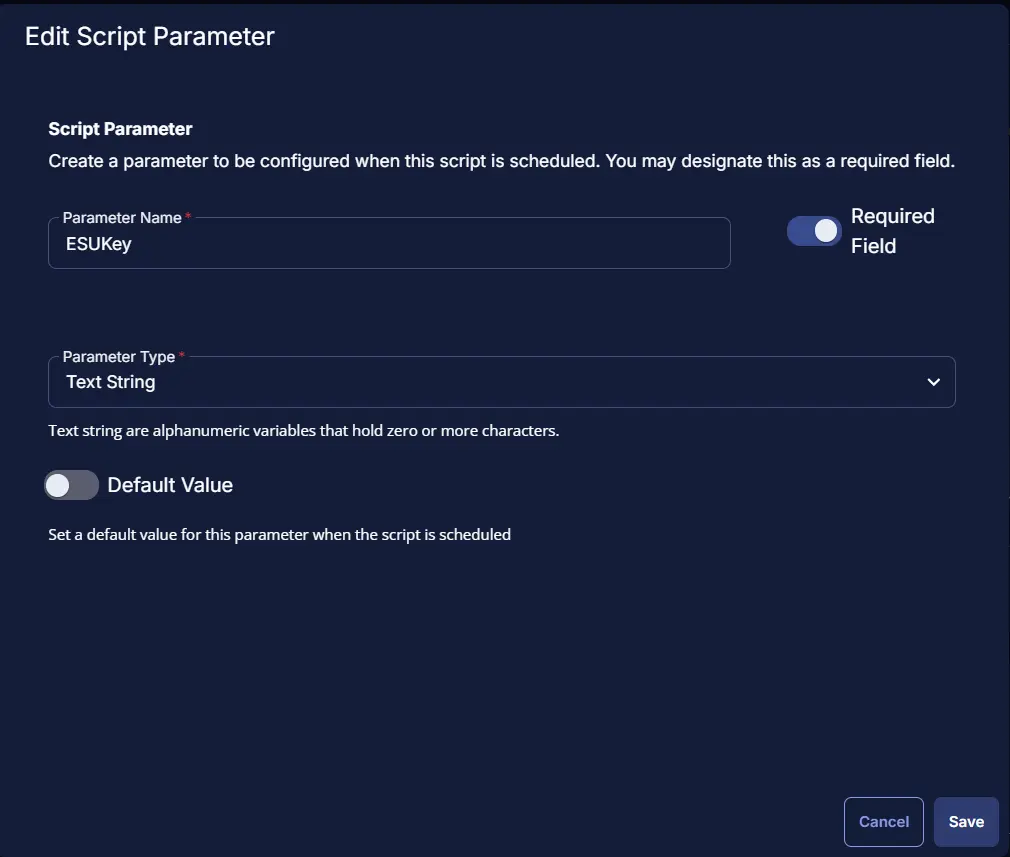
ESUYear:
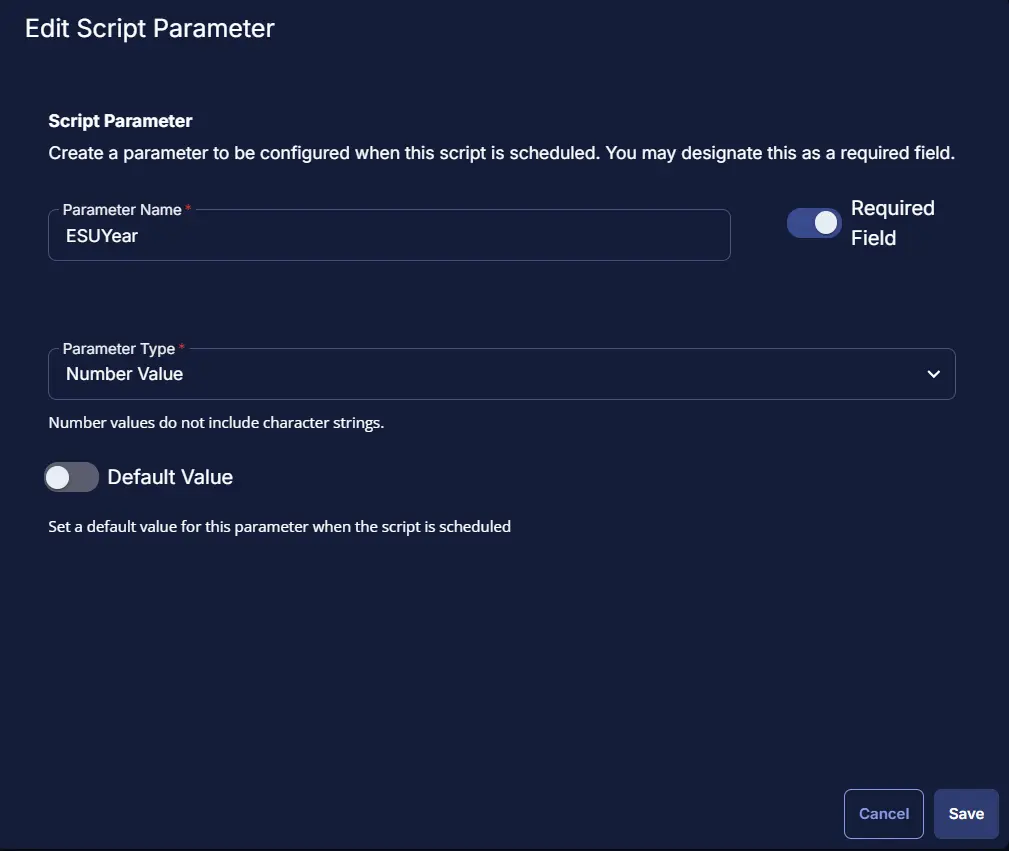
Add a new parameter by clicking the Add Parameter button present at the top-right corner of the screen. And Add the below details:
- Set
ESUYearin theParameter Namefield. - Select
Number Valuefrom theParameter Typedropdown menu. - Enable the
Required Fieldbutton. - Click the
Savebutton.
Script Editor
Click the Add Row button in the Script Editor section to start creating the script
A blank function will appear:
Row 1 Function: PowerShell Script
Search and select the PowerShell Script function.
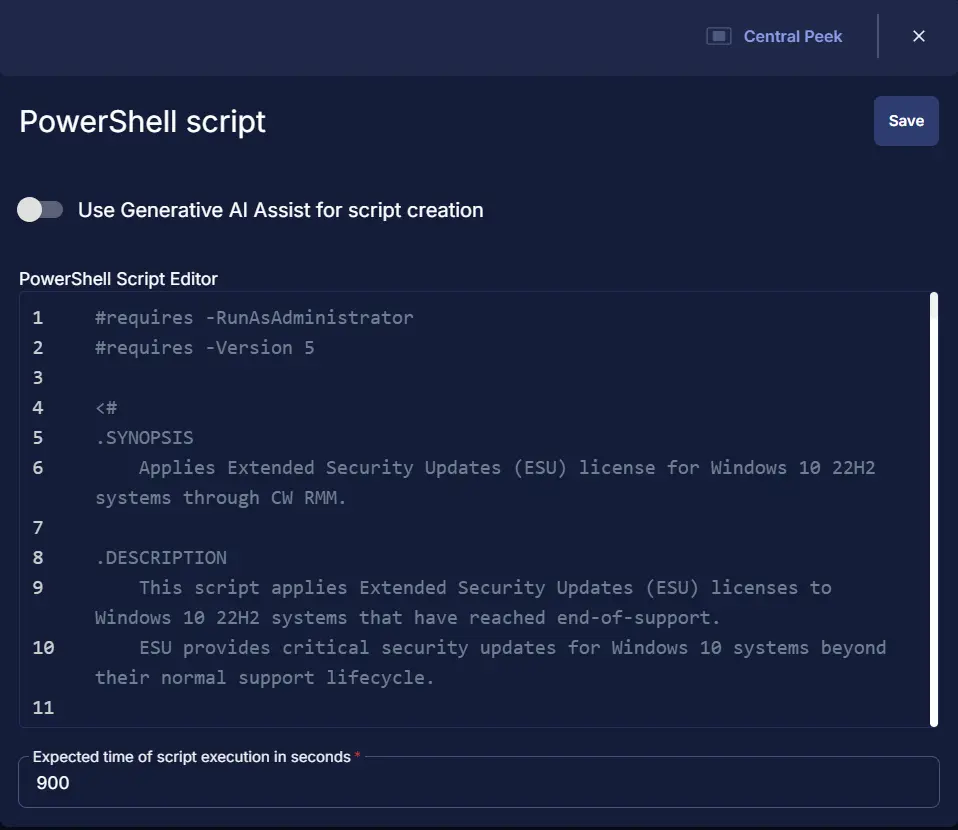
The following function will pop up on the screen:
Paste in the following PowerShell script and set the Expected time of script execution in seconds to 900 seconds. Click the Save button.
<#requires -RunAsAdministrator
#requires -Version 5
<#
.SYNOPSIS
Applies Extended Security Updates (ESU) license for Windows 10 22H2 systems through CW RMM.
.DESCRIPTION
This script applies Extended Security Updates (ESU) licenses to Windows 10 22H2 systems that have reached end-of-support.
ESU provides critical security updates for Windows 10 systems beyond their normal support lifecycle.
The script performs the following operations:
- Validates system compatibility (Windows 10 22H2 Build 19045)
- Checks for required cumulative update (KB5046613 or later)
- Installs the ESU MAK (Multiple Activation Key)
- Activates the ESU license for the specified year (1, 2, or 3)
- Verifies the activation status
ESU licenses are available for up to 3 years after Windows 10 reaches end-of-support, allowing organizations
to continue receiving critical security updates while planning their migration to supported Windows versions.
.PARAMETER esuKey
The ESU MAK (Multiple Activation Key) required for activation.
This parameter can be provided via:
- Runtime variable 'ESU Key'
The ESU key is obtained from Microsoft Volume Licensing and is specific to your organization.
If this parameter is missing, the script will throw an error with the message:
"Error: ESU Key is missing. Please provide the ESU MAK Key as the runtime variable 'ESU Key'."
.PARAMETER esuYear
The ESU year for which the license should be activated.
Valid values: 1, 2, or 3
This parameter can be provided via:
- Runtime variable 'ESU Year'
ESU licenses are available for up to 3 years after Windows 10 end-of-support:
- Year 1: First year of ESU coverage
- Year 2: Second year of ESU coverage
- Year 3: Third year of ESU coverage
If this parameter is missing, the script will throw an error with the message:
"Error: ESU Year is missing. Please set the ESU Year as the runtime variable 'ESU Year'. Note: You can only use 1, 2, or 3 as Windows only allowed extensions for 3 years."
If an invalid value is provided, the script will throw:
"Error: Invalid ESU Year value. Only 1, 2, or 3 are allowed."
.EXAMPLE
-esuKey "XXXXX-XXXXX-XXXXX-XXXXX-XXXXX" -esuYear 1
Applies ESU license for the first year using the specified MAK key.
.EXAMPLE
-esuKey "XXXXX-XXXXX-XXXXX-XXXXX-XXXXX" -esuYear 2
Applies ESU license for the second year using the specified MAK key.
.LINK
https://learn.microsoft.com/en-us/windows/whats-new/enable-extended-security-updates
https://www.systemcenterdudes.com/deploy-windows-10-extended-security-update-key-with-intune-or-sccm/
#>
#region Globals
$ProgressPreference = 'SilentlyContinue'
$InformationPreference = 'Continue'
$WarningPreference = 'SilentlyContinue'
#endRegion
#region Variables
$requiredKB = 5046613
$supportedBuild = 19045
$activationIDs = @{
1 = 'f520e45e-7413-4a34-a497-d2765967d094'
2 = '1043add5-23b1-4afb-9a0f-64343c8f3f8d'
3 = '83d49986-add3-41d7-ba33-87c7bfb5c0fb'
}
$activationID = $activationIDs[$esuYear]
$slmgrPath = '{0}\System32\slmgr.vbs' -f $env:SystemRoot
$acceptedEsuYearValues = @(1, 2, 3)
#endRegion
#region set parameters
$esuKey = '@ESUKey@'
if ([string]::IsNullOrEmpty($esuKey) -or $esuKey -match 'ESUKey') {
throw 'Error: ESU Key is missing. Please provide the ESU MAK Key as the runtime variable ''ESU Key''.'
}
$esuYear = '@ESUYear@'
if ([string]::IsNullOrEmpty($esuYear) -or $esuYear -match 'ESUYear') {
throw 'Error: ESU Year is missing. Please set the ESU Year as the runtime variable ''ESU Year''. Note: You can only use 1, 2, or 3 as Windows only allowed extensions for 3 years.'
}
if ($acceptedEsuYearValues -notcontains $esuYear) {
throw 'Error: Invalid ESU Year value. Only 1, 2, or 3 are allowed.'
}
#endRegion
#region Set TLS Policy
$supportedTLSversions = [enum]::GetValues('Net.SecurityProtocolType')
if (($supportedTLSversions -contains 'Tls13') -and ($supportedTLSversions -contains 'Tls12')) {
[System.Net.ServicePointManager]::SecurityProtocol = [System.Net.ServicePointManager]::SecurityProtocol::Tls13 -bor [System.Net.SecurityProtocolType]::Tls12
} elseif ($supportedTLSversions -contains 'Tls12') {
[System.Net.ServicePointManager]::SecurityProtocol = [System.Net.SecurityProtocolType]::Tls12
} else {
Write-Information -MessageData 'TLS 1.2 and/or TLS 1.3 are not supported on this system. This download may fail!'
if ($PSVersionTable.PSVersion.Major -lt 3) {
Write-Information -MessageData 'PowerShell 2 / .NET 2.0 doesn''t support TLS 1.2.'
}
}
#endRegion
#region Compatibility Check
Write-Information -MessageData 'Checking Windows version and cumulative update...'
# Windows 10 22H2 has build number 19045
$build = (Get-CimInstance -ClassName 'Win32_OperatingSystem' -ErrorAction SilentlyContinue).buildNumber
if ($build -ne $supportedBuild) {
throw ('Error: Not Compatible. The Windows version is not 22H2 (Build 19045). Current build: {0}' -f $build)
}
# Check for KB5046613 or later
$hotFixes = Get-HotFix | Where-Object { $_.HotFixID } | Select-Object @{
Name = 'KBID'
Expression = { $_.HotFixId -replace 'Kb', '' }
}
$latestKB = $hotFixes | Sort-Object -Property 'KBID' -Descending | Select-Object -First 1 -ExpandProperty 'KBID'
if ($latestKB -lt $requiredKB) {
throw ('Error: Not Compatible. Required cumulative update KB5046613 or later not found. Latest installed KB: KB{0}' -f $latestKB)
}
Write-Information -MessageData 'Windows 10 version and update check passed.'
#endRegion
#region Set ESU Key
Write-Information -MessageData 'Installing ESU MAK key...'
try {
$argumentList = @(
'/nologo',
$slmgrPath,
'/ipk',
$esuKey
)
$procInfo = Start-Process -FilePath 'cscript.exe' -ArgumentList $argumentList -Wait -PassThru -NoNewWindow -ErrorAction Stop
} catch {
throw ('Error: Failed to install ESU Key. Process exited with the exit code {0}. Reason: {1}' -f $procInfo.ExitCode, $Error[0].Exception.Message)
}
#endRegion
#region Activating ESU Key
Write-Information -MessageData ('Activating ESU MAK key for Year {0}...' -f $esuYear)
try {
$argumentList = @(
'/nologo',
$slmgrPath,
'/ato',
$activationID
)
$procInfo = Start-Process -FilePath 'cscript.exe' -ArgumentList $argumentList -Wait -PassThru -NoNewWindow -ErrorAction Stop
} catch {
throw ('Error: Failed to activate ESU Key. Process exited with the exit code {0}. Reason: {1}' -f $procInfo.ExitCode, $Error[0].Exception.Message)
}
#endRegion
#region Verification
Write-Information -MessageData 'Verifying activation status...'
try {
$argumentList = @(
'/nologo',
$slmgrPath,
'/dlv'
)
$tempFile = '{0}\temp\slmgrDlv.txt' -f $env:SystemRoot
$procInfo = Start-Process -FilePath 'cscript.exe' -ArgumentList $argumentList -Wait -PassThru -NoNewWindow -ErrorAction Stop -RedirectStandardOutput $tempFile
$dlvOutput = Get-Content -Path $tempFile
Remove-Item -Path $tempFile -ErrorAction SilentlyContinue
} catch {
throw ('Error: Failed to verify the activation status. Reason: {0}' -f $Error[0].Exception.Message)
}
$activationIDString = $dlvOutput -match 'Activation ID'
$licenseStatusString = $dlvOutput -match 'License Status'
if ($activationIDString -match [Regex]::Escape($activationID) -and $licenseStatusString -match 'Licensed') {
return ('ESU license successfully activated for ''{0}'' year.' -f $esuYear)
} else {
return ('Warning: Could not confirm ESU activation. Please manually verify the output below:{0}{1}' -f [char]10, ($dlvOutput | Out-String))
}
#endRegion

Row 2 Function: Script Log
Add a new row by clicking the Add Row button.
A blank function will appear.
Search and select the Script Log function.
In the script log message, simply type %output% and click the Save button.
Row 3 Script: ESU License Activation Detection
Add a new row by clicking the Add Row button.
A blank function will appear. Change Function to Script from the dropdown.
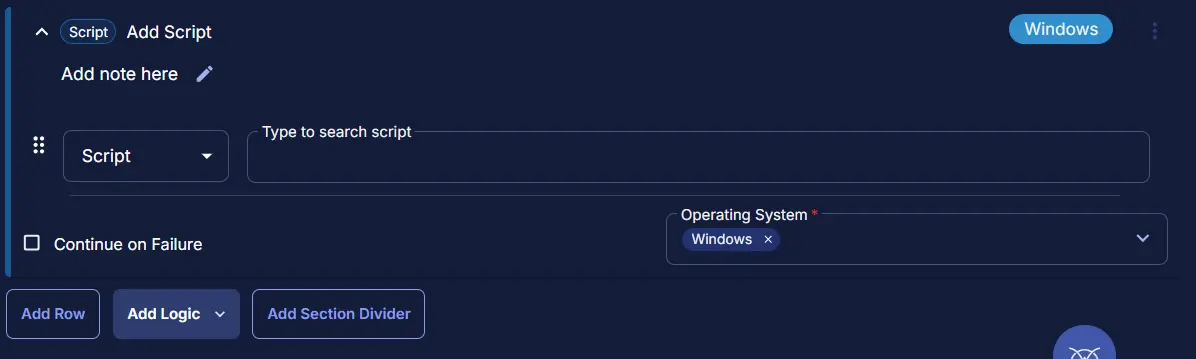
Search and select the ESU License Activation Detection Script.
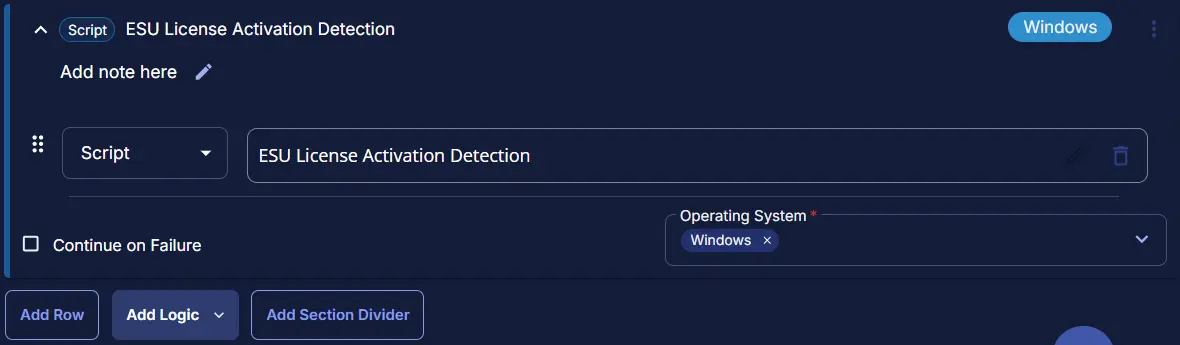
Save Task
Click the Save button at the top-right corner of the screen to save the script.
Completed Task
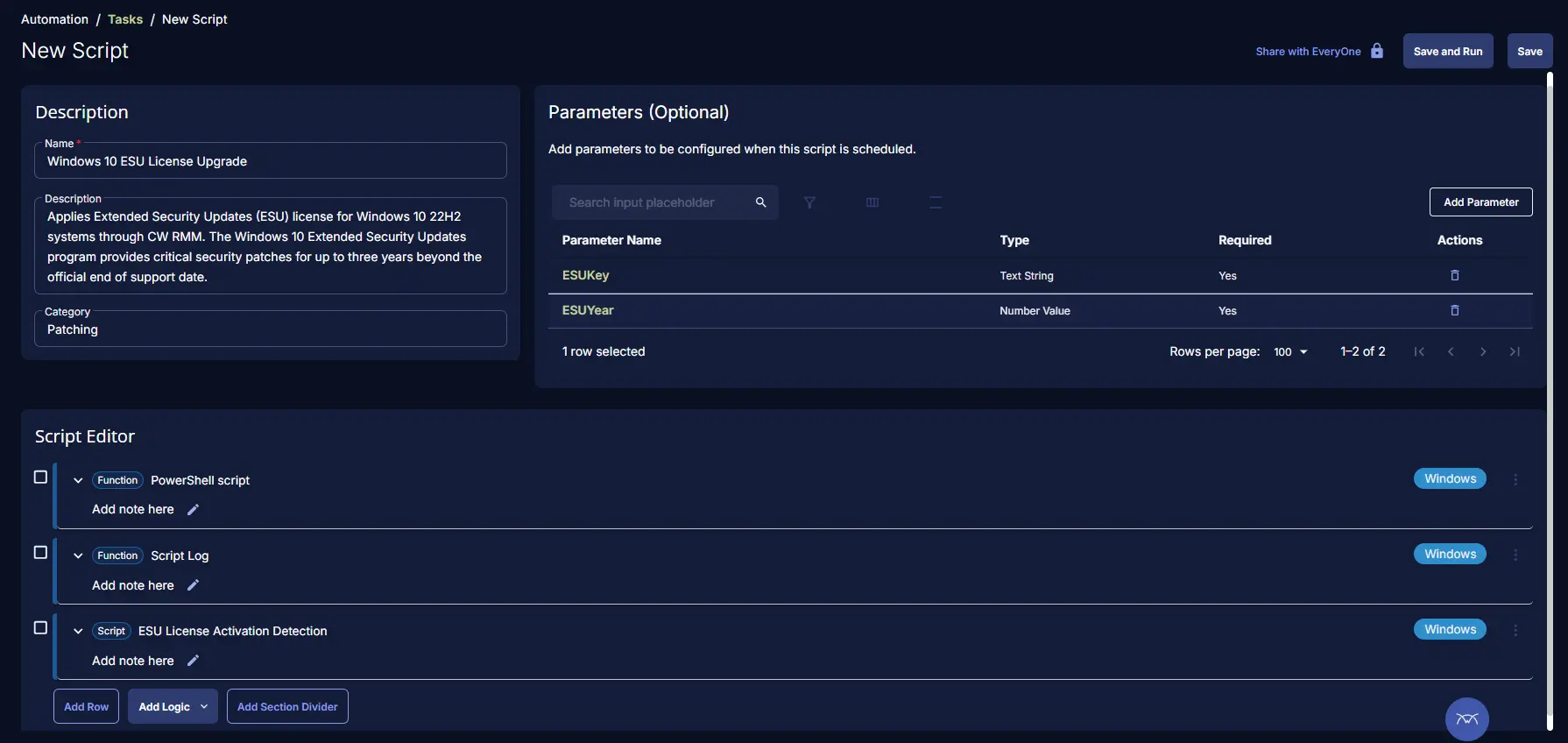
Output
- Script Logs