cPVAL TPM Info
Summary
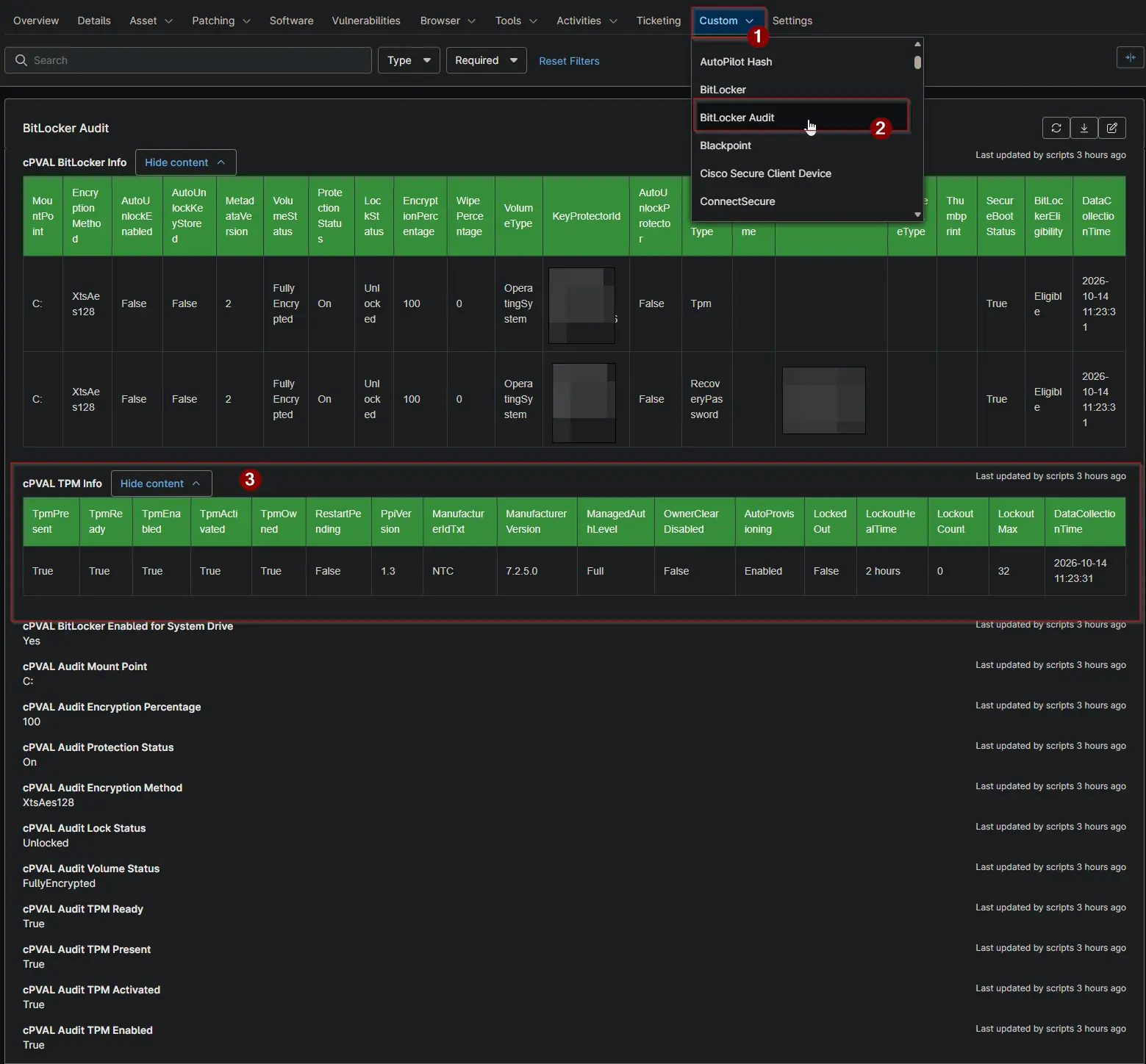
Shows the Trusted Platform Module (TPM) status of the device. The TPM is the security chip BitLocker uses to protect encryption keys. Use it to check whether a device has a working TPM before you enable BitLocker. The BitLocker and TPM Audit automation fills this field, and the TPM Status report collects it from every client.
Details
| Label | Field Name | Example | Definition Scope | Type | Required | Default Value | Dropdown Options | Editable | Custom Field Tab |
|---|---|---|---|---|---|---|---|---|---|
| cPVAL TPM Info | cpvalTpmInfo | HTML table | Device | WYSIWYG | False | - | - | Yes | BitLocker Audit |
Table Columns
The field holds a table with one row for the TPM of the device.
| Column | Description |
|---|---|
| TpmPresent | True when the device has a TPM. |
| TpmReady | True when the TPM is ready for use. |
| TpmEnabled | True when the TPM is enabled in the BIOS or UEFI. |
| TpmActivated | True when the TPM is activated. Applies mainly to TPM 1.2. |
| TpmOwned | True when Windows has taken ownership of the TPM. |
| RestartPending | True when a restart is needed to finish a TPM change. |
| PpiVersion | The Physical Presence Interface version. |
| ManufacturerIdTxt | The TPM manufacturer. |
| ManufacturerVersion | The TPM firmware version. |
| ManagedAuthLevel | How much of the TPM authorization Windows manages. |
| OwnerClearDisabled | True when clearing the TPM is blocked by policy. |
| AutoProvisioning | Whether Windows sets up the TPM automatically. |
| LockedOut | True when the TPM is locked after too many failed attempts. |
| LockoutHealTime | How long until the failed-attempt counter goes down. |
| LockoutCount | The current number of failed attempts. |
| LockoutMax | The number of failed attempts allowed before lockout. |
| DataCollectionTime | When the data was collected. |
Dependencies
Custom Field Creation
Sample Screenshot
Changelog
2026-10-14
- Added the TPM Status report to the dependencies.
- Updated the Details table to the standard format.
2026-01-08
- Initial version of the document