Install Microsoft Project
Summary
The Install Microsoft Project task installs Microsoft Project for Microsoft 365, the Project desktop app included with Project Plan 3 and Project Plan 5. It runs the Install-MicrosoftProject script, which adds Project to an existing Microsoft 365 Apps installation or installs it on its own. Endpoints that already have Project for Microsoft 365 are left unchanged.
How it works
- Get the script. The task downloads the Install-MicrosoftProject script to
C:\ProgramData\_Automation\Script\Install-MicrosoftProjectand checks its digital signature before running it. - Install Project. The script downloads the latest Office Deployment Tool from Microsoft and installs Project silently, using the
LanguageandForceAppShutdownparameters of the task. - Report the result. The script log appears in the task output. If the install fails, the task fails and the output shows the reason.
Requirements: PowerShell 5.1, and internet access to contentrepo.net, the PowerShell Gallery and officecdn.microsoft.com. Users need a Project Plan 3 or Project Plan 5 license to use Project.
Sample Run
Default install: leave both parameters empty. Project is installed in English (United States), and the install fails if Office apps are open.

Install in another language: set Language to a language code, for example fr-fr.

Close open Office apps: check ForceAppShutdown, so open Office apps don't block the install.

Dependencies
User Parameters
| Name | Example | Accepted Values | Required | Default | Type | Description |
|---|---|---|---|---|---|---|
Language | fr-fr | A language code supported by Project, such as fr-fr or de-de, MatchOS, or MatchInstalled | False | Text String | Language to install Project in. Leave empty for English (United States). MatchOS uses the Windows language, and MatchInstalled uses the languages of the installed Office apps. Any other value is ignored, and English (United States) is used. | |
ForceAppShutdown | Checked | Checked or Unchecked | False | False | Flag | Closes open Office apps that block the install. When unchecked, open apps keep running and the install fails on endpoints where Office apps are open. |
ForceAppShutdown closes Office apps, such as Outlook and Word, without warning the user. Unsaved work in those apps can be lost.
Project supports fewer languages than the other Office apps. English (United Kingdom) en-gb, French (Canada) fr-ca and Spanish (Mexico) es-mx aren't available, and the install fails if one of them is selected. See Install-MicrosoftProject for details and troubleshooting.
Task Setup Path
- Tasks Path:
AUTOMATION➞Tasks - Task Type:
Script Editor
Task Creation
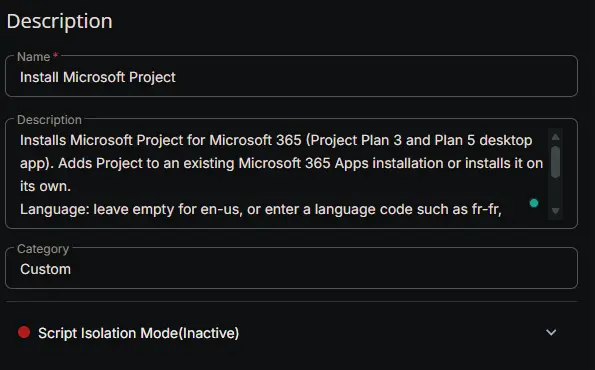
Description
- Name:
Install Microsoft Project - Description:
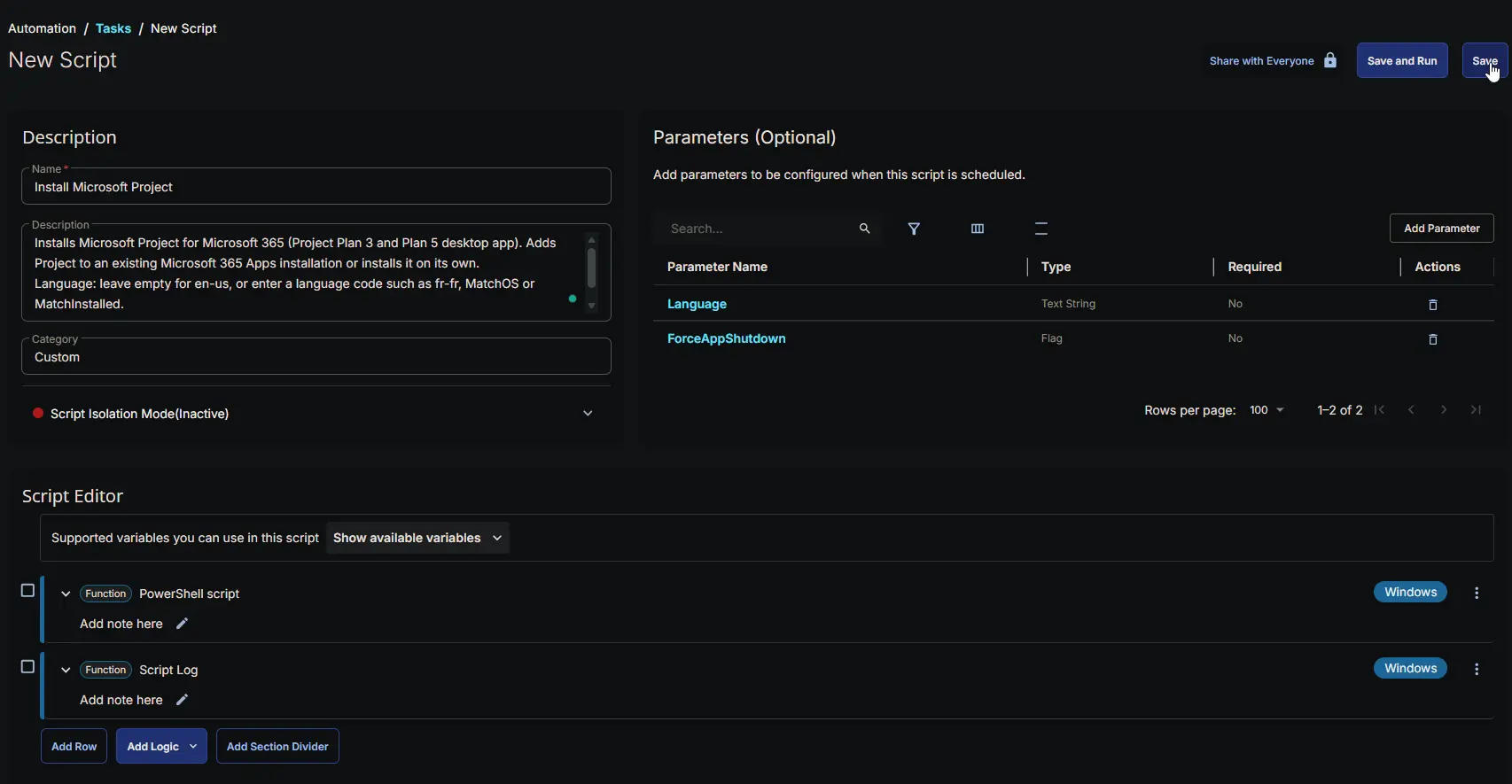
Installs Microsoft Project for Microsoft 365 (Project Plan 3 and Plan 5 desktop app). Adds Project to an existing Microsoft 365 Apps installation or installs it on its own.
Language: leave empty for en-us, or enter a language code such as fr-fr, MatchOS or MatchInstalled.
ForceAppShutdown: closes open Office apps that block the install. Unsaved work can be lost.
- Category:
Custom
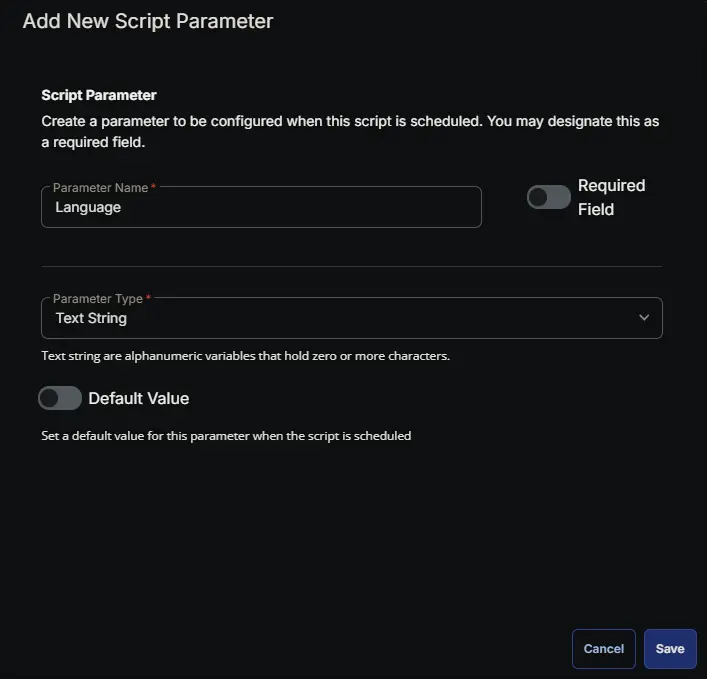
Parameters
Language
| Parameter Name | Required Field | Parameter Type | Default Value |
|---|---|---|---|
Language | False | Text String |
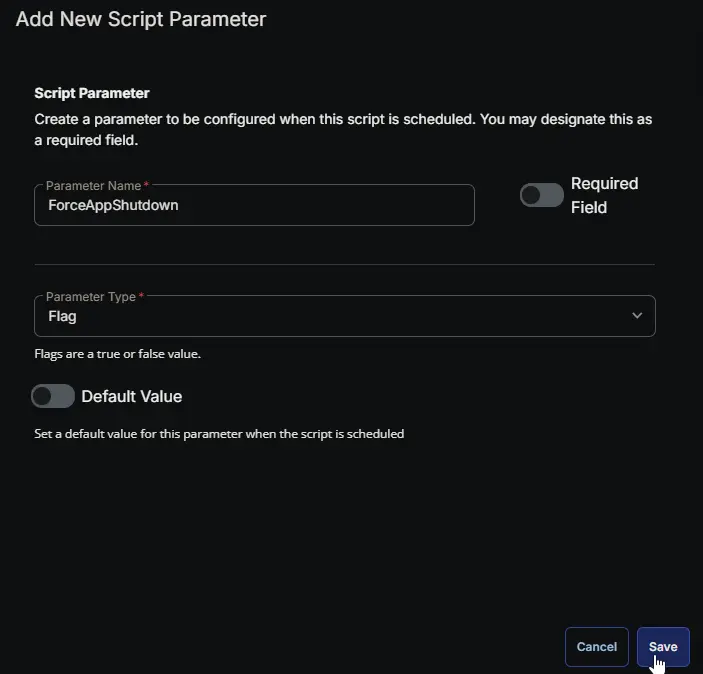
ForceAppShutdown
| Parameter Name | Required Field | Parameter Type | Default Value |
|---|---|---|---|
ForceAppShutdown | False | Flag |
Completed Parameters Section
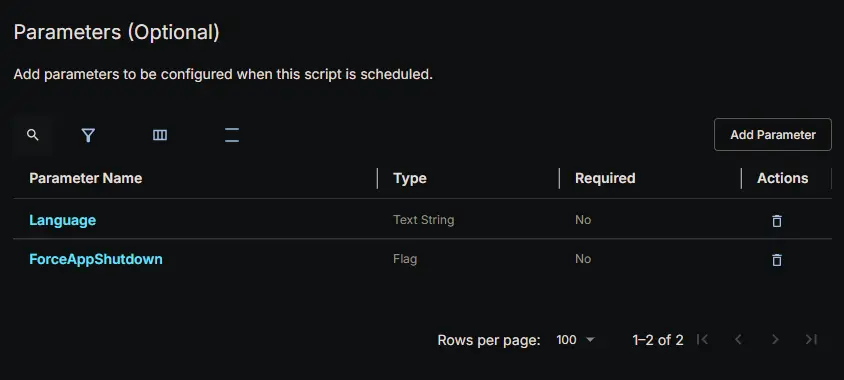
Name the parameters exactly Language and ForceAppShutdown. The script reads them by these names.
Script Editor
Row 1 Function: PowerShell script
- Notes:
<Leave it Blank> - Use Generative AI Assist for script creation:
False - Expected time of script execution in seconds:
1800 - Continue on Failure:
False - Run As:
System - Operating System:
Windows - PowerShell Script Editor:
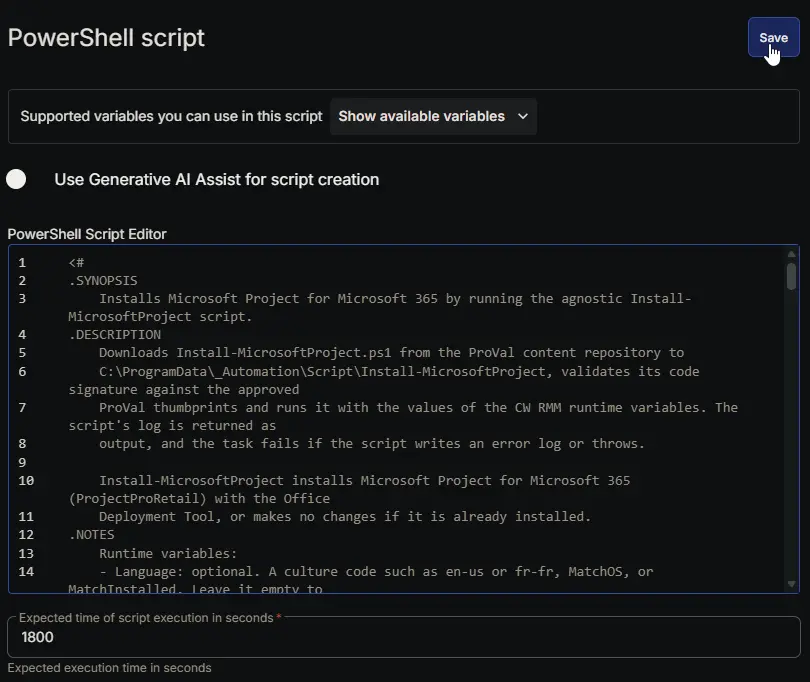
Row 2 Function: Script Log
- Notes:
<Leave it Blank> - Continue on Failure:
False - Operating System:
Windows - Script Log Message:
%Output%

Completed Task
Output
- Script Log
- Script logs in
C:\ProgramData\_Automation\Script\Install-MicrosoftProject
Changelog
2026-11-02
- Initial version of the document