Install DNSFilter Agent

Summary

Deploys DNSFilter Agent on both windows and MAC machines.

Sample Run
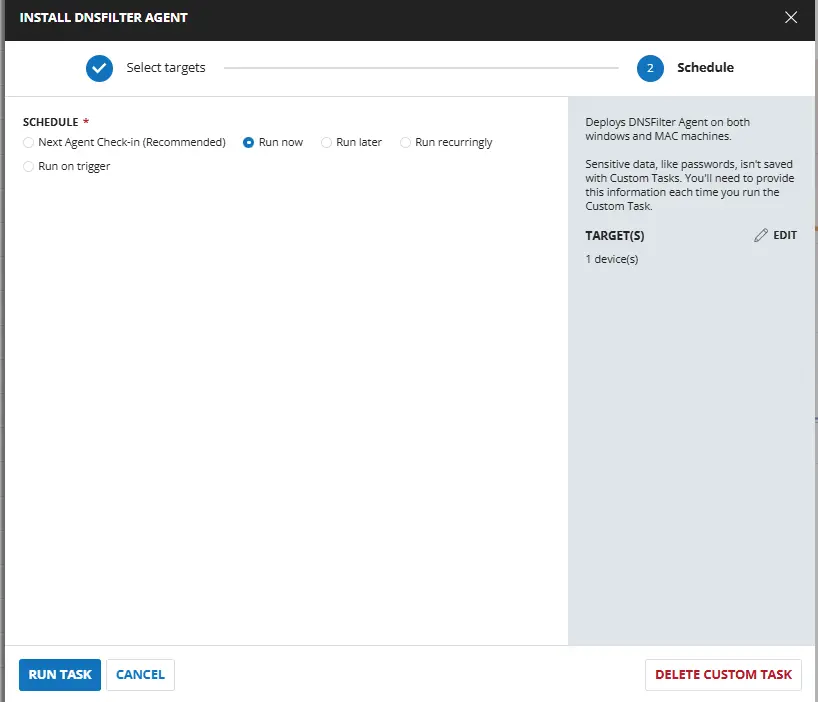
Sample Run

Dependencies

Task Creation

Script Details

Step 1

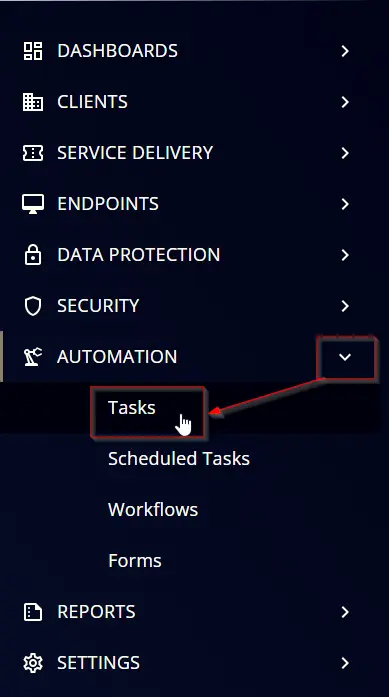
Navigate to AutomationTasks
step1

Step 2

Create a new Script Editor style task by choosing the Script Editor option from the Add dropdown menu
step2

The New Script page will appear on clicking the Script Editor button:
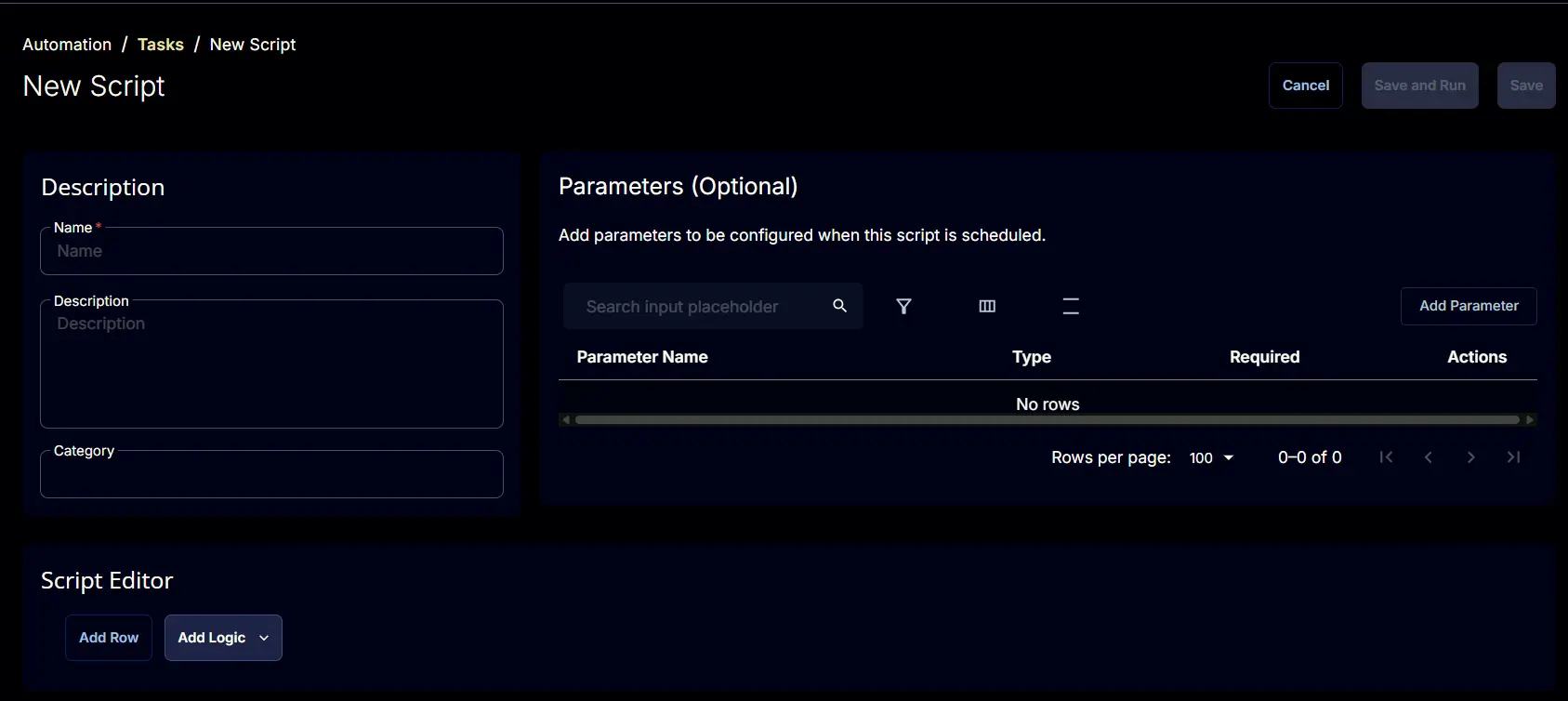
step3

Step 3

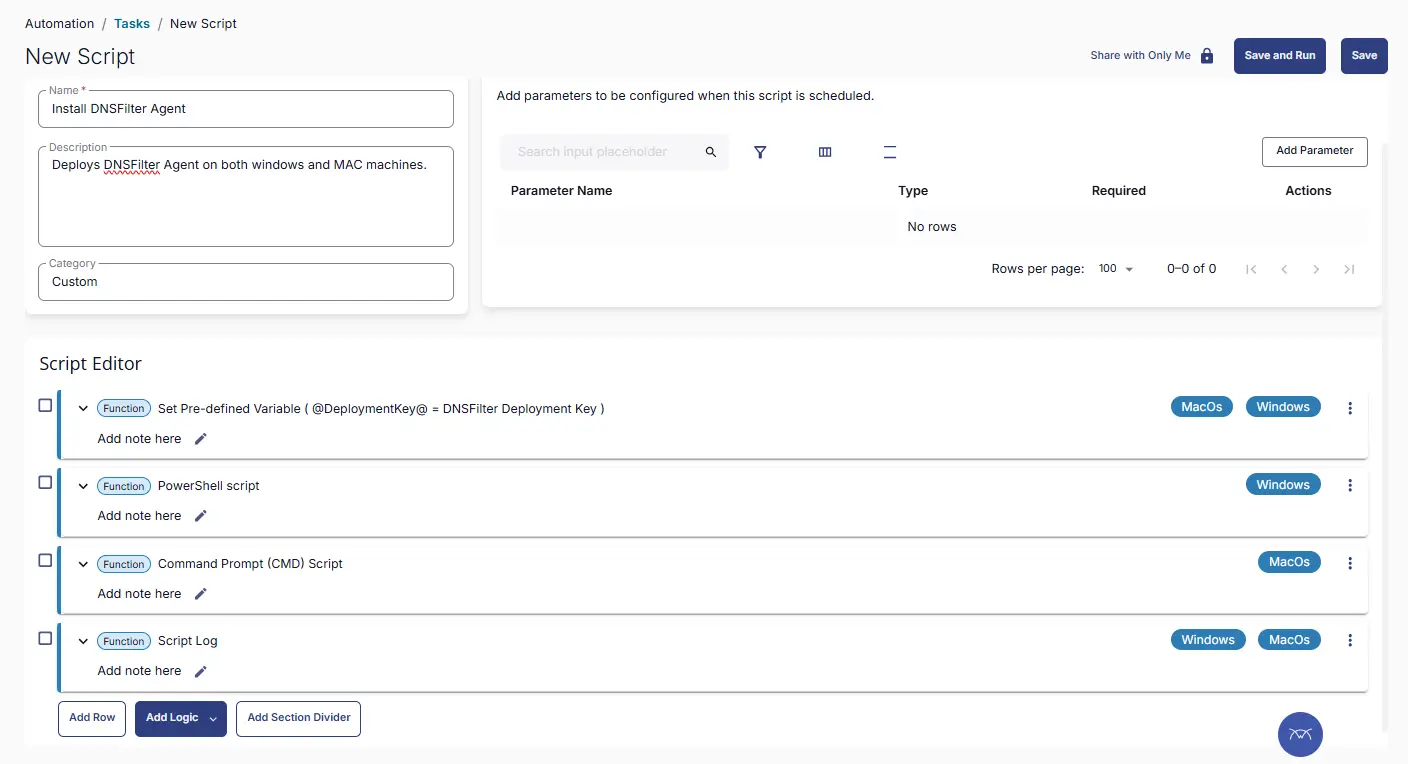
Fill in the following details in the Description section:

  • Name: Install DNSFilter Agent
  • Description: Deploys DNSFilter Agent on both windows and MAC machines.
  • Category: Custom

Image1

Script Editor

Click the Add Row button in the Script Editor section to start creating the script
AddRow

A blank function will appear:
BlankFunction

Row 1: Set Pre-defined Variable ( @DeploymentKey@ = DNSFilter Deployment Key )

  • Variable Name: DeploymentKey
  • Type: Custom Field
  • Custom Field: DNSFilter Deployment Key
  • Continue on Failure: True
  • Operating System: Windows,MacOs

Image2

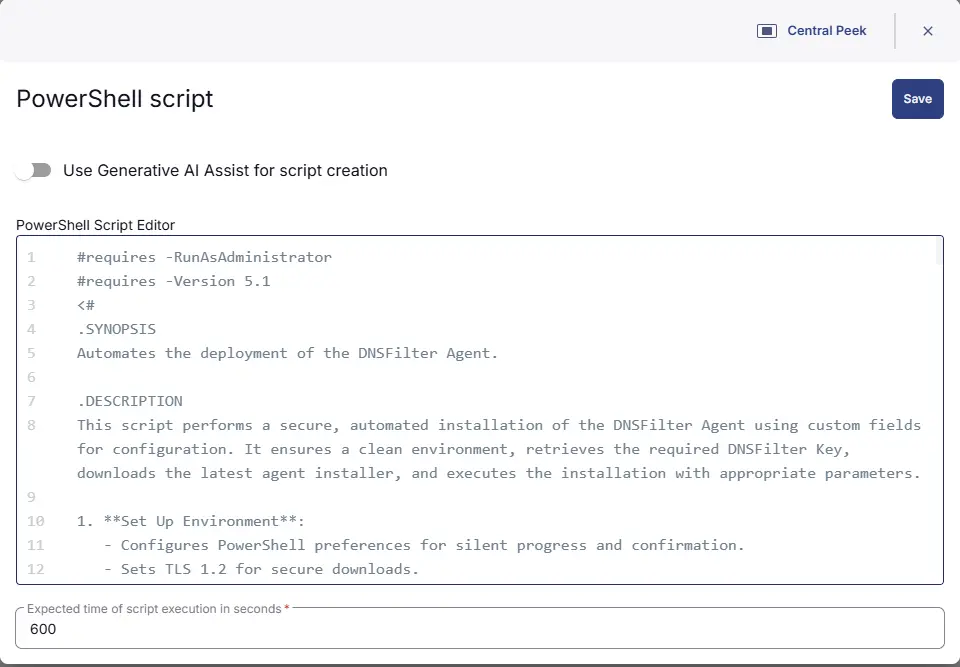
Row 2: PowerShell script

  • Use Generative AI Assist for script creation: False
  • Expected time of script execution in seconds: 600
  • Continue on Failure: False
  • Run As: System
  • Operating System: Windows
  • PowerShell Script Editor:
#requires -RunAsAdministrator
#requires -Version 5.1
<#
.SYNOPSIS
Automates the deployment of the DNSFilter Agent.

.DESCRIPTION
This script performs a secure, automated installation of the DNSFilter Agent using custom fields for configuration. It ensures a clean environment, retrieves the required DNSFilter Key, downloads the latest agent installer, and executes the installation with appropriate parameters.

1. **Set Up Environment**:
- Configures PowerShell preferences for silent progress and confirmation.
- Sets TLS 1.2 for secure downloads.
- Defines working directory, download URL, and custom field names.

2. **Prepare Working Directory**:
- Removes any existing working directory for a clean setup.
- Creates `C:\ProgramData\_Automation\Script\DNSFilter`.
- Sets FullControl permissions for the `Everyone` group.

3. **Set Parameters**:
- Retrieves the DNSFilter Key (`secretKey`) from the custom field `DNSFilter Deployment Key`.
- Throws an error if the key is missing.

4. **Download the DNSFilter Agent Script**:
- Downloads the DNSFilter installer from the official site.
- Saves it to the working directory.
- Throws an error if download fails.

5. **Execute the DNSFilter Installation Script**:
- Installs the DNSFilter Agent using the retrieved key and MSI installer.

.NOTES
- Requires administrative privileges.
- Ensure the DNSFilter Key is set in the custom field `DNSFilter Deployment Key`.
- Outputs logs and errors to the working directory.

#>
#region Globals
$ErrorActionPreference = 'Stop'
$ProgressPreference = 'SilentlyContinue'
$WorkingDirectory = 'C:\ProgramData\_Automation\Script\DNSFilter'
#endregion

#region Deployment Key Validation
$cfAcctKey = '@DeploymentKey@'

if ([string]::IsNullOrWhiteSpace($cfAcctKey)) {
throw 'An error occurred: DNSFilter Deployment Key is missing. Please set the DNSFilter Key in the Client custom field `DNSFilter Deployment Key`.'
}

$secretKey = $cfAcctKey
#endregion

#region TLS / NuGet / Strapper Setup
[Net.ServicePointManager]::SecurityProtocol = [Net.SecurityProtocolType]::Tls12

Get-PackageProvider -Name NuGet -ForceBootstrap | Out-Null
Set-PSRepository -Name PSGallery -InstallationPolicy Trusted

try {
Update-Module -Name Strapper -ErrorAction Stop
}
catch {
Install-Module -Name Strapper -Repository PSGallery -SkipPublisherCheck -Force
}

Import-Module Strapper -Force | Out-Null
Set-StrapperEnvironment
#endregion

#region Setup Working Directory
if (!(Test-Path $WorkingDirectory)) {
try {
New-Item -Path $WorkingDirectory -ItemType Directory -Force | Out-Null
Write-Output "Created directory: $WorkingDirectory"
}
catch {
Write-Output "Failed to create $WorkingDirectory. Reason: $($_.Exception.Message)"
return
}
}

try {
$acl = Get-Acl $WorkingDirectory
if (-not ($acl.Access | Where-Object {
$_.IdentityReference -match 'Everyone' -and
$_.FileSystemRights -match 'FullControl'
})) {
$accessRule = New-Object System.Security.AccessControl.FileSystemAccessRule(
'Everyone',
'FullControl',
'ContainerInherit, ObjectInherit',
'None',
'Allow'
)
$acl.AddAccessRule($accessRule)
Set-Acl $WorkingDirectory $acl
Write-Output "Set FullControl permissions for Everyone on $WorkingDirectory"
}
}
catch {
Write-Output "Failed to set permissions. Reason: $($_.Exception.Message)"
return
}
#endregion

#region Download MSI
$url = "https://download.dnsfilter.com/User_Agent/Windows/DNSFilter_Agent_Setup.msi"
$MSIPath = Join-Path $WorkingDirectory "DNSFilter_Agent_Setup.msi"

try {
Write-Output "Downloading DNSFilter Agent..."

# Use WebClient for better compatibility with RMM agents
$webClient = New-Object System.Net.WebClient
$webClient.DownloadFile($url, $MSIPath)

if (!(Test-Path $MSIPath)) {
throw "MSI was not downloaded."
}

Write-Output "Downloaded DNSFilter Agent MSI to $MSIPath"
}
catch {
Write-Output "Failed to download MSI. Reason: $($_.Exception.Message)"
return
}
#endregion


#region Get Latest MSI Version
try {
if (!(Test-Path $MSIPath)) {
throw "MSI file not found at $MSIPath"
}

$installer = New-Object -ComObject WindowsInstaller.Installer
$database = $installer.OpenDatabase($MSIPath, 0)

$query = "SELECT `Value` FROM `Property` WHERE `Property` = 'ProductVersion'"
$view = $database.OpenView($query)
$view.Execute()

$record = $view.Fetch()
if (-not $record) {
throw "Failed to fetch ProductVersion from MSI."
}

$latestVersion = $record.StringData(1)

Write-Output "Latest DNSFilter Agent version: $latestVersion"

# Clean up COM objects properly
$view.Close()
[System.Runtime.Interopservices.Marshal]::ReleaseComObject($record) | Out-Null
[System.Runtime.Interopservices.Marshal]::ReleaseComObject($view) | Out-Null
[System.Runtime.Interopservices.Marshal]::ReleaseComObject($database)| Out-Null
[System.Runtime.Interopservices.Marshal]::ReleaseComObject($installer)| Out-Null
}
catch {
Write-Output "Failed to read MSI version. Reason: $($_.Exception.Message)"
return
}
#endregion

#region Check Installed Version
$dnsFilterApp = Get-ChildItem `
-Path HKLM:\SOFTWARE\Microsoft\Windows\CurrentVersion\Uninstall,
HKLM:\SOFTWARE\Wow6432Node\Microsoft\Windows\CurrentVersion\Uninstall `
| Get-ItemProperty `
| Where-Object { $_.DisplayName -match 'DNSFilter' } `
| Select-Object -First 1

if ($dnsFilterApp) {

$installedVersion = $dnsFilterApp.DisplayVersion
Write-Output "Installed DNSFilter Agent version: $installedVersion"

if ($installedVersion -eq $latestVersion) {
Write-Log -Text "DNSFilter Agent is up to date."
Remove-Item -Path $WorkingDirectory -Recurse -Force -ErrorAction SilentlyContinue
return
}
}
else {
Write-Output "DNSFilter Agent not found on the machine."
}
#endregion

#region Install MSI
try {
Write-Output "Starting DNSFilter installation..."

$arguments = "/qn /i `"$MSIPath`" NKEY=`"$secretKey`" /L*v `"$WorkingDirectory\install.log`""

$process = Start-Process -FilePath "msiexec.exe" ` -ArgumentList $arguments ` -Wait `

$exitCode = $process.ExitCode
Write-Output "msiexec exit code: $exitCode"

if ($exitCode -ne 0) {

$errorMessage = "DNSFilter installation failed with exit code $exitCode"

if (Test-Path "$WorkingDirectory\install.log") {
$logTail = (Get-Content "$WorkingDirectory\install.log" -Tail 50) -join "`n"
$errorMessage += "`n===== MSI LOG OUTPUT =====`n$logTail"
}

Write-Output $errorMessage

}

Write-Output "MSI installation process completed. Verifying installation..."
}
catch {
Write-Output "Installation process error: $($_.Exception.Message)"
return
}
#endregion


#region Post-Install Validation (Registry Check)

Start-Sleep -Seconds 5

$installedApp = Get-ChildItem -Path HKLM:\SOFTWARE\Microsoft\Windows\CurrentVersion\Uninstall, HKLM:\SOFTWARE\Wow6432Node\Microsoft\Windows\CurrentVersion\Uninstall | Get-ItemProperty | Where-Object { $_.DisplayName -match 'DNSFilter' } | Select-Object -First 1

if (-not $installedApp) {
throw "Failed to install DNSFilter Agent."

$installedVersion = $installedApp.DisplayVersion
Write-Output "Installed DNSFilter Agent version detected: $installedVersion"

if ($installedVersion -ne $latestVersion) {
throw "Installed version ($installedVersion) does not match expected version ($latestVersion)."
}

Write-Output "DNSFilter Agent installation verified successfully."

#endregion

Image3

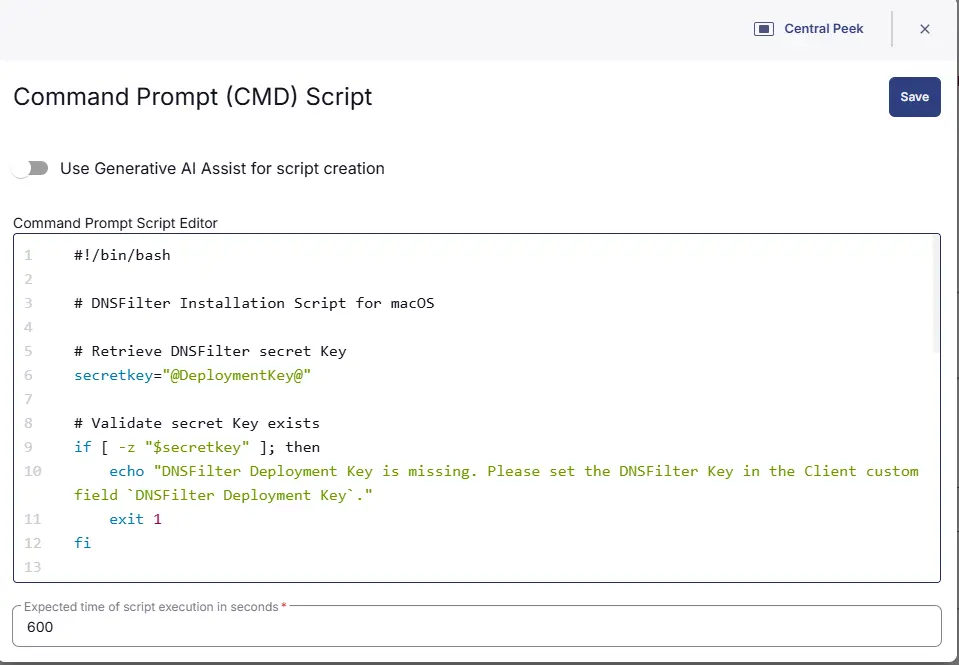
Row 3: Bash script

  • Use Generative AI Assist for script creation: False
  • Expected time of script execution in seconds: 600
  • Continue on Failure: False
  • Run As: System
  • Operating System: MacOs
  • Bash Script Editor:
#!/bin/bash

# DNSFilter Installation Script for macOS

# Retrieve DNSFilter secret Key
secretkey="@DeploymentKey@"

# Validate secret Key exists
if [ -z "$secretkey" ]; then
echo "DNSFilter Deployment Key is missing. Please set the DNSFilter Key in the Client custom field `DNSFilter Deployment Key`."
exit 1
fi

# Define installer path and URL
installerPath="/tmp/DNSFilterAgent-Installer.pkg"
installerUrl="https://download.dnsfilter.com/User_Agent/MacOS/DNSFilter%20Agent-Installer.pkg"

# Download the installer
echo "Downloading DNSFilter installer..."
curl -L -o "$installerPath" "$installerUrl"
if [ $? -ne 0 ]; then
echo "ERROR: Failed to download the DNSFilter installer"
exit 1
fi

# Install the package
echo "Installing DNSFilter agent..."
sudo installer -pkg "$installerPath" -target /

# Wait for installation to complete
sleep 5

# Register the agent with the secret key
echo "Registering DNSFilter agent..."
/Applications/DNSFilter\ Agent.app/Contents/MacOS/agent register "$secretkey"

# Clean up
rm -f "$installerPath"

echo "DNSFilter agent installation and registration completed successfully."

Image4

Row 7: Script Log

  • Script Log Message: %Output%
  • Operating System: Windows, MacOs

Image5

Save Task

Click the Save button at the top-right corner of the screen to save the script.
SaveButton

Completed Task

Image6

Deployment

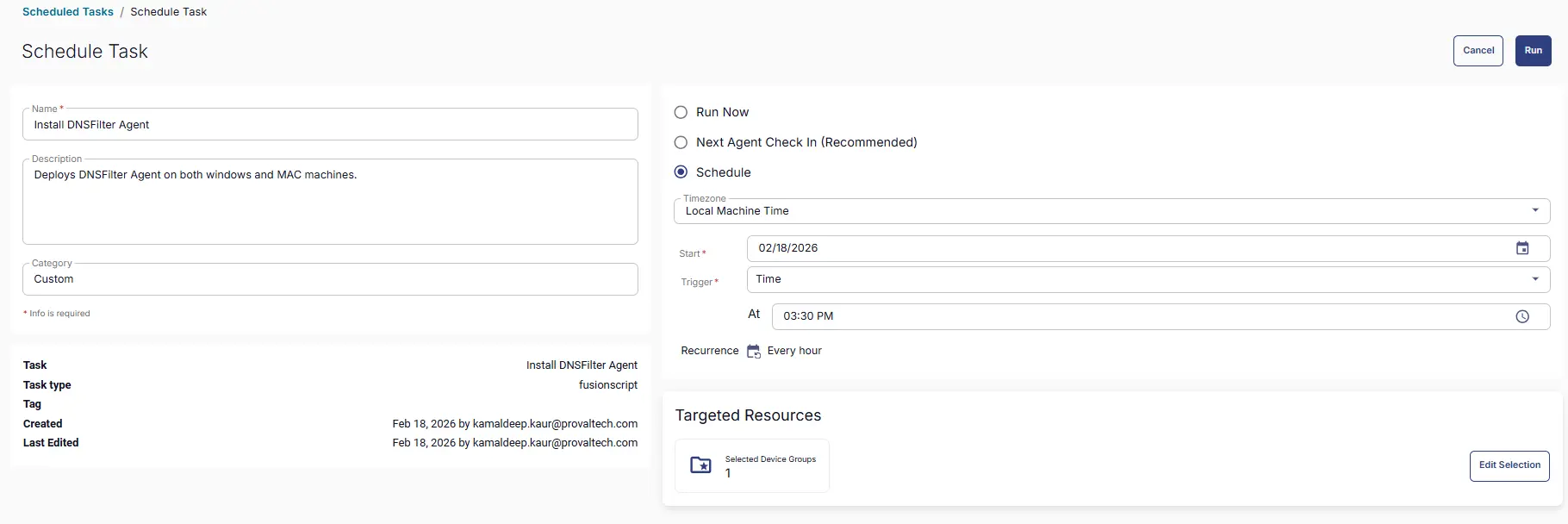
This task has to be scheduled on the DNSFilter Agent Deployment group for auto deployment. The script can also be run manually if required.

  • Go to Automations > Tasks.
  • Search for Install DNSFilter Agent.
  • Then click on Schedule and provide the parameter details as necessary for the script completion.

Target Group: Deployment1

Complete Schedule Task: Deployment2

Output

  • Script Logs

Changelog

2026-02-18

  • Initial version of the document