Disable All Updates
Summary
Select this to exclude site/endpoint from receiving all updates related to Dell, HP, Lenovo and Windows on windows workstations. This is a part of Install All Updates solution.
Details
| Name | Level | Type | Default | Editable | Description |
|---|---|---|---|---|---|
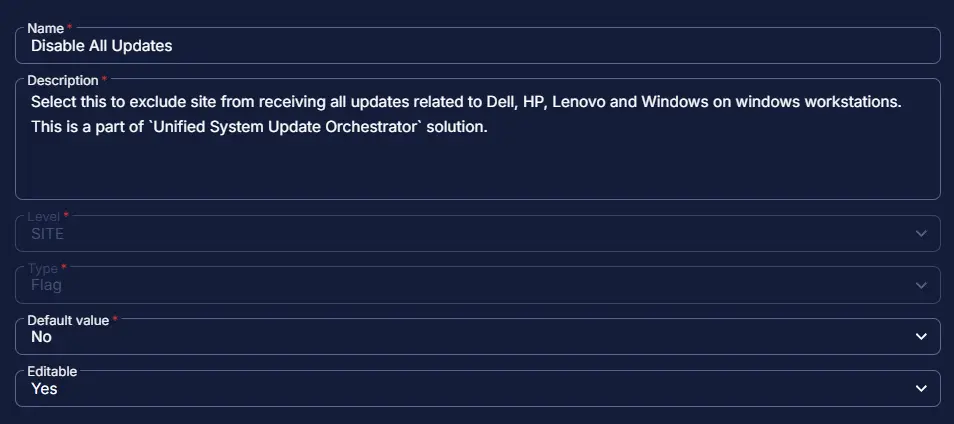
| Disable All Updates | Site | Checkbox | No | Yes | Select this to exclude site from receiving all updates related to Dell, HP, Lenovo and Windows on windows workstations. This is a part of Install All Updates solution. |
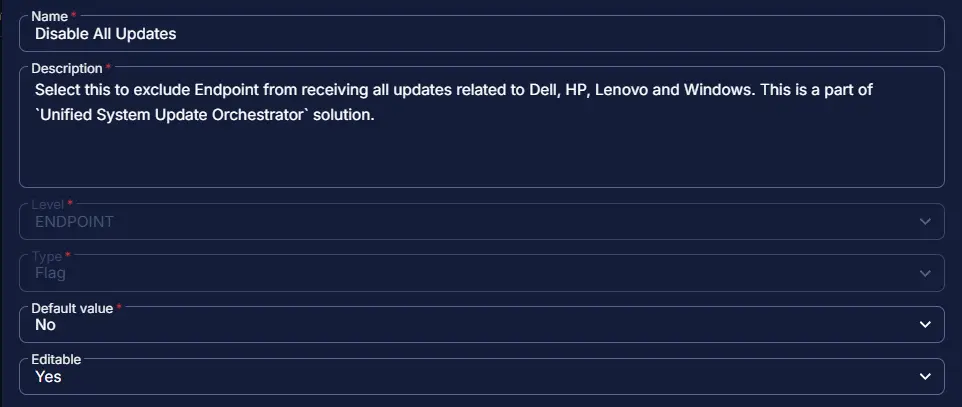
| Disable All Updates | Endpoint | Checkbox | No | Yes | Select this to exclude Endpoint from receiving all updates related to Dell, HP, Lenovo and Windows. This is a part of Unified System Update Orchestrator solution. |
Dependencies
Creation Process
Step 1
Navigate to Settings ➞ Custom Fields
Step 2
Locate the Add Field button on the right-hand side of the screen and click on it.
Step 3
The Add new custom field dialog box will occur
Completed Custom Field
Site:
Endpoint:
Changelog
2026-04-29
- Initial version of the document