Update - Windows Deferral Settings
Overview
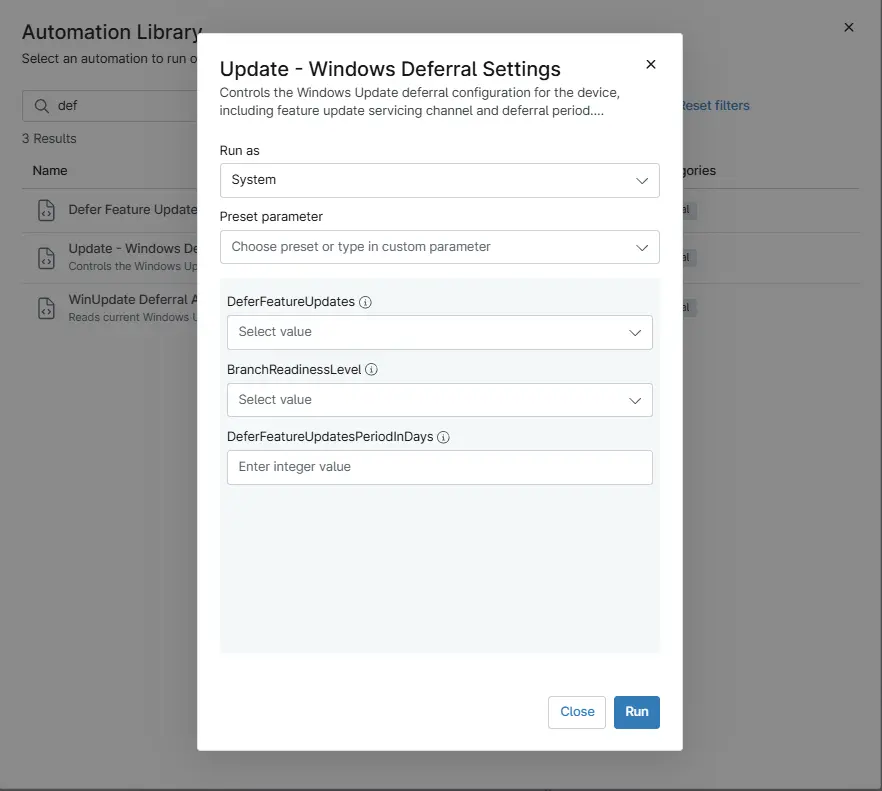
Controls the Windows Update deferral configuration for the device, including feature update servicing channel and deferral period. These settings determine when feature updates are made available after release.
Sample Run
Play Button > Run Automation > Script
Dependencies
- Solution - Device Standards
- Solution: Update Windows Deferral Settings
- Custom Field: cPVAL DeferFeatureUpdatesPeriodInDays
- Custom Field: cPVAL DeferFeatureUpdates
- Custom Field: cPVAL BranchReadinessLevel
Parameters
| Name | Accepted Values | Required | Type | Description |
|---|---|---|---|---|
| DeferFeatureUpdates | Enabled , Disabled | False | DropDown | The value in this parameter must be set to either Enabled or Disabled. This overrides the value stored in the custom field |
| BranchReadinessLevel | 16,32 | False | Dropdown | This field controls the Windows Update Branch Readiness Level. Select the appropriate channel to determine which feature update builds the device will receive. |
| DeferFeatureUpdatesPeriodInDays | 0-365 | False | Integer | Specifies the number of days to defer Windows feature updates. Accepts values between 0 and 365 days. |
Automation Setup/Import
Output
- Activity Details
Changelog
2026-03-06
- Initial version of the document