Chromium Browser Extension
Overview
This script is used to register and install Chromium-based browser extensions. It supports the following browsers: Google Chrome, Microsoft Edge, Chromium, Brave, Vivaldi, and Opera.
Dependencies
Implementation
-
Download the component
Chromium Browser Extensionfrom the attachments. -
After downloading the attached file, click on the
Importbutton -
Select the component just downloaded and add it to the Datto RMM interface.

Sample Run
To execute the Chromium Browser Extension over a specific machine, follow these steps:
-
Select the machine you want to run the
Chromium Browser Extensionon from the Datto RMM. -
Click on the
Quick Jobbutton.

-
Search the component
Chromium Browser Extensionand click onSelect

-
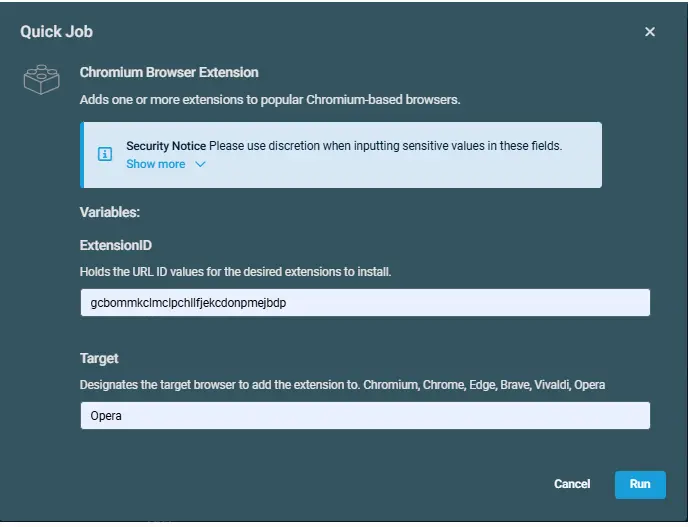
Datto Variables
| Variable Name | Type | Default | Description |
|---|---|---|---|
| ExtensionID | String | -- | Holds the URL ID values for the desired extensions to install. |
| Target | String | -- | Designates the target browser to add the extension to. Chromium, Chrome, Edge, Brave, Vivaldi, Opera |
Output
Activity log
Attachments
Changelog
2026-06-19
- Initial version of the document.