Domain Admin Account LockOut
Summary
This monitor runs every 15 minutes to detect any domain admin account lockouts on domain controllers. It also checks for a corresponding unlock event within the same 15 minute window to prevent unnecessary ticket creation.
Target
Domain Controllers
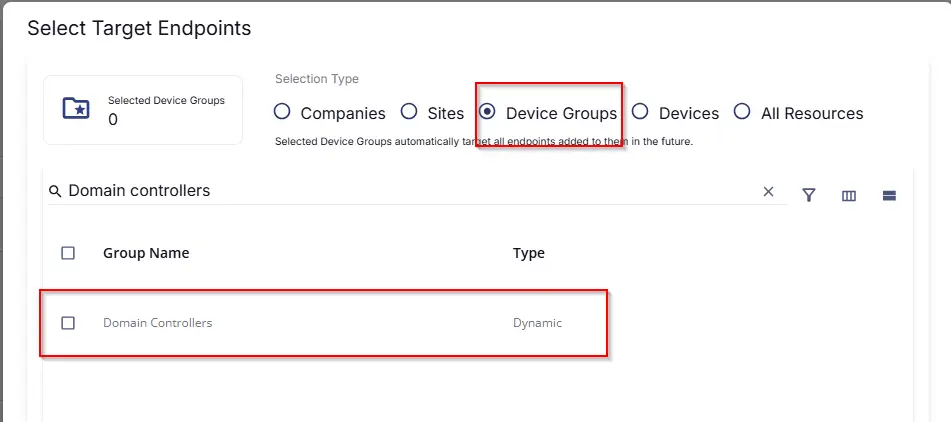
This should target the group 'Domain Controllers' as shown below:
Monitor Creation
Step 1
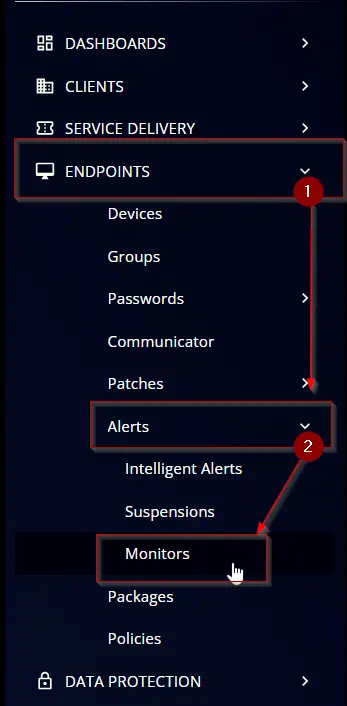
Navigate to ENDPOINTS ➞ Alerts ➞ Monitors
Step 2
Locate the Create Monitor button on the right-hand side of the screen and click on it.

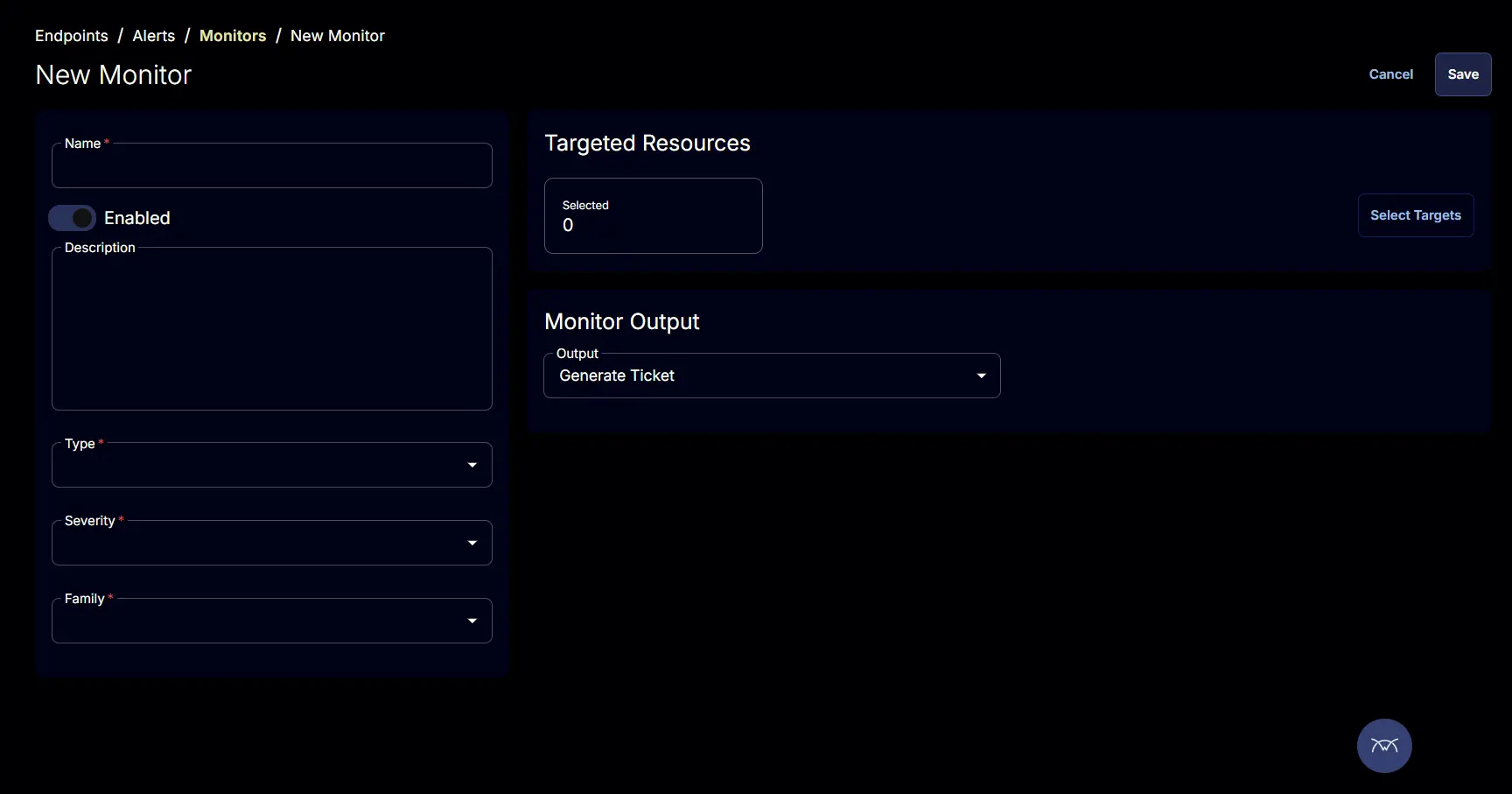
This page will appear after clicking on the Create Monitor button:
Step 3
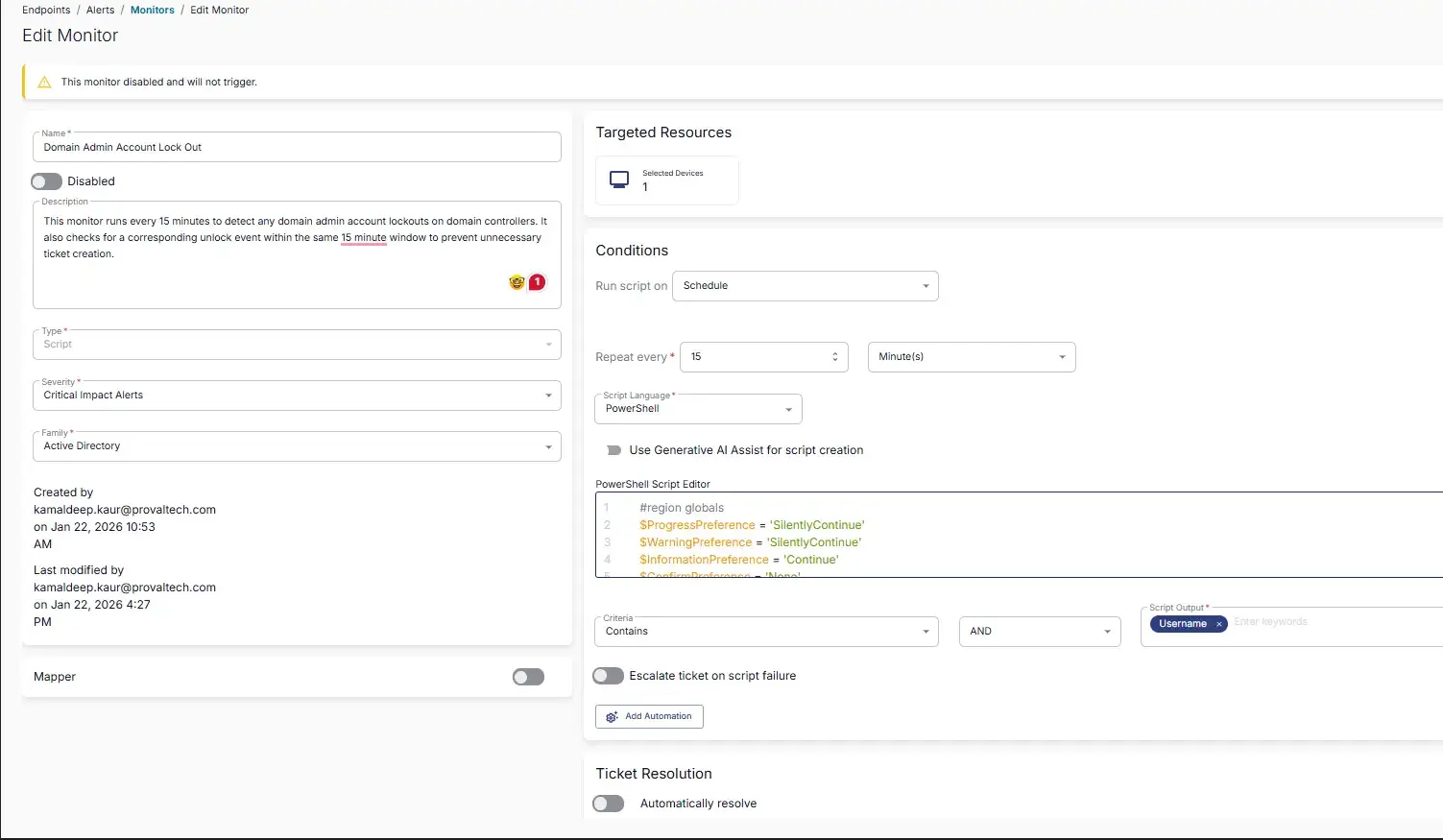
Fill in the mandatory columns on the left side
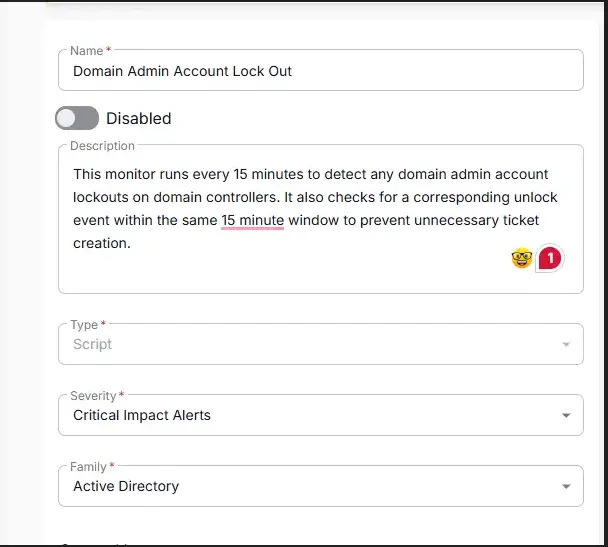
- Name:
Domain Admin Account LockOut - Description:
This monitor runs every 15 minutes to detect any domain admin account lockouts on domain controllers. It also checks for a corresponding unlock event within the same 15 minute window to prevent unnecessary ticket creation. - Type:
Script - Severity:
Critical Impact Results - Family:
Active Directory
Conditions:
- Run script on: Schedule
- Repeat every: 15 minutes
- Script Language: PowerShell
- PowerShell Script:
- Criteria: Contains
- Operator:
AND - Script Output:
Username
- Operator:
- Escalate ticket on script failure: Disabled
- Automatically resolve: Disabled
- Monitor Output: Generate Ticket

Step 5
Click the Select Target button to choose the endpoints for running the monitor set.

Select Device Groups as selection type and search for Domain Controller. This should target the group 'Domain Controllers' as shown below:
Completed Monitor
Changelog
2026-01-30
- Added ticket creation logic and eliminated use of automation to generate a ticket.
2025-05-01
- Initial version of the document