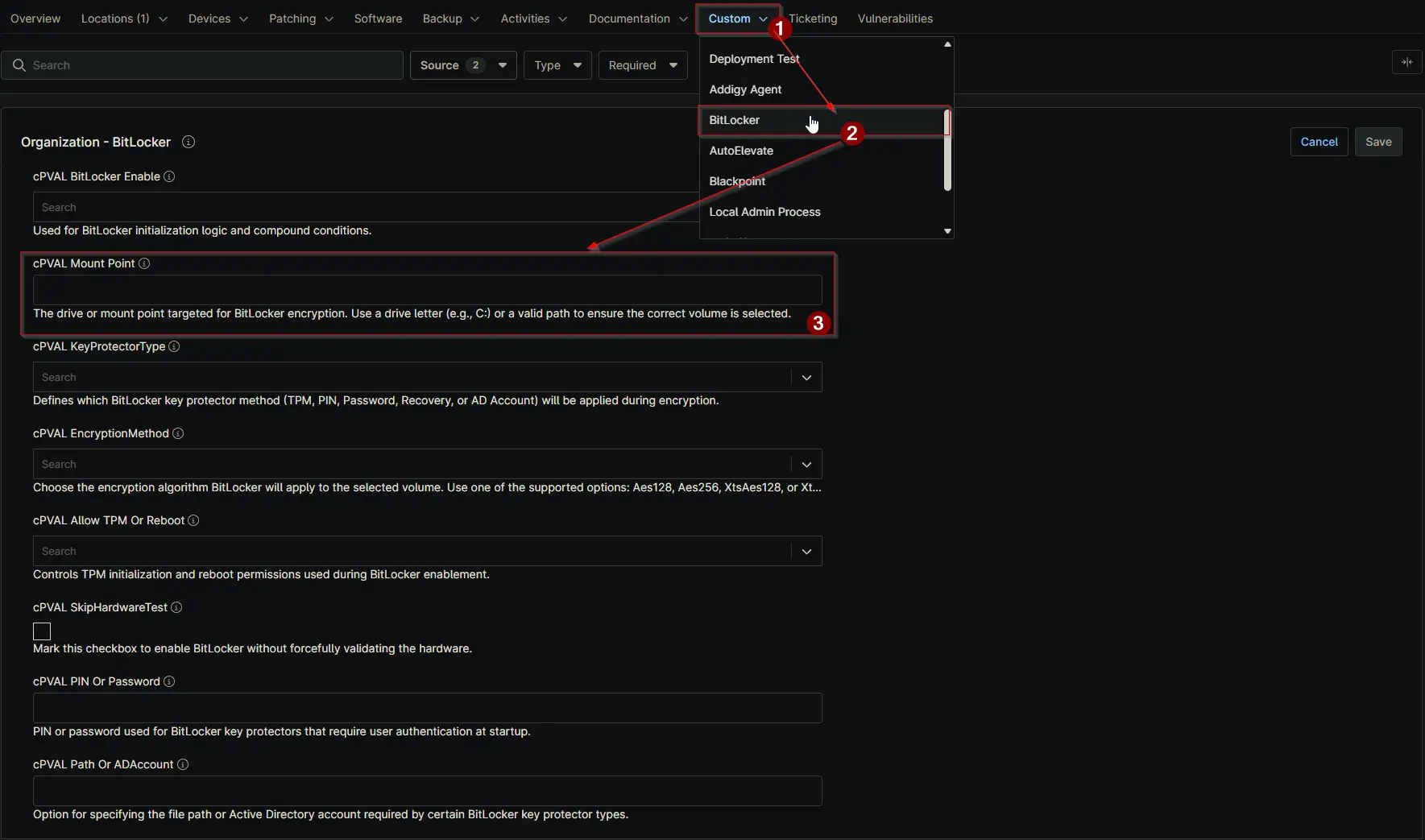
cPVAL MountPoint
Summary
The drive on which the BitLocker Initialize - NinjaOne solution enforces BitLocker. Enter a drive letter as D, D: or D:\. When the field is blank, the solution uses the system drive, usually C:. Any other value, such as a folder path, is ignored: the system drive is used instead, and the activity log shows a warning.
note
A data drive protected by a RecoveryPassword, RecoveryKey or AdAccount protector also gets auto-unlock, so it unlocks together with the system drive after a restart. Auto-unlock requires an encrypted system drive.
Details
| Label | Field Name | Example | Definition Scope | Type | Required | Default Value | Dropdown Options | Editable | Custom Field Tab |
|---|---|---|---|---|---|---|---|---|---|
| cPVAL MountPoint | cpvalMountpoint | D: | Organization, Location, Device | Text | False | System drive | - | Yes | BitLocker |
Dependencies
- Automation: BitLocker Initialization - Detection
- Automation: Initialize and Audit BitLocker
- Solution: BitLocker Initialize - NinjaOne
Custom Field Creation
Sample Screenshot
Changelog
2026-10-26
- Documented the accepted drive letter formats and that a path falls back to the system drive.
- Added the auto-unlock note for data drives.
- Updated the document to the standard format.
2025-12-16
- Initial version of the document