cPVAL Printer Details
Summary
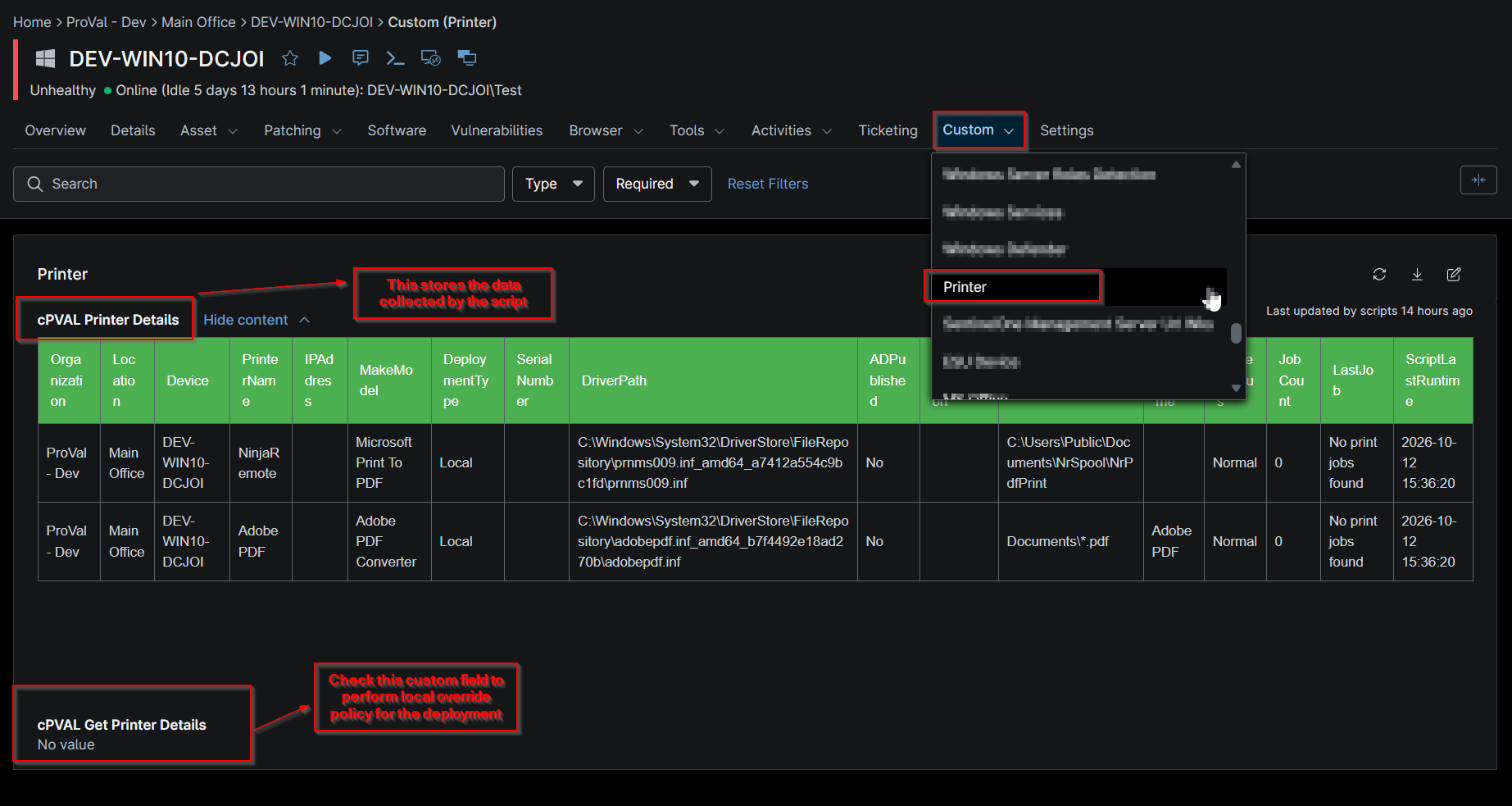
This custom field stores the information of the printers fetched using the script Get Printer Details.
Details
| Label | Field Name | Example | Definition Scope | Type | Required | Default Value | Dropdown Options | Editable | Custom Field Tab |
|---|---|---|---|---|---|---|---|---|---|
| cPVAL Printer Details | cpvalPrinterDetails | Tabular format data | Device | WYSIWYG | false | No | Printer |
Table Columns
| Column Name | Description |
|---|---|
| Organization | The organization to which the device is assigned. |
| Location | The location associated with the device. |
| Device | The name of the device where the printer was detected. |
| PrinterName | The name of the installed or detected printer. |
| IPAddress | The IP address assigned to the printer. |
| MakeModel | The printer manufacturer and model information. |
| DeploymentType | Indicates how the printer was deployed (for example, local, network, or managed deployment). |
| SerialNumber | The printer's serial number, as reported by the device or printer management interface. |
| DriverPath | The local file system path of the printer driver installed on the device. |
| ADPublished | Indicates whether the printer is published and discoverable in Active Directory. |
| SupportInformation | Contact details or support information used for vendor assistance and troubleshooting. |
| PortName | The printer port configuration used for communication with the printer. |
| ShareName | The shared name assigned to the printer for network access. |
| PrinterStatus | The current operational status of the printer, such as Ready, Offline, Error, or Warning. |
| JobCount | The total number of print jobs currently queued for the printer. |
| LastJob | The date and time when the most recent print job was processed. |
| ScriptLastRunTime | The date and time when the Script - Get Printer Details last collected and reported printer information. |
Dependencies
Custom Field Creation
Sample Screenshot
Changelog
2026-10-13
- Initial version of the document