Create and Populate plugin_proval_dns_extradata
Summary
This script will create the plugin_proval_dns_extradata table and populate it with the required data.
Sample Run
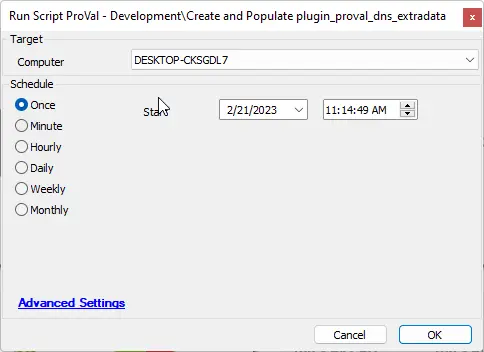
Dependencies
- EPM - Windows Configuration - Script - PowerShell Environment Setup Verification
- CWM - Automate - Script - OverFlowedVariable - SQL Insert - Execute
Variables
Document the various variables in the script. Delete any section that is not relevant to your script.
| Name | Description |
|---|---|
| finishstatus | The finish status of the EPM - Windows Configuration - Script - PowerShell Environment Setup Verification script. |
| WorkingDirectory | The directory to populate a .json file to be parsed and added to the table. |
| JsonFileName | The name of the JSON file to be created by the script. |
| psout | The results of a PowerShell command. |
| SQLStartStatement | Required by CWM - Automate - Script - OverFlowedVariable - SQL Insert - Execute |
| SQLTailString | Required by CWM - Automate - Script - OverFlowedVariable - SQL Insert - Execute |
| DataPointNames | Required by CWM - Automate - Script - OverFlowedVariable - SQL Insert - Execute |
Global Parameters
| Name | Example | Required | Description |
|---|---|---|---|
| TableName | plugin_proval_dns_extradata | True | The name of the table. |
| ProjectName | Get-DNSObjects | True | The name of the project. |
Process
- Utilize the new EPM - Windows Configuration - Script - PowerShell Environment Setup Verification script to determine if this script will operate as expected.
- Check for a failure in the verification script; if it fails, log an error and exit with an error.
- Create the table.
- Run a PowerShell command to obtain the DNS objects and necessary data and save it to a .json file.
- Use the overflowed variable script to populate the data into the table.
Output
- Script log
Changelog
2025-04-10
- Initial version of the document