Cumulative Update Audit
Overview
This Script validate the full version of the OS and compares it with Microsoft's database of Windows Cumulative Updates to identify which cumulative update the device has. The data is then formatted and stored in the Custom Field.
Sample Run
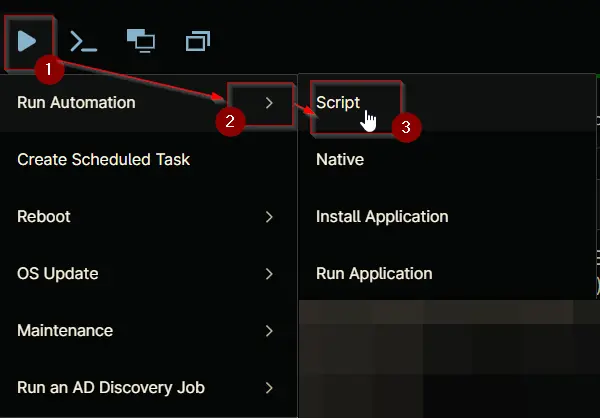
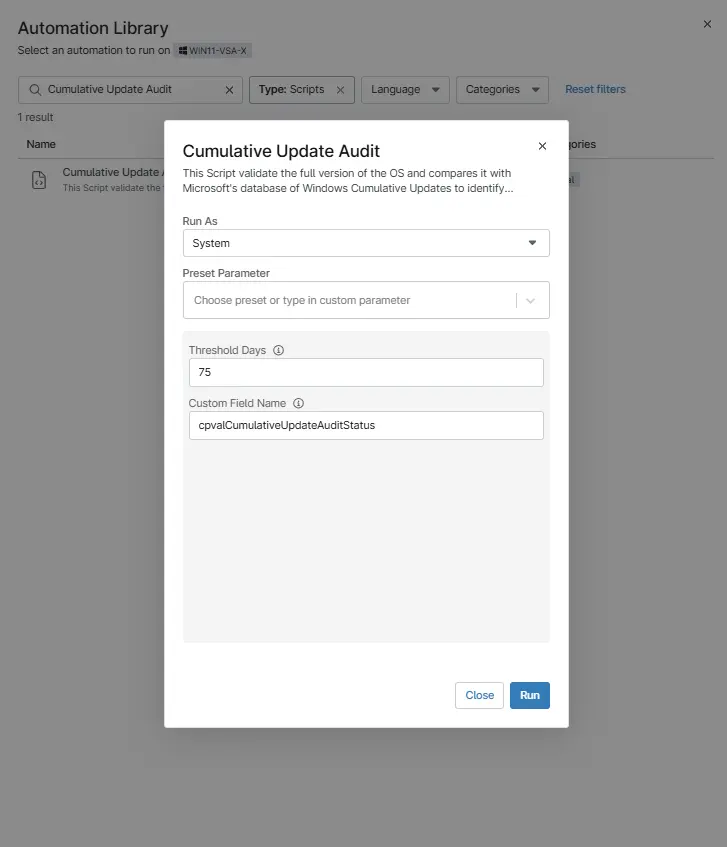
Play Button > Run Automation > Script
Dependencies
- Custom Field - cPVAL Cumulative Update Audit Status
- Group - cPVAL Cumulative Update Older than threshold Days
- Solution - Cumulative Update Audit
Parameters
| Name | Example | Accepted Values | Required | Default | Type | Description |
|---|---|---|---|---|---|---|
| Threshold Days | 75 | Integer | No | 75 | Integer | Enter the threshold days number to check if the CU Installed is older than the threshold Value. Default is 75. |
| Custom Field Name | cpvalCumulativeUpdateAuditStatus | String/Text | No | String/Text | Enter the Name of Custom Field where you want the Audit Result. |
Automation Setup/Import
Output
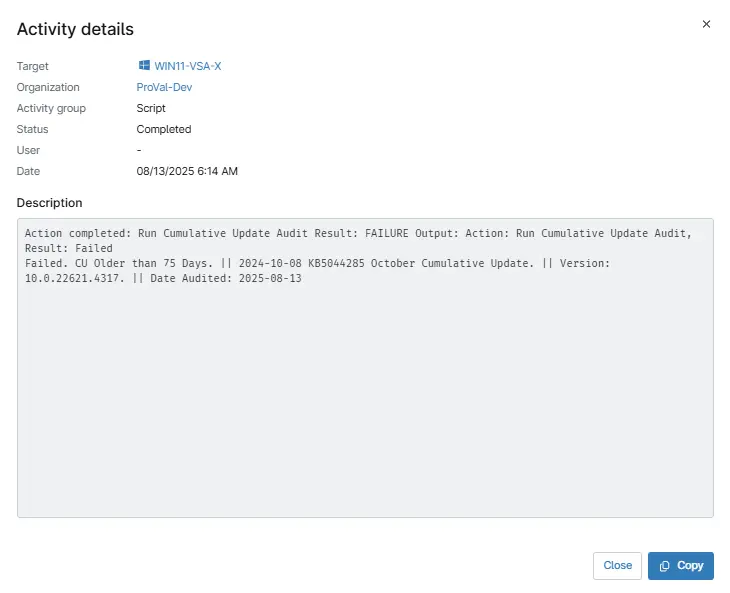
- Activity Details
- Custom Field

Changelog
2026-03-29
- The script previously used exit codes (exit 0 / exit 1) to indicate the monitoring status based on CU age. These exit codes have been removed to prevent potential conflicts with RMM or monitoring systems interpreting the script as a failure when it completes successfully.
- Removed the exit code block; the script now reports status via the Custom Field output only.
2026-01-07
- The script was failing due to an issue with the download method. We resolved this by updating the agnostic download method in the NinjaRMM ps1 and verified that it now works as expected.
2025-08-13
- Initial version of the document