Install Perch Log Shipper
Summary
This script will install Perch Log Shipper with either a user-provided ClientToken, or the token can be retrieved from a client-level EDF.
Sample Run

- Executing the script without setting a ClientToken will result in the script obtaining the token from the client-level EDF.

- Executing the script with a ClientToken specified will utilize the ClientToken, bypassing any currently set client-level EDF.
Dependencies
- Perch Log Shipper Installer must remain a valid download link.
Implementation
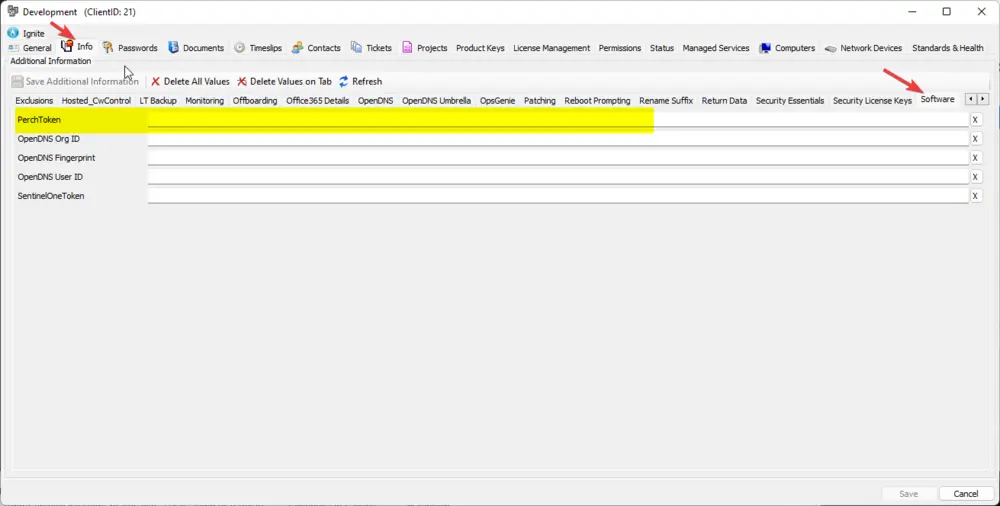
Perch tokens are set in the following location:
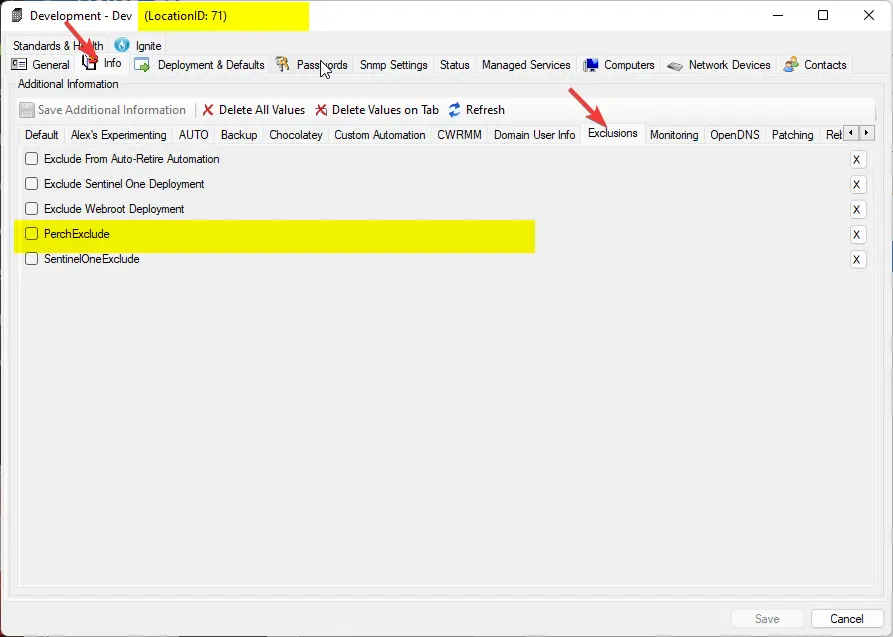
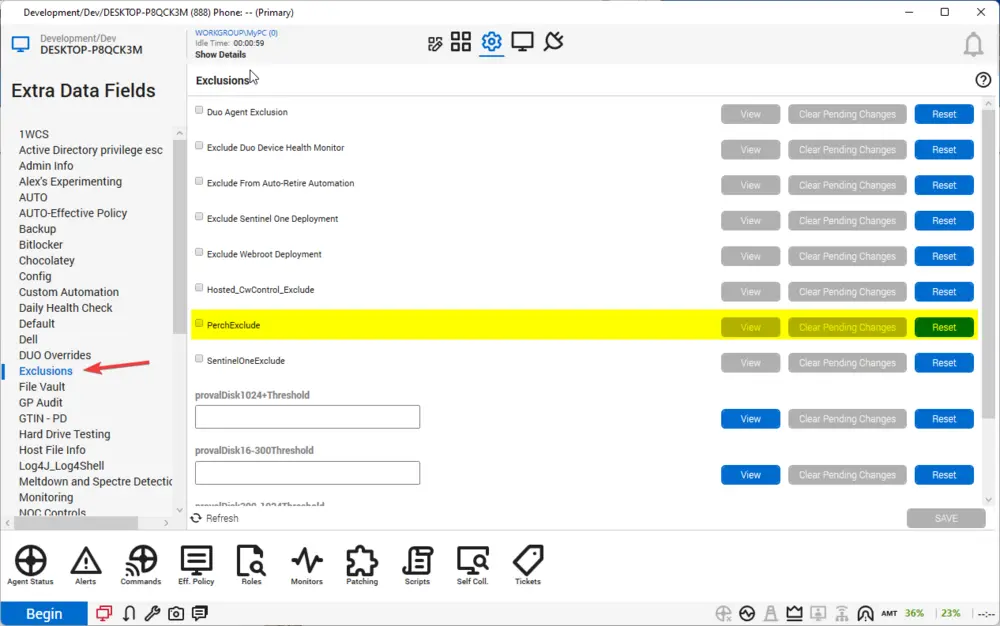
Exclusions are set at the following locations:
Variables
Document the various variables in the script. Delete any section that is not relevant to your script.
| Name | Description |
|---|---|
| PerchToken | Variable used to hold the client-level EDF value set for the Perch installation. |
| ComputerExclude | Variable used to determine if a computer-level exclusion is present for this installation. |
| LocationExclude | Variable used to determine if a location-level exclusion is present for this installation. |
User Parameters
| Name | Example | Required | Description |
|---|---|---|---|
| ClientToken | SomeTokenHere | False | The desired token to use for the Perch installation. |
Process
- Script Info Setup.
- Validate the desired token.
- If a ClientToken is set, bypass and use that token.
- Get the PerchToken data from the client-level EDF.
- Check for any computer or location exclusion; if one exists, exit with an error.
- Check for the Perch Log Shipper application; if it exists, then exit with an error.
- Download the installer.
- Verify the install; if failed, exit with an error.
- Run the installer.
- Verify the installation; if it's not installed, exit with an error.
Output
- Script log
Changelog
2025-04-10
- Initial version of the document