Win10 ESU Not Activated
Summary
This contains the list of machines where the script detects that the ESU license was not activated.
Dependencies
Group Creation
Step 1
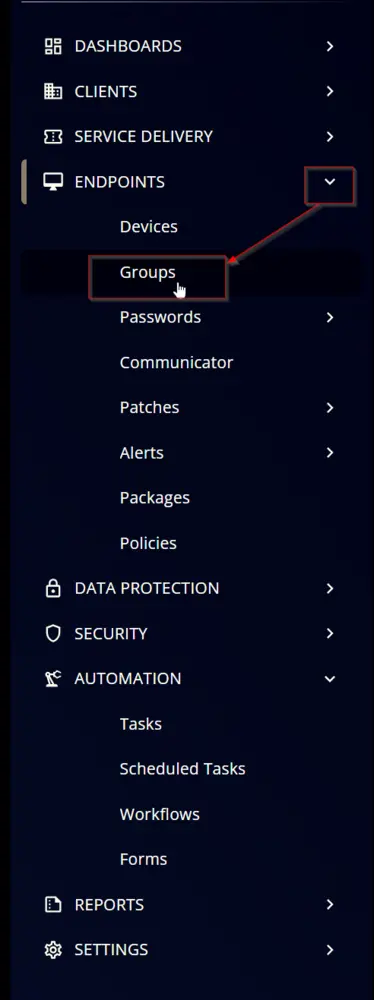
Navigate to ENDPOINTS ➞ Groups
Step 2
Create a new dynamic group by clicking the Dynamic Group button.

This page will appear after clicking on the Dynamic Group button:

Step 3
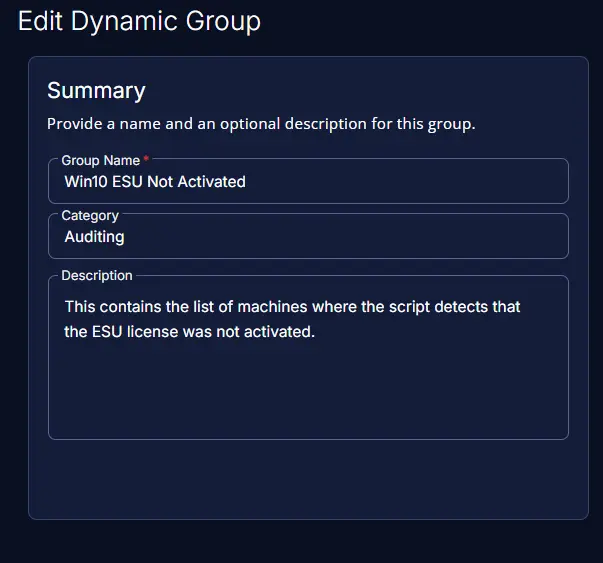
- Group Name:
Win10 ESU Not Activated - Category:
Auditing - Description:
This contains the list of machines where the script detects that the ESU license was not activated.
Step 4
Click the + Add Criteria in the Criteria section of the group.

This search box will appear:

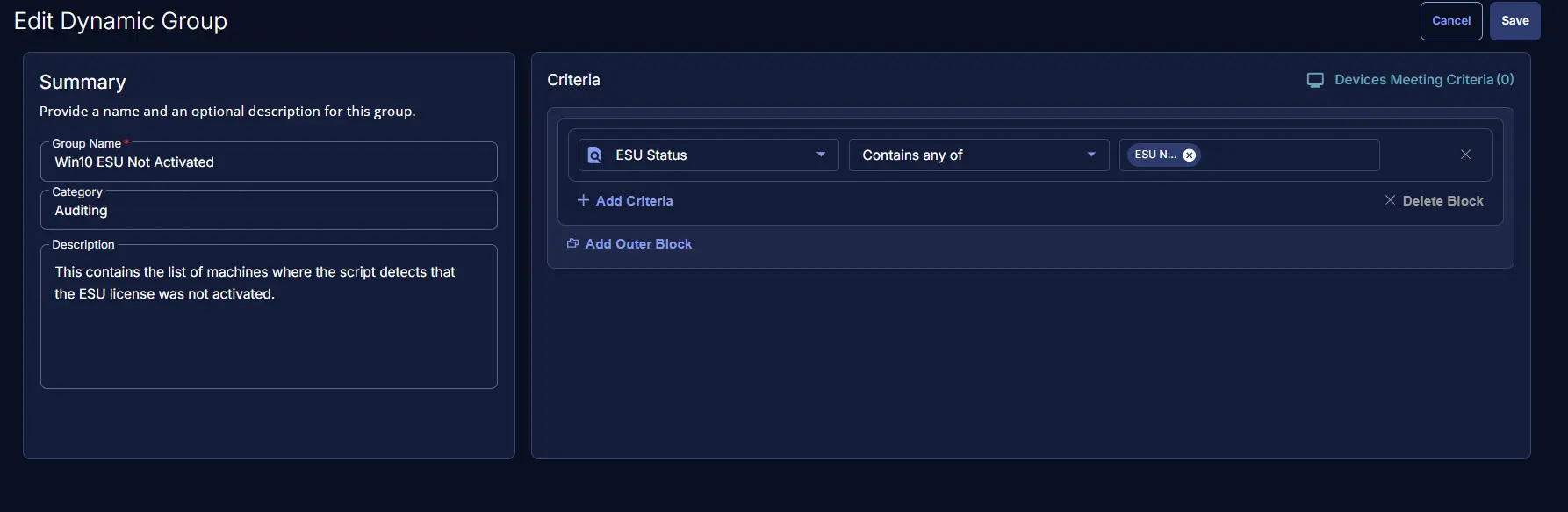
ESU StatusContains any ofESU Not Activated

Completed Group
Changelog
2026-02-04
- Initial version of the document