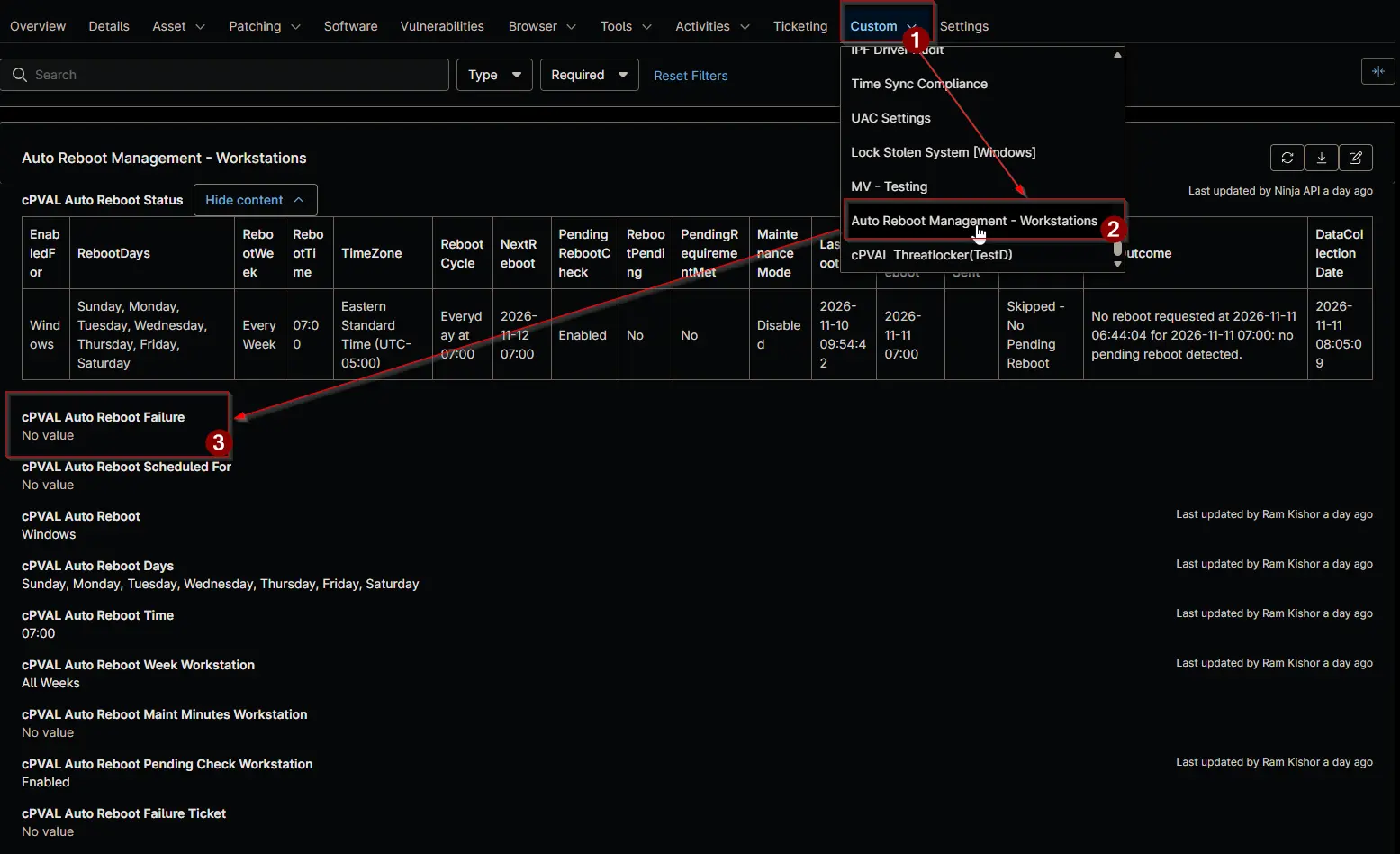
cPVAL Auto Reboot Failure
Summary
Shows the latest failed scheduled restart of the device. The Auto Reboot Management automation writes it when the result of a restart becomes Not Rebooted, Not Confirmed - Offline, Not Picked Up or Failed - On Device, followed by the details. The reboot failure compound conditions read it to create a ticket.
The times in it are in the time zone of the primary machine that runs Auto Reboot Management, which the text ends with, not the device's own time zone. The failure is always recorded, whether ticketing is enabled or not. cPVAL Auto Reboot Failure Ticket decides whether a ticket is created.
The field is cleared:
- when a later restart of the device is confirmed;
- when the same restart turns out not to be a failure, for example a device that comes back online after the restart time and records it as missed;
- when the device is no longer enabled for auto reboot.
Clear the field to acknowledge a failure. It's written again only when a new failure occurs, and clearing it resets the reboot failure compound condition, which closes its ticket.
Details
| Label | Field Name | Example | Definition Scope | Type | Required | Default Value | Dropdown Options | Editable | Custom Field Tab |
|---|---|---|---|---|---|---|---|---|---|
| cPVAL Auto Reboot Failure | cpvalAutoRebootFailure | Not Rebooted: The reboot scheduled for 2026-11-10 02:00 did not happen; last boot 2026-11-05 11:26:57. Time zone: Eastern Standard Time (UTC-05:00). | Device | Text | No | Yes |
|
Dependencies
- Automation: Auto Reboot Management
- Automation: Auto Reboot Management - Failure Detection
- Compound Condition: Auto Reboot Management - Reboot Failure [Windows Servers]
- Compound Condition: Auto Reboot Management - Reboot Failure [Windows Workstations]
- Solution: Auto Reboot Management - NinjaOne
Custom Field Creation
Sample Screenshot
Changelog
2026-11-11
- Initial version of the document