Antivirus Status Audit
Overview
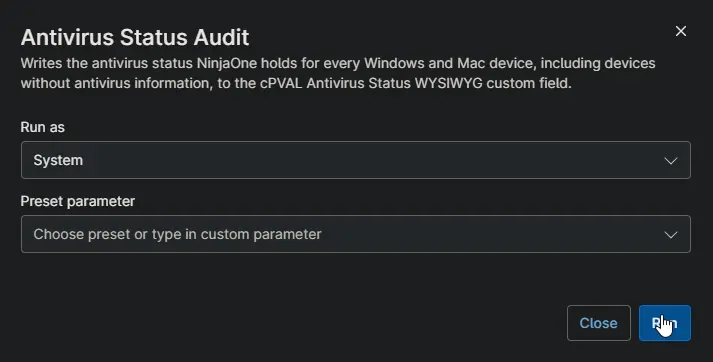
Copies the antivirus information NinjaOne already shows under Details > Antivirus into cPVAL Antivirus Status on every Windows and Mac device. It records each antivirus product with its definition status and whether it is switched on. Devices without antivirus get a row that says so. Use it to report antivirus status and missing antivirus across all clients.
note
Schedule this automation against one device only, such as a server that is always online. One run updates every device in NinjaOne.
Requirements
- A NinjaOne API application with the Client Credentials grant type and the Monitoring and Management scopes.
- The client ID and client secret of that application stored in cPVAL Ninja API Client ID and cPVAL Ninja API Client Secret.
- The NinjaOne instance of the partner set in the script, for example
us2.ninjarmm.com. - Windows device with internet access to the NinjaOne instance.
- Run As:
System - PowerShell 5.1
Sample Run
Custom Fields
| Custom Field | Scope | Type | Description |
|---|---|---|---|
| cPVAL Antivirus Status | Device | WYSIWYG | Stores the antivirus products of each device, or a row showing that none was found. |
| cPVAL Ninja API Client ID | System | Secure | Client ID of the NinjaOne API application. |
| cPVAL Ninja API Client Secret | System | Secure | Client secret of the NinjaOne API application. |
Dependencies
- Custom Field: cPVAL Antivirus Status
- Custom Field: cPVAL Ninja API Client ID
- Custom Field: cPVAL Ninja API Client Secret
- Audit Report: Antivirus Status
- Audit Report: Antivirus Missing
- Solution: Antivirus Status Audit
Automation Setup/Import
Output
- Activity Details
- Custom Field: cPVAL Antivirus Status on every Windows and Mac device
Changelog
2026-10-14
- Initial version of the document