Uninstall Datto Backup Tool
Summary
This monitor runs every hour to check for the online Windows agents , to uninstall the Datto backup tools where the client EDF Uninstall Datto Backup tool option are selected, and location/computer-level exclusion EDF Exclude Datto Backup tool Removal are not checked.
EDFs
| Name | Level | Type | Section | Description |
|---|---|---|---|---|
Uninstall Datto Backup tool | Client | Drop-down | Datto | This dropdown allows to select the Datto Endpoint Backup, Datto Windows Agents or Datto Cloud Continuity or All for uninstallation 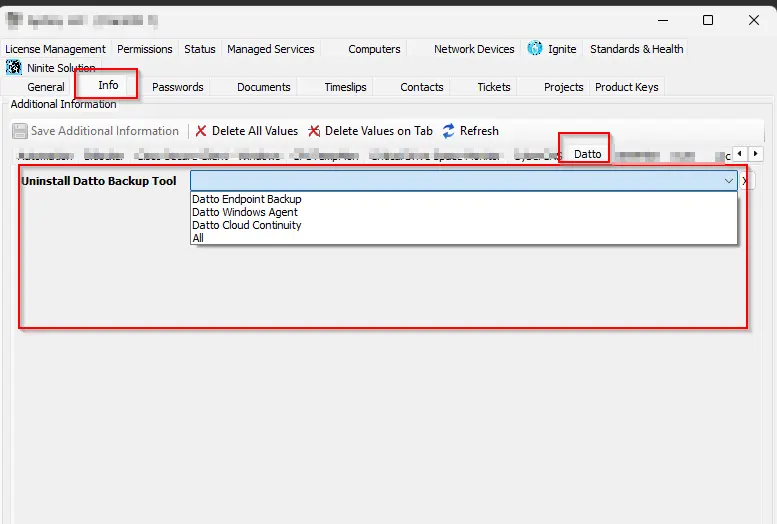 |
Exclude Datto Backup tool Removal | Location | Checkbox | Exclusions | This excludes the location from the uninstallation of Datto backup tools. 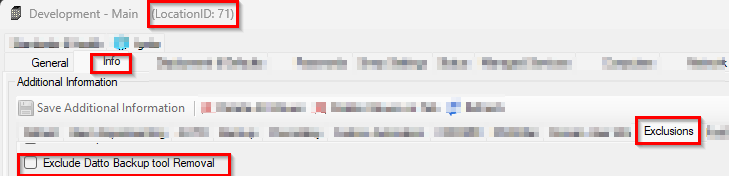 |
Exclude Datto Backup tool Removal | Computer | Checkbox | Exclusions | This exclude the computer from the uninstallation of Datto backup tools. 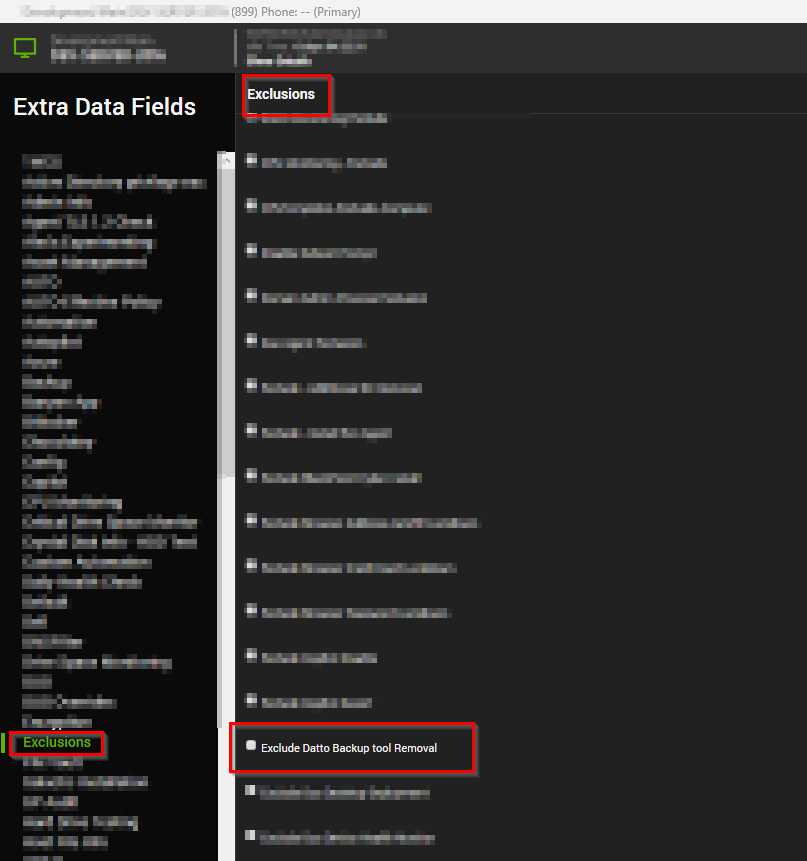 |
Dependencies
Target
Windows OS
Alert Template
△ Custom - Execute Script - Uninstall Datto Backup Tool
Changelog
2026-05-19
- Updated the solution to uninstall
Datto Endpoint Backupas well.
2025-11-06
- Initial version of the document