Enable .Net 3.5 Feature [Windows Workstations]
Summary
This script installs the .NET Framework 3.5 feature. It pre-configures the 'RepairContentServerSource' registry policy to bypass local WSUS and download source files directly from Windows Update, preventing common installation errors (0x800f081f).
Sample Run
First Run: Run the script with the Set_Environment parameter set to 1 for the first run to create the EDFs used by the solution.
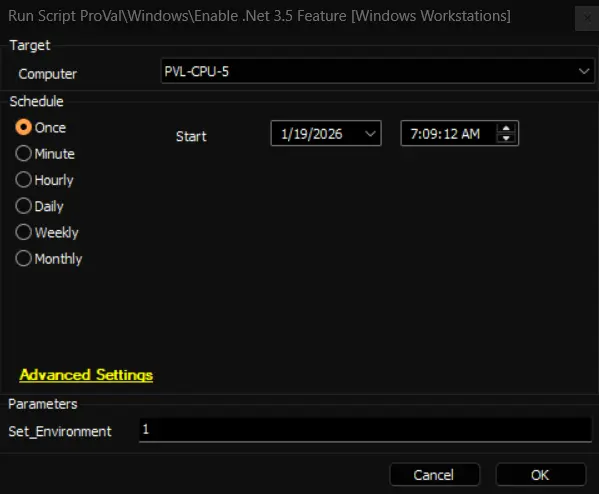
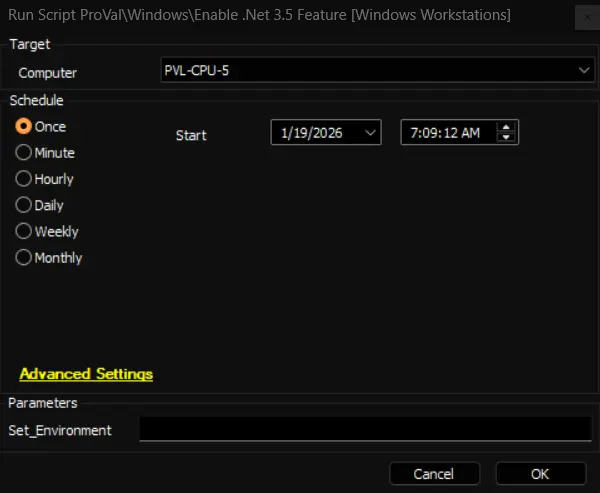
Regular Execution:
Dependencies
User Parameters
| Name | Example | Required | Description |
|---|---|---|---|
| Set_Environment | 1 | True (for first execution) | Run the script with the Set_Environment parameter set to 1 for the first run to create the EDFs used by the solution. |
EDFs
| Name | Type | Scope | Section | Required | Description |
|---|---|---|---|---|---|
| Enable .Net 3.5 Feature | Checkbox | Client | Automation | False | Set to enable automated installation of the .NET 3.5 feature for a client. |
| .Net 3.5 Feature - Exclusion | Checkbox | Location | Exclusions | False | Set to exclude an entire location from automated installation. |
| .Net 3.5 Feature - Exclusion | Checkbox | Computer | Exclusions | False | Set to exclude an individual computer from automated installation. |
Output
- Script Logs
Changelog
2026-01-14
- Initial version of the document