OneDrive Sync Failure Audit
Summary
This group includes agents for which OneDrive is not syncing properly or where the user is not logged in to OneDrive.
Dependencies
- Script - Get OneDrive Sync Status
- cPVAL OneDrive Sync Status Audit
- Solution - Get OneDrive Sync Status
Group Creation
Group View
Please follow the steps below to add the necessary custom fields to the view.
- Create the group and ensure it is saved successfully.
- Open the newly created group for editing.
- Navigate to the Table Settings option.
- Update the table layout to include the required custom fields.
- Save the changes to apply the updated group view.
URL TO THE GUIDE
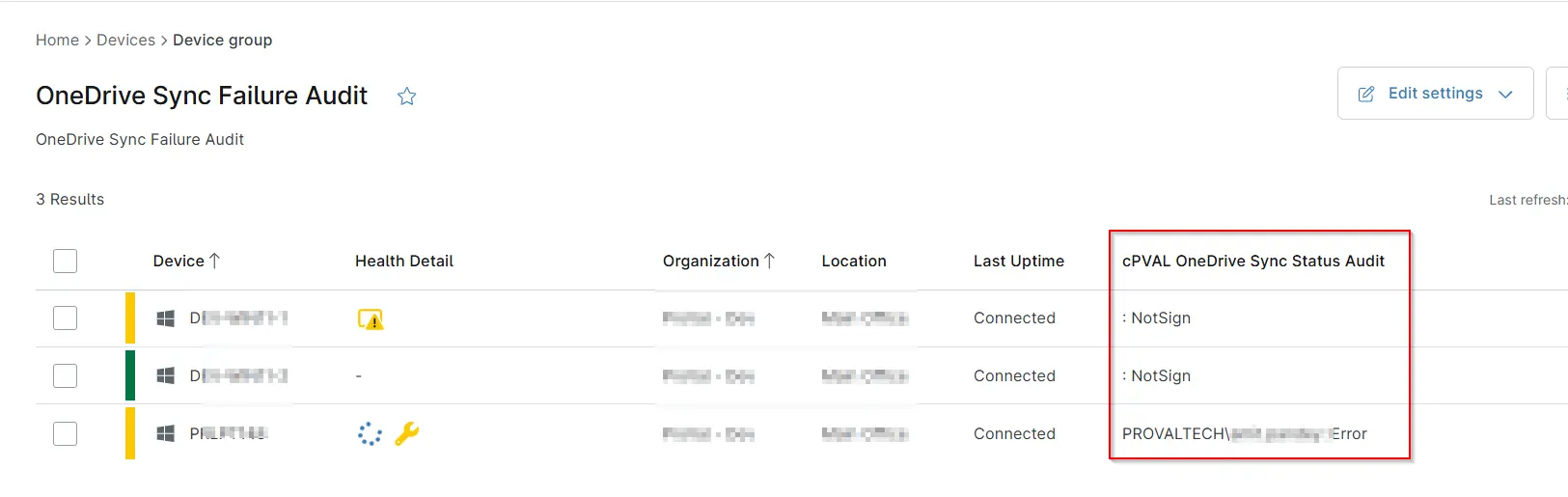
Add the below custom fields under the Group View:
cPVAL OneDrive Sync Status Audit
Group Screenshot
This is how the group should looks like after adding the custom fields:
Changelog
2026-06-08
- Updated Group configuration to include the computers where OneDrive process is not running.
2026-04-08
- Initial version of the document