Microsoft 365 - Click-to-Run - Set Update Channel
Overview
This script updates the Microsoft 365 (Office Click-to-Run) update channel by modifying the required registry values under:
HKLM:\SOFTWARE\Microsoft\Office\ClickToRun\Configuration
The script supports all major Microsoft 365 servicing channels including:
- Current Channel
- Monthly Enterprise Channel
- Semi-Annual Enterprise Channel
- Beta Channel
- None
The script retrieves the desired update channel from:
- Environment variable: ChannelUpdate
- NinjaOne custom property: cpvalEndpointUpdateChannel
The following registry values are updated:
- CDNBaseUrl
- UpdateChannel
- UnmanagedUpdateUrl
If the registry path does not exist, it will be created automatically.
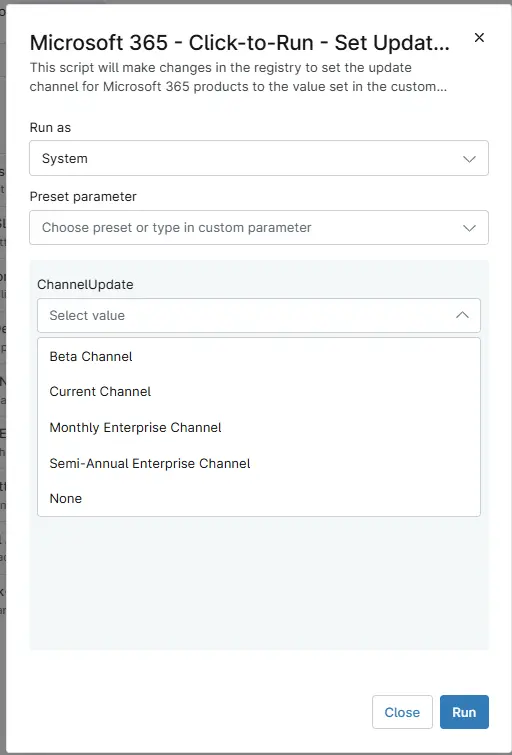
Sample Run
Play Button > Run Automation > Script
Dependencies
Parameters
| Name | Accepted Values | Required | Default | Type | Description |
|---|---|---|---|---|---|
| ChannelUpdate | Current Channel, Monthly Enterprise Channel, Semi-Annual Enterprise Channel, Beta Channel, None | -- | -- | DropDown | Used to Select Channel Type from the drop-down menu for that particular computer. |
Automation Setup/Import
Output
- Activity Details
Changelog
2026-05-08
- Initial Creation