cPVAL ISP Connection Status
Summary
Shows the result of the last ISP Connection Monitor run on the device. The automation overwrites the field each time it runs. The first line is Last Checked: followed by the device's local date and time in yyyy-MM-dd HH:mm:ss format. Next comes a FAIL line for each failed check, with the reason or the IP the lookup site returned, then a PASS line for each passed check, with the IP the lookup site returned.
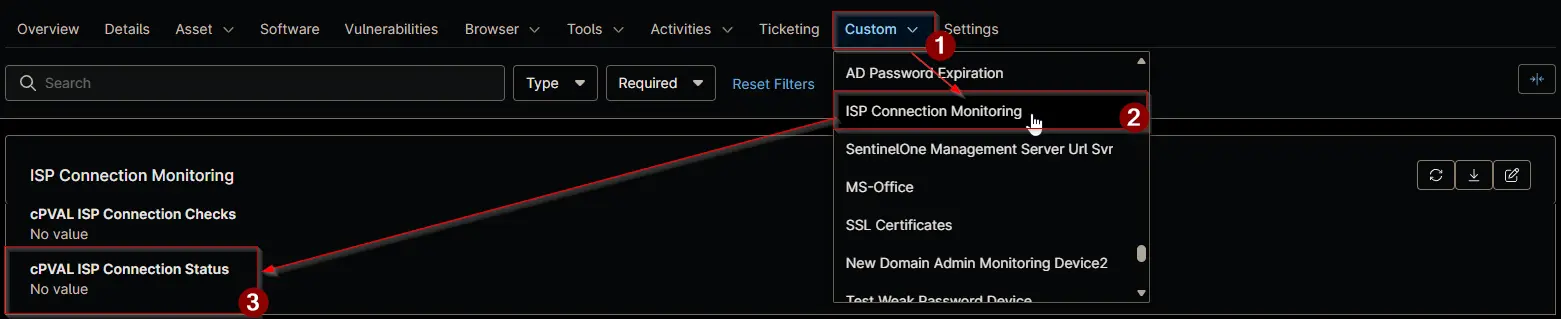
The field is read-only for technicians. It isn't updated while cPVAL ISP Connection Checks is blank, so it keeps the last result after a device stops being monitored. The field is on the ISP Connection Monitoring tab of Windows devices.
Details
| Label | Field Name | Example | Definition Scope | Type | Required | Default Value | Dropdown Options | Editable | Custom Field Tab |
|---|---|---|---|---|---|---|---|---|---|
| cPVAL ISP Connection Status | cpvalIspConnectionStatus | Last Checked: 2026-01-15 09:30:00 | Device | Multi-line | No | No | ISP Connection Monitoring |
Dependencies
Custom Field Creation
Sample Screenshot
Changelog
2026-11-06
- Initial version of the document