BitLocker - Volume - Add Recovery Password [Autofix]
Summary
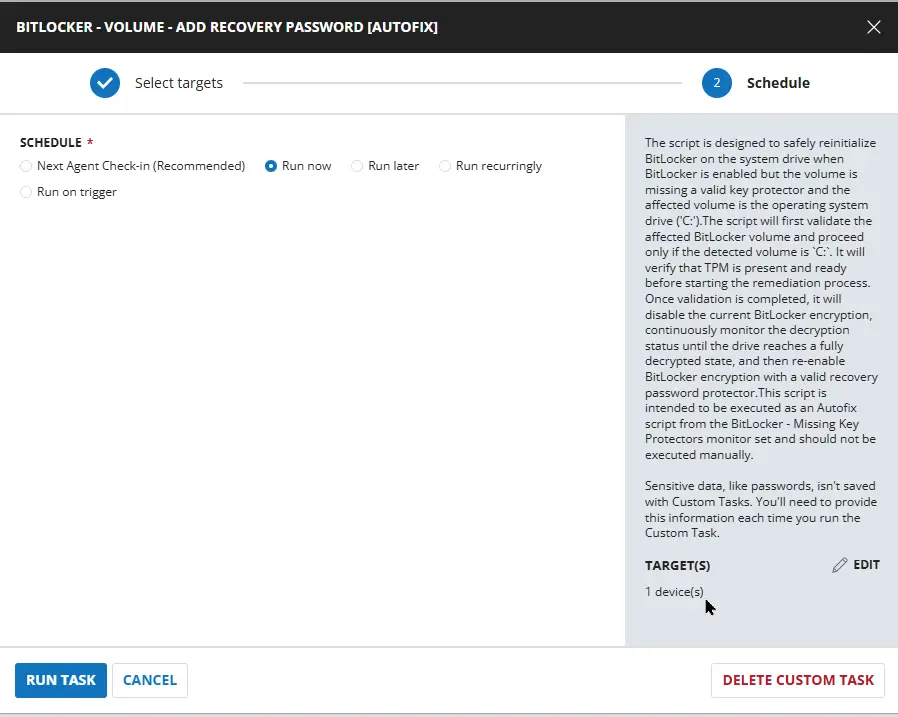
The script is designed to safely reinitialize BitLocker on the system drive when BitLocker is enabled but the volume is missing a valid key protector and the affected volume is the operating system drive (C:).
The script will first validate the affected BitLocker volume and proceed only if the detected volume is C:. It will verify that TPM is present and ready before starting the remediation process. Once validation is completed, it will disable the current BitLocker encryption, continuously monitor the decryption status until the drive reaches a fully decrypted state, and then re-enable BitLocker encryption with a valid recovery password protector.
;
Note This script is intended to be executed as an Autofix script from the Monitor : BitLocker - Missing Key Protectors.
Sample Run
Dependencies
- Monitor: BitLocker - Missing Key Protectors
- Solution: BitLocker Status and Recovery Key Audit
- Agnostic: Initialize-BitLockerVolume
Task Creation
Script Details
Step 1
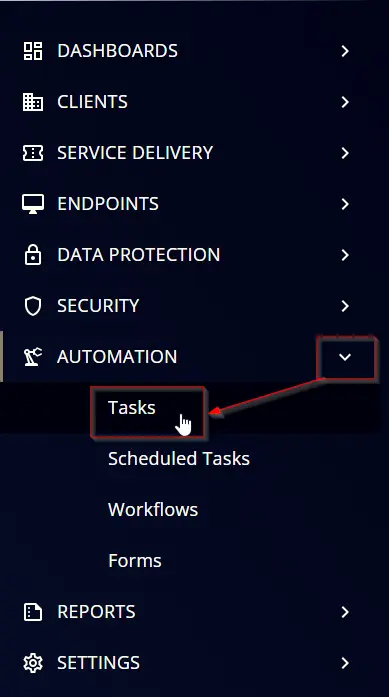
Navigate to Automation ➞ Tasks
Step 2
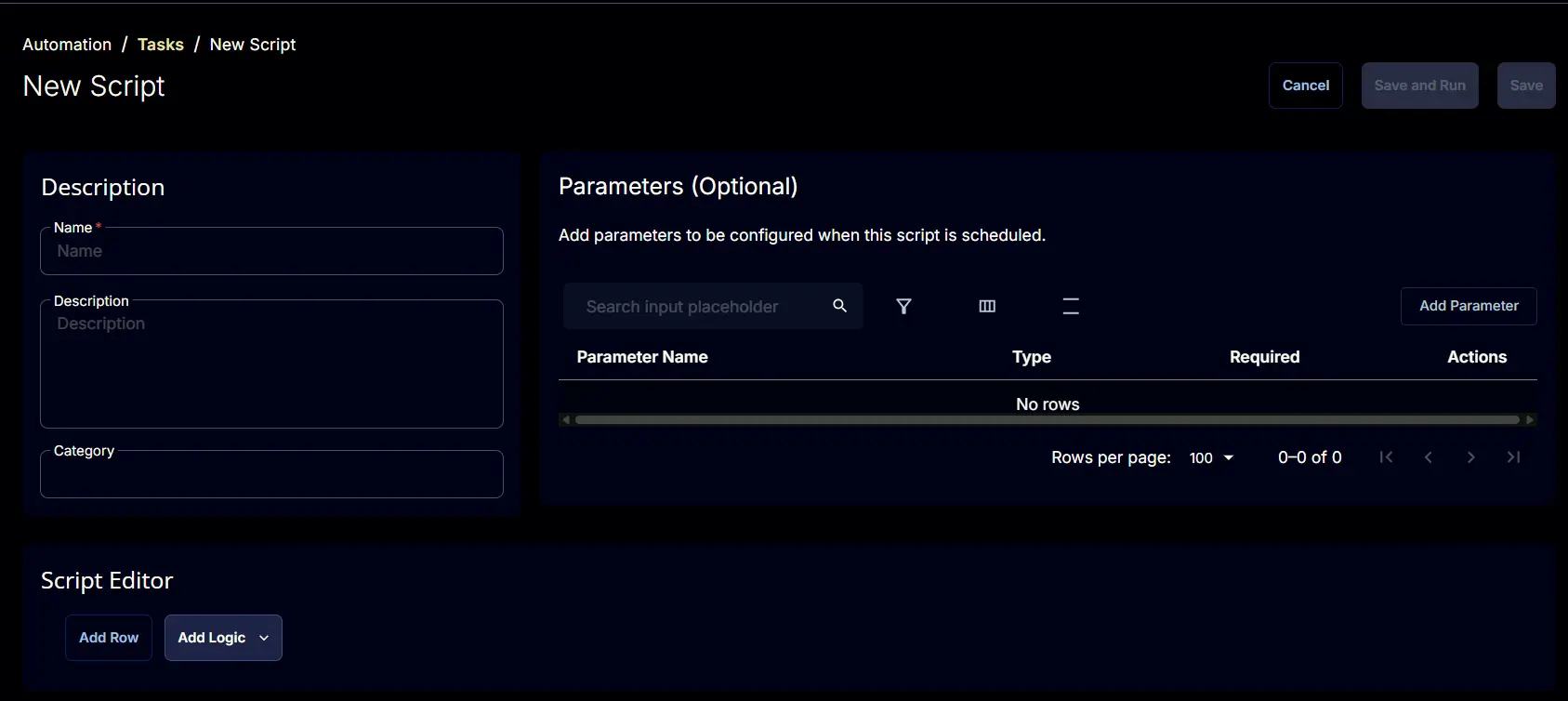
Create a new Script Editor style task by choosing the Script Editor option from the Add dropdown menu

The New Script page will appear on clicking the Script Editor button:
Step 3
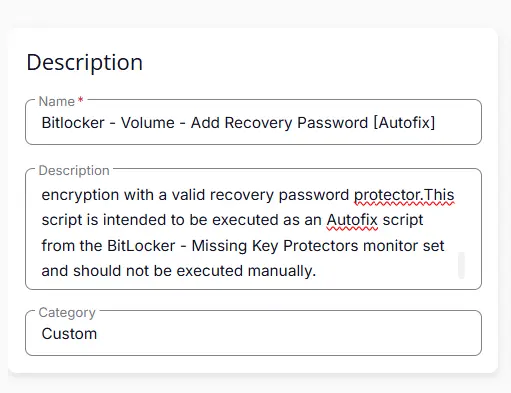
Fill in the following details in the Description section:
- Name:
BitLocker - Volume - Add Recovery Password [Autofix] - Description:
The script is designed to safely reinitialize BitLocker on the system drive when BitLocker is enabled but the volume is missing a valid key protector and the affected volume is the operating system drive ('C:').The script will first validate the affected BitLocker volume and proceed only if the detected volume isC:. It will verify that TPM is present and ready before starting the remediation process. Once validation is completed, it will disable the current BitLocker encryption, continuously monitor the decryption status until the drive reaches a fully decrypted state, and then re-enable BitLocker encryption with a valid recovery password protector.This script is intended to be executed as an Autofix script from the BitLocker - Missing Key Protectors monitor set and should not be executed manually. - Category:
Custom
Script Editor
Click the Add Row button in the Script Editor section to start creating the script

A blank function will appear:

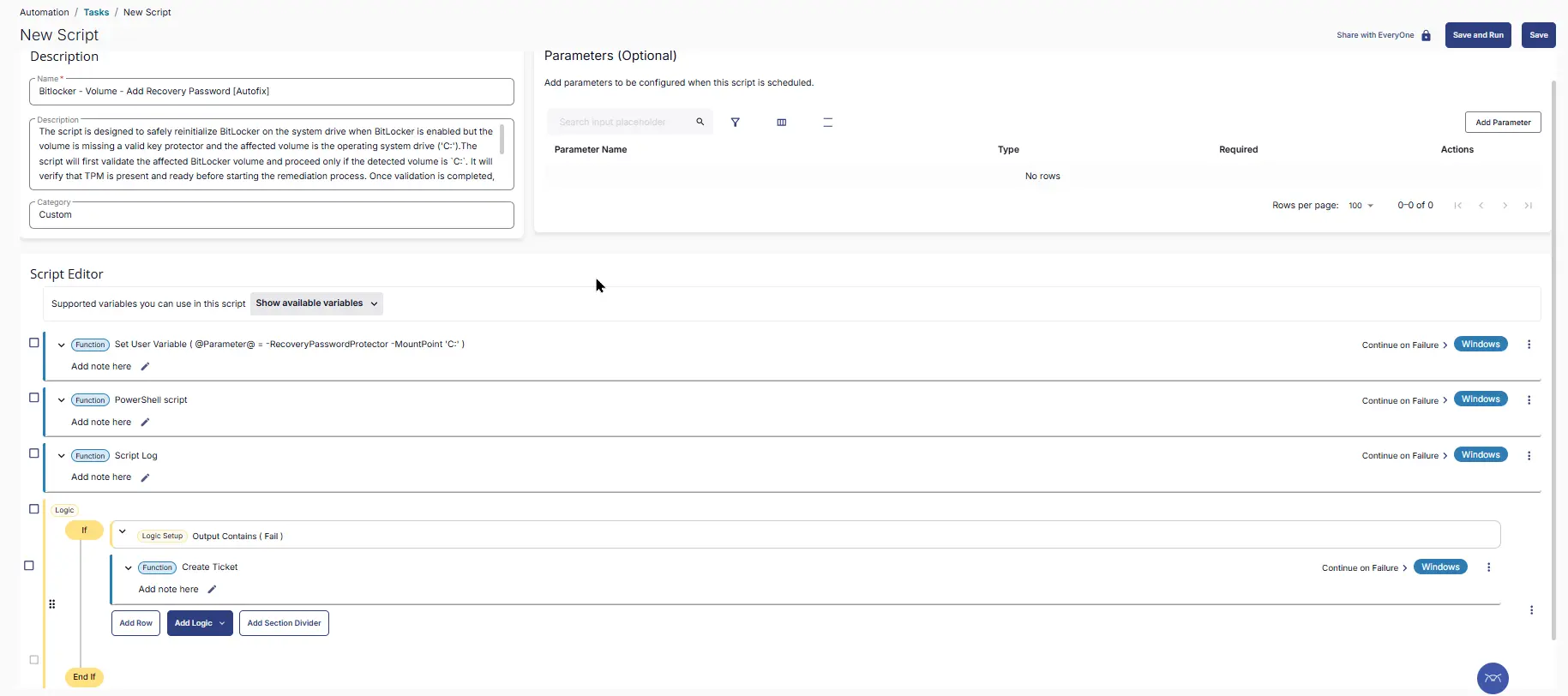
Row 1 Function: Set User Variable
Enter the Parameter in the Variable Name box and provide the Value as -RecoveryPasswordProtector -MountPoint 'C:'. Enable Continue on Failure

Row 2 Function: PowerShell Script
Search and select the PowerShell Script function.

The following function will pop up on the screen:

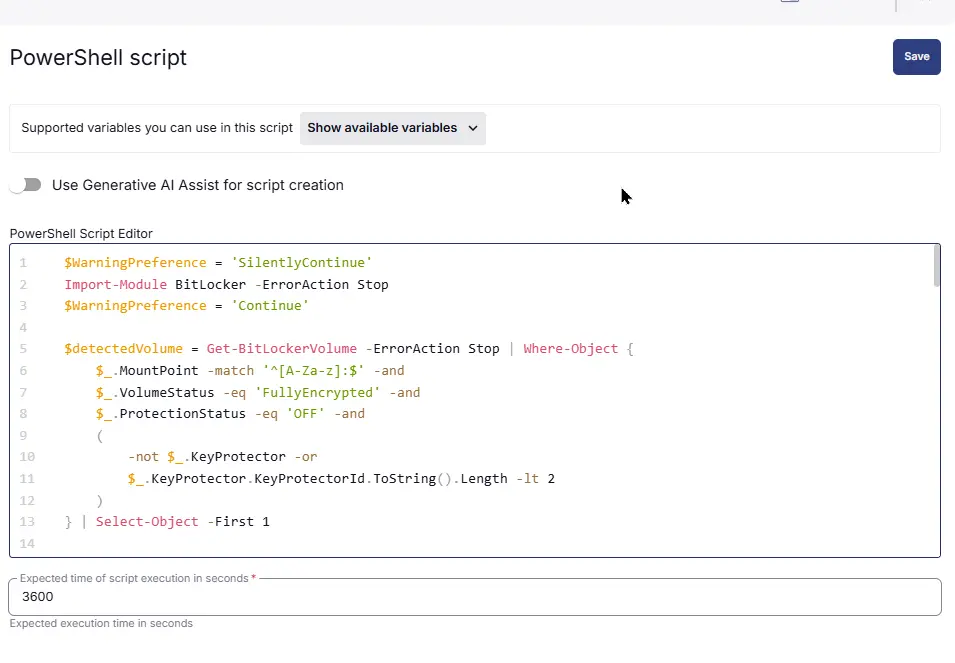
Paste in the following PowerShell script and set the Expected time of script execution in seconds to 3600 seconds and enable Continue on Failure. Click the Save button.
Row 3 Function: Script Log
Add a new row by clicking the Add Row button.
A blank function will appear.
Search and select the Script Log function.

In the script log message, simply type %output% and click the Save button.

Row 4 Logic: If/Then
Click Add Logic and select If/Then

Row 4a Condition: Output Contains
In the IF part, enter Fail in the right box of the "Output Contains" part.

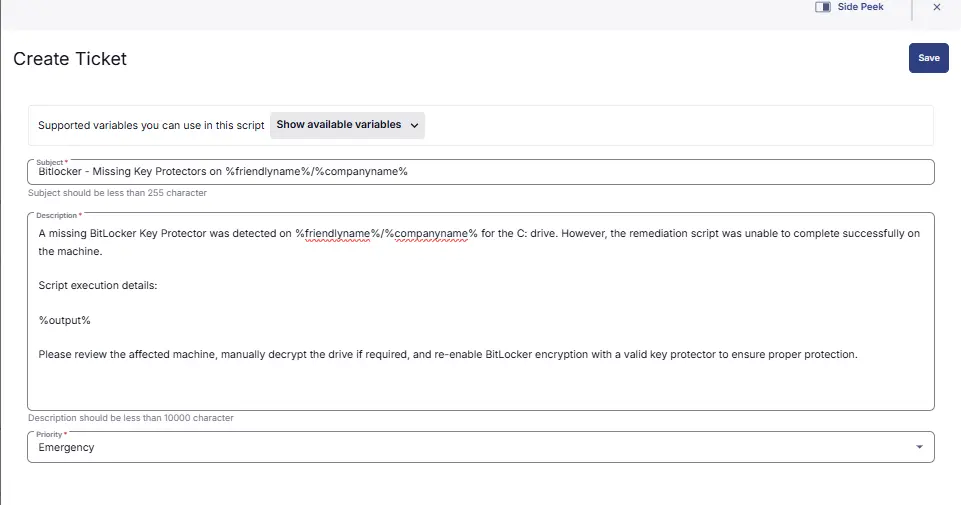
Row 3b Function: Create Ticket
-
Subject :
BitLocker - Missing Key Protectors on %friendlyname%/%companyname% -
Description :
A missing BitLocker Key Protector was detected on %friendlyname%/%companyname% for the C: drive. However, the remediation script was unable to complete successfully on the machine.Script execution details:%output%Please review the affected machine, manually decrypt the drive if required, and re-enable BitLocker encryption with a valid key protector to ensure proper protection. -
Priority :
Emergency
Save Task
Click the Save button at the top-right corner of the screen to save the script.

Completed Task
Deployment
This script is intended to run as an autofix Script with Monitor : BitLocker - Missing Key Protectors
Output
- Script Logs
Changelog
2026-08-10
- Initial version of the document