Webroot
Description
This solution will handle multiple items related to Webroot Software and ConnectWise Automate.
Software Classification: Antivirus - Endpoint Protection
Popularity: High
Installation Difficulty: Low
Removal Difficulty: Moderate
Solution Implementation Difficulty: Moderate
Plugin Requirement: Yes
Applicable Systems: macOS / Windows
- Windows® 7 (32- and 64-bit, all editions), Windows 7 SP1 (32- and 64-bit, all editions)
- Windows 8 (32- and 64-bit)
- Windows 8.1 (32- and 64-bit)
- Windows 10 (32- and 64-bit)
- Windows 11 (64-bit)
- macOS 10.14 (Mojave®)
- macOS 10.15 (Catalina®)
- macOS 11 (Big Sur®) with Apple M1 ARM or Intel® processors
- macOS 12 (Monterey®) with Apple M1 ARM or Intel® processors
Minimum System Requirements: macOS / Windows
- Intel® Pentium®/Celeron® family, or AMD® K6/Athlon™/Duron™ family, or other compatible processor
- 128 MB RAM (minimum)
- 10 MB Hard Disk Space
- Internet access
- Google Chrome® version 11 and newer
- Internet Explorer® version 11 and newer (Windows XP IE8)
- Microsoft Edge® (partial support)
- Mozilla® Firefox® version 3.6 and newer
- Safari 5 and newer
- Opera 11 and newer
Plugin Requirements
- The Webroot ConnectWise Automate Plugin must be installed and configured with the proper WSA keycode.
Configuring a Webroot Client
-
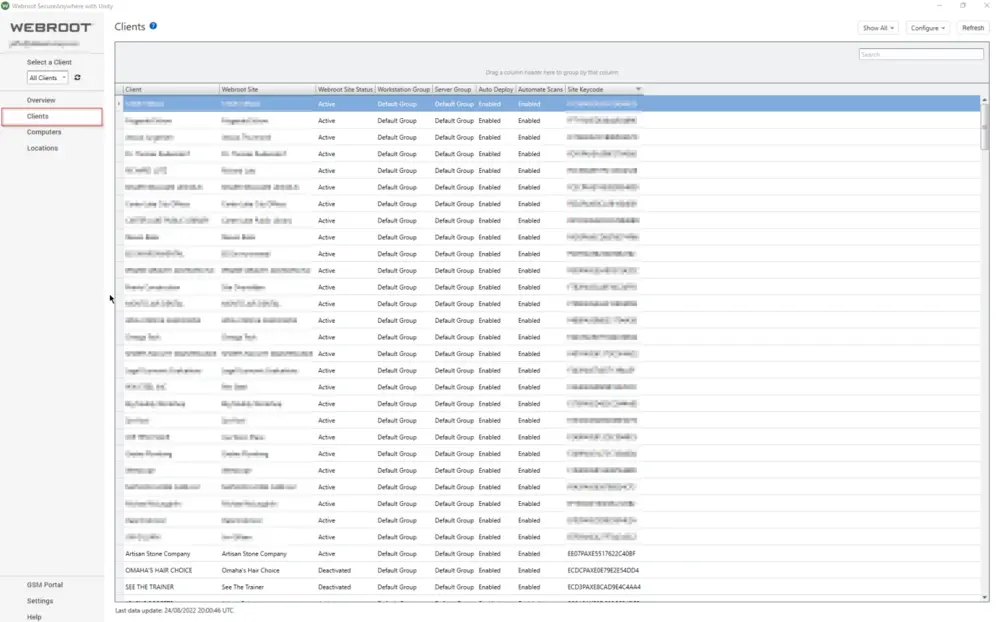
Open the Webroot SecureAnywhere with Unity plugin.

-
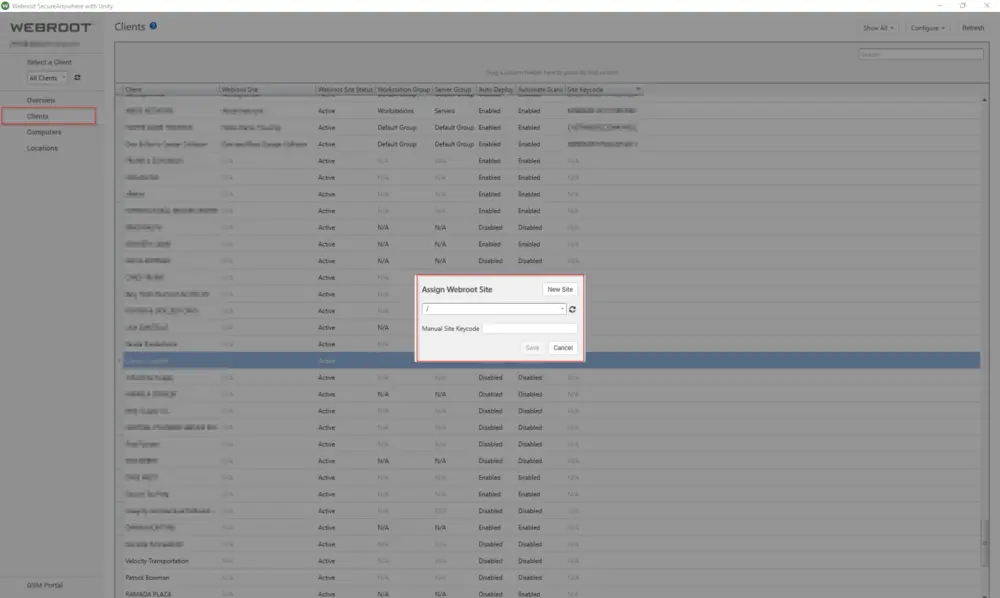
Right-click the client to configure and assign the associated Webroot site.
Implementation Setup
- Use the Webroot Plugin to deploy Webroot.
Automatic Installation
Use the Webroot Plugin to autodeploy Webroot.
Implementation Configuration
The Webroot Plugin provides a way to automatically deploy Webroot by setting the auto-deploy column as desired for computer, location, and client. Once this is completed, the internal monitor (Webroot 3 - Not Installed), created on all the service plan groups by Webroot, will flag any computer that has its auto-deploy set to enabled, where the client and location are also enabled. Once the target is flagged by the monitor, the alert template (Webroot - Install Agent) will run the Webroot 3.0 - Install SecureAnywhere script, installing the software.
Auditing
Auditing parts.
Search: Webroot Installed - Windows
Scheduled Script: EPM - Data Collection - Script - Webroot Hashed Key Retrieval [DV]
Audit Items:
- Keycode
- Installation Status Windows
- Service Not Running
Implementation Setup
Import the Script EPM - Data Collection - Script - Webroot Hashed Key Retrieval [DV] and run it.
Changelog
2025-04-10
- Initial version of the document