Dell Command Update - Install/Upgrade + Command Handler [DV,Param,Autofix]
Summary
The Dell Command | Update application is used by this script to carry out commands on Dell Workstations. If the application isn't already installed, it will be installed. If a version older than 5 is already present, it will upgrade the application to the latest available version. This script provide feature to perform the Dell command scanning audit if no arguments are passed or the command update if the arguments are passed.
Supported OS: Windows 10, Windows 11
Supported commands/arguments reference:
Supported commands/arguments reference
Exit codes reference:
Exit codes reference
Note:
- The systems must be compatible with the installation of Dell Command Update. For further details on compatible systems, please visit the compatible systems section of the following link: Dell Command | Update Windows Universal Application | Driver Details | Dell US
- ProVal does not recommend performing BIOS updates remotely. ProVal is not responsible for any failed devices due to remote BIOS updates. BIOS updates are performed at the MSP's risk.
Dependencies
- Agnostic - Initialize-DellCommandUpdate
- Table - pvl_dellcommand_audit
- Script - OverFlowedVariable - SQL Insert - Execute
- Solution - Dell Command Update Handler
Sample Run
Run the script with the SetEnvironment parameter set to 1 after import to get the required EDFs imported for the Dell command scanning and exclusions. It will also create the Table - pvl_dellcommand_audit.
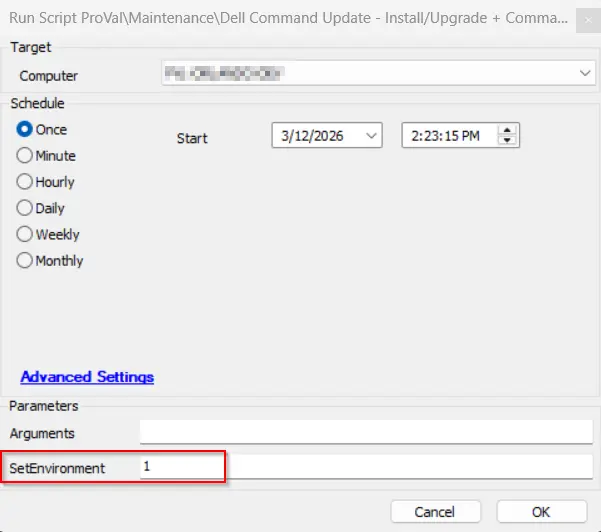
Example 1:
Running the script with basic /scan command to return the available updates.
Arguments: /Scan
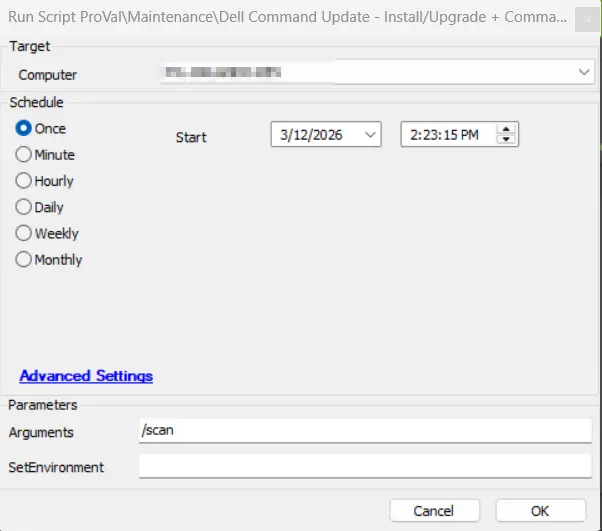
Example 2:
Running the script to install available bios, firmaware, and driver updates.
This command will not update any active driver as we are not using the -forceupdate switch.
Arguments: /applyUpdates -updateType=bios,firmware,driver -silent -reboot=disable
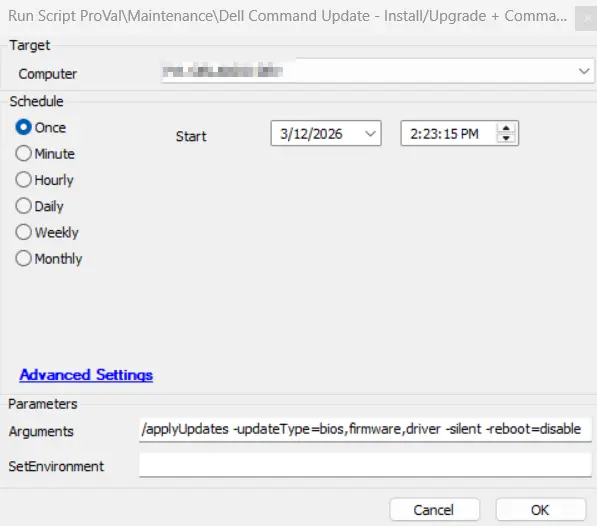
Example 3:
Running the script to forcefully install all available driver updates.
Caution: It is recommended to restart the computer at the earliest convenience after using the -forceupdate=enable switch, as this switch updates active drivers as well. An active driver that requires a restart for the update may malfunction if the update is installed without rebooting the computer.
Arguments: /applyUpdates -updateType=driver -silent -reboot=disable -forceupdate=enable
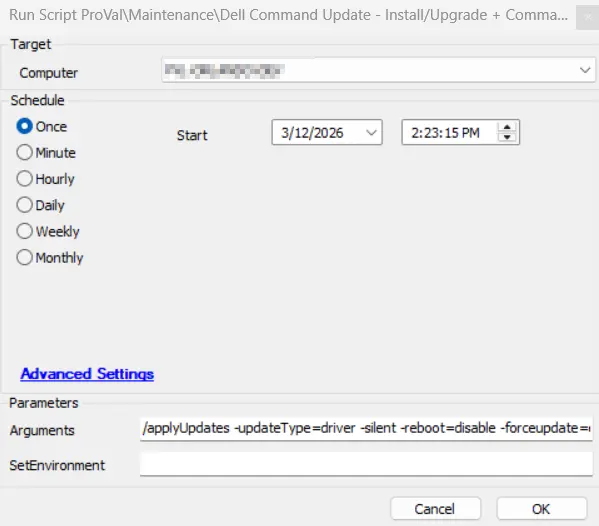
Example 4:
Running the script without passing arguments to perform the auditing and store data to the Table - pvl_dellcommand_audit.
Arguments: ''
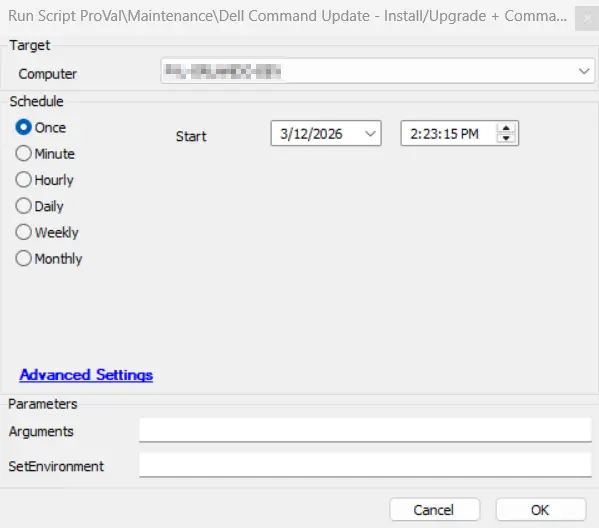
User Parameters
| Name | Example | Required | Description |
|---|---|---|---|
SetEnvironment | 1 | False | If set to 1, it will import the required EDFs for the Dell command scanning and exclusions, and it will also create the Table - pvl_dellcommand_audit. |
| Arguments |
| False | Command to execute on the computer; the /scan command will be executed if this parameter is left blank. Reference: Supported commands/arguments reference |
Global Variables
| Name | Example | Required | Description |
|---|---|---|---|
Debug |
| False | When True, enables informational logging; when False (default), informational logs are suppressed to avoid adding entries to the h_scripts table. Set to True to assist with troubleshooting. |
EDFs
| Name | Type | Level | Section | Required | Editable | Description |
|---|---|---|---|---|---|---|
| Dell Command Scan Deploy | Checkbox | Client | Dell | True | Yes | This EDF is required to be selected for the automated deployment of the Dell command update scanning on the Dell Windows machines. |
| Exclude Dell Command Scan | Checkbox | Location | Exclusions | False | Yes | If this EDF is checked, the agents of the location will be excluded from the Dell command update scanning. |
| Exclude Dell Command Scan | Checkbox | Computer | Exclusions | False | Yes | If this EDF is checked, the agent will be excluded from the Dell command update scanning. |
Output
- Script Log
- Table - pvl_dellcommand_audit
Changelog
2026-03-20
- Applied code signing to the PowerShell script.
- Enhanced logging for improved visibility and troubleshooting.
- Improved error handling for greater reliability.
- Resolved an issue where the script failed to invoke the agnostic script with the correct arguments.
- Resolved an issue where auditing was not performed when the script was triggered from the internal monitor.
- Updated the script to use OverFlowedVariable - SQL Insert - Execute for SQL insert operations.
2026-03-05
- Updated script to use the Agnostic - Initialize-DellCommandUpdate. It will perform the Dell command scan audit if no arguments is passed and install updates using passed arguments.
2025-04-10
- Initial version of the document.