Toggle - Direct Connect to Office365 Feature Param
Summary
Microsoft launched the “Direct Connect to Office365 Feature” (Outlook 2016 version 16.0.6741.2017 and higher) that forces Outlook 2016 to connect to Office365 when:
- Users are not yet active in Office365 and do not have a mailbox provisioned due to the Exchange license assigned.
- Autodiscover is not working on the source server.
- The connection between the computer and the source server is interrupted or blocked by a firewall/antivirus.
This feature is beneficial as it automatically detects your Office365 account; however, it can also pose significant problems during the migration process to Office365.
When this occurs, email continues to work; however, the user will not receive any emails in Outlook since it is connected to Office365; they will receive them on their respective source server.
See this article for more information about the “Direct Connect To Office365” Feature: Unexpected Autodiscover Behavior
The script can be used to create a user-level registry key for all users to prevent this behavior or to reset it back to normal.
Please ensure that the "ExcludeExplicitO365Endpoint" parameter has the correct value. A value of 1 will "Prevent Outlook from Connecting to an Office 365 Account," while a value of 0 will "Allow Outlook to Connect to an Office 365 Account."
Sample Run
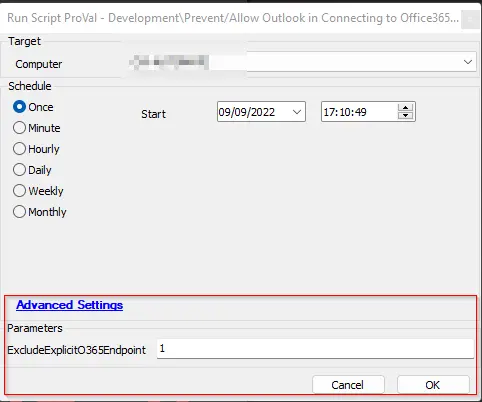
Variables
| Name | Description |
|---|---|
| OutCome | Output of the PowerShell script writing the registry value |
User Parameters
| Name | Example | Required | Description |
|---|---|---|---|
| ExcludeExplicitO365Endpoint | 1 | True | Represents the action you would like to perform with the script. A value of 1 will "Prevent Outlook from Connecting to an Office 365 Account," while a value of 0 will "Allow Outlook to Connect to an Office 365 Account." |
Process
- Verify the value passed to the ExcludeExplicitO365Endpoint parameter.
- Execute the PowerShell script to modify/add the registry key.
- Log the output of the script.
Output
Script Log
Changelog
2025-04-10
- Initial version of the document