Email Creation - Ping Monitor
Summary
This script is an email version of Script - Ticket Creation - Ping Monitor. It will manage emails related to remote ping monitors.
Sample Run
The script is not intended for manual execution. It is explicitly configured to be executed exclusively from the △ Custom - Email Creation - Ping Monitor alert template.
Dependencies
Alert Template: △ Custom - Email Creation - Ping Monitor
System Properties
| Name | Required | Example | Description |
|---|---|---|---|
| _sysPingMonitorDefaultEmail | False | xyz@something.com | Add the email address where the partner would like to receive alerts from ping monitors. |
| _sysTicketDefaultEmail | True | xyz@something.com | If nothing is mentioned in the _sysPingMonitorDefaultEmail property, the script will use the default email address from the _sysTicketDefaultEmail property. |
Note: Create this system property _sysPingMonitorDefaultEmail under system → Dashboard → Config → Properties before executing this system anywhere if the client would like to use a specific email address for ping monitors.
Global Parameters
| Name | Required | Example | Description |
|---|---|---|---|
| Email_On_Success | False | 1 | Set it to 1 to receive success email alerts. Leave it blank or set it to 0 if the partner doesn't want success email alerts. |
Sample Ping Monitor
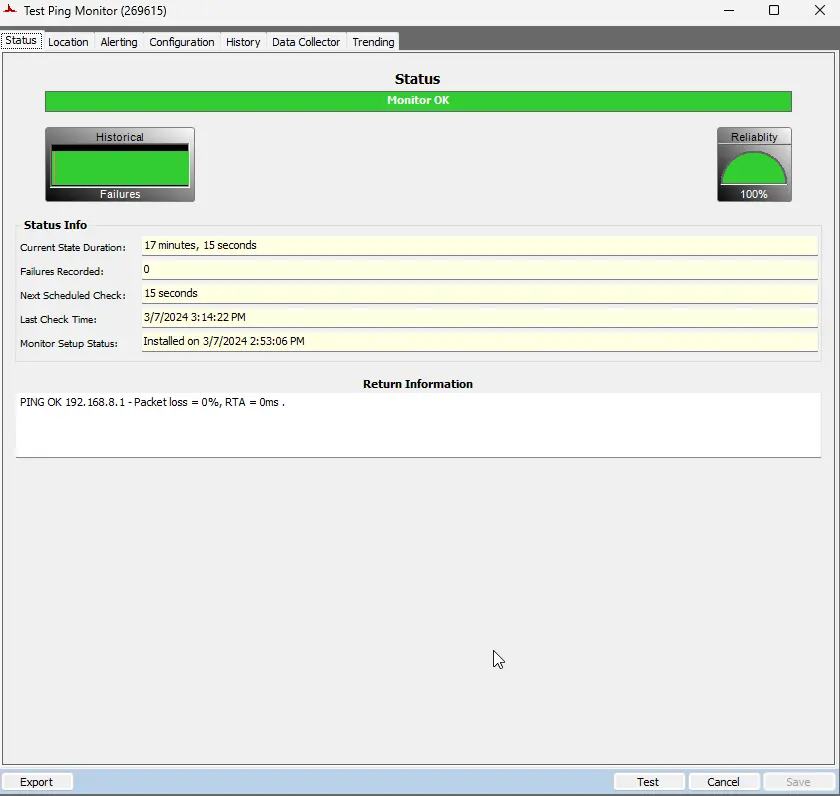
Status Tab:
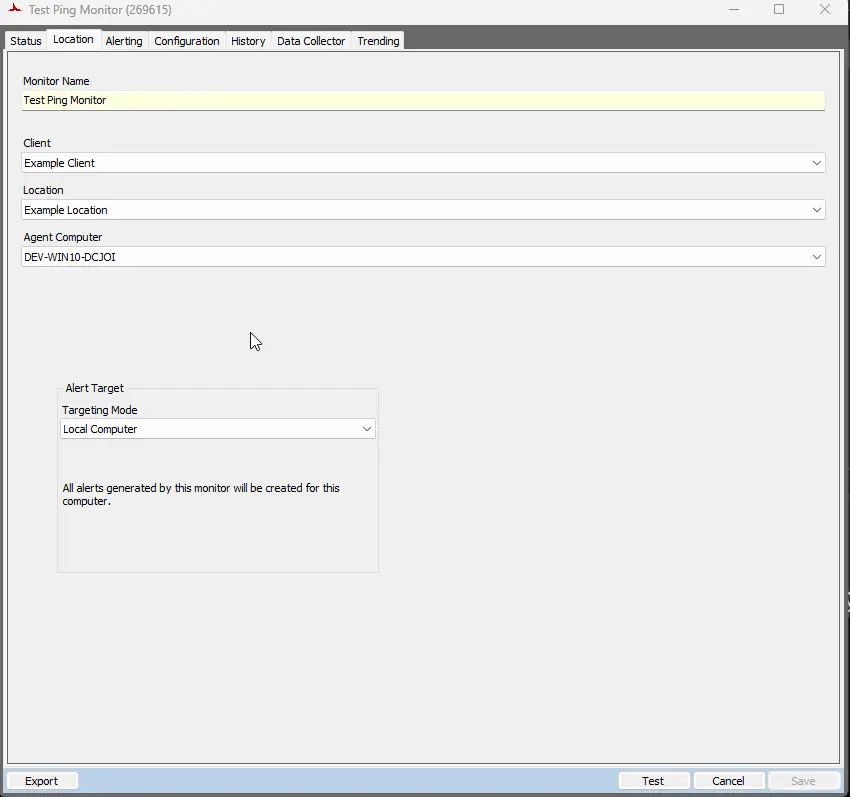
Location Tab:
Alerting Tab:
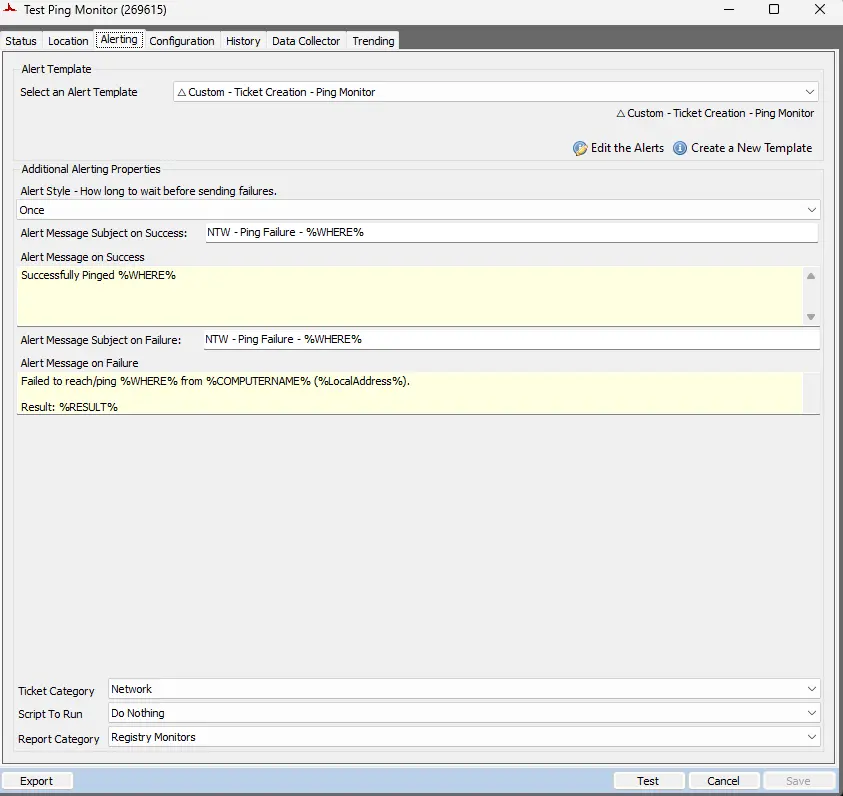
Subject: NTW - Ping Failure - %WHERE%
Failure Message:
Failed to reach/ping %WHERE% from %COMPUTERNAME% (%LocalAddress%).
Result: %RESULT%
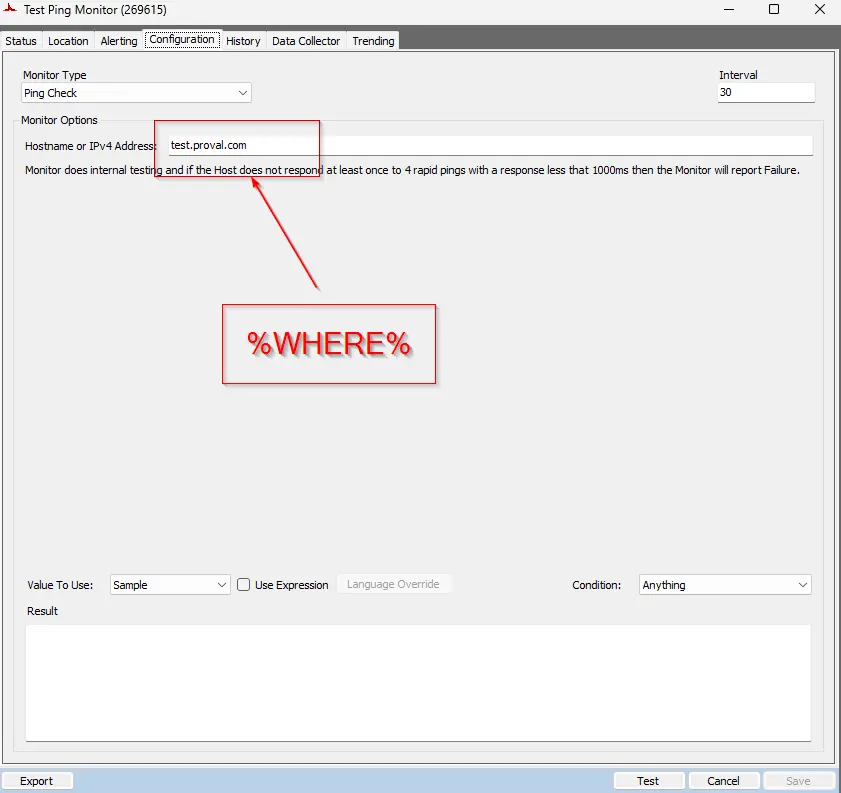
%WHERE%: This variable returns the IPv4 Address or Host Name to ping.
%RESULT%: This variable returns the result from the monitor set.
%LocalAddress%: This variable returns the private address of the local computer where the monitor set is executed.
Configuration Tab:
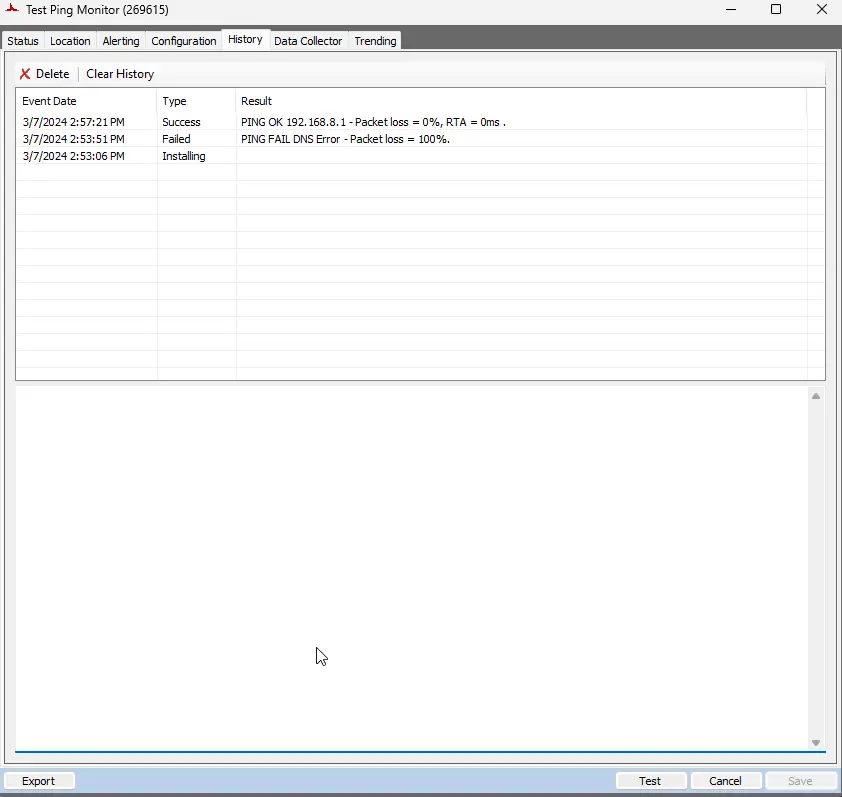
History Tab:
Output
Changelog
2025-04-10
- Initial version of the document