Hyper-V Integration Service Audit
Overview
This script queries all Hyper-V virtual machines and looks for any VM where the IntegrationServicesState in:
- Not enabled (null or blank state)
- Outdated (
UpdateRequired/Update required) - Missing (
NotPresent) UnknownIf any VM meets the above conditions, the script reports them and sets a failure exit code. If all VMs are compliant, it reportsUpToDate. If no VMs require Integration Services updates, the script storesUpToDateand exits successfully with code 0. It updates the custom fieldcpvalHyperVIntegrationServiceStatusaccordingly.
Sample Run
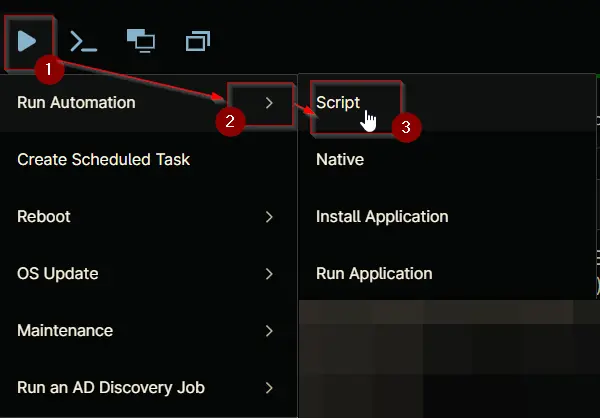
Play Button > Run Automation > Script
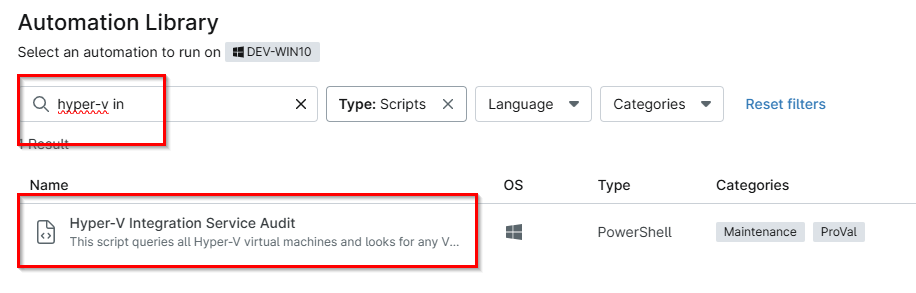
Type Hyper-V Integration in the search box and select the Hyper-V Integration Service Audit script
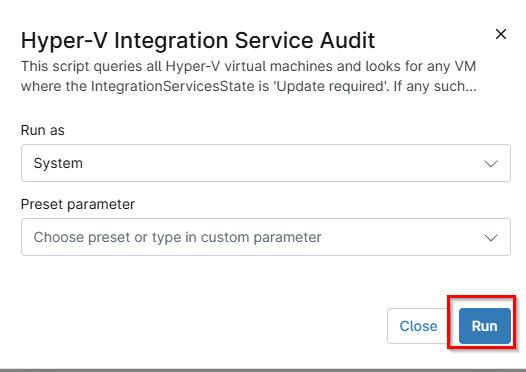
Click Run
Dependencies
Automation Setup/Import
Output
- Activity Details
- Custom Field
Changelog
2026-06-03
- Initial version of the document