Windows 10 - Build Out of DateBuild Up to Date
Summary
There are two device groups related to the Windows 10 Upgrade Assistance solution. Please see the guide below to create separate device groups.
Dependencies
- CW RMM - Custom Field - Win10UpgradeAttempts
- CW RMM - Task - Feature Update Install (Windows 10) With Tracking
- CW RMM - Task - Windows 10 Feature Update Attempt Tracking (Subscript)
Create Device Groups
There are two device groups for this solution. To create device groups, please navigate to Devices > Device Groups.

Select Add > Dynamic Group.

Please repeat the above steps for each device group.
Device Group Name: Windows 10 - Build Up to Date
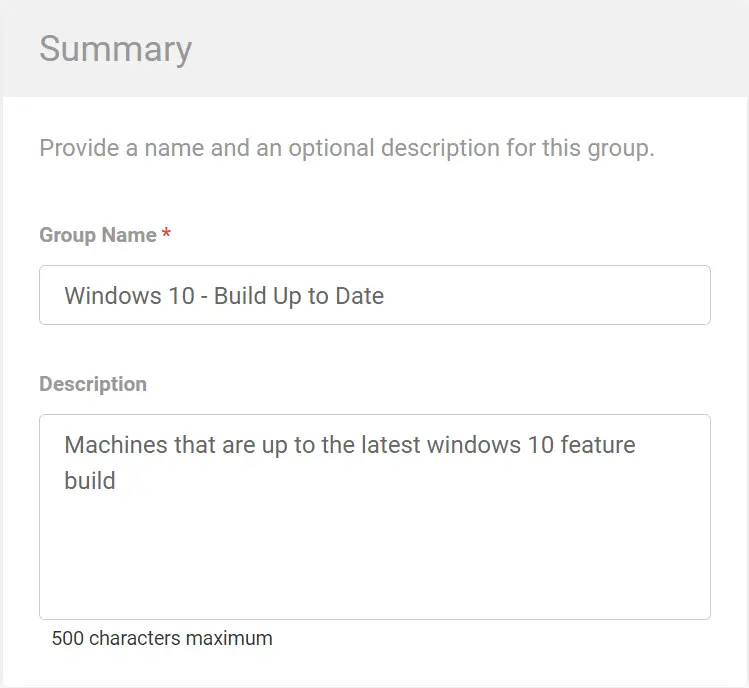
Description: Machines that are up to the latest Windows 10 feature build.
Criteria:
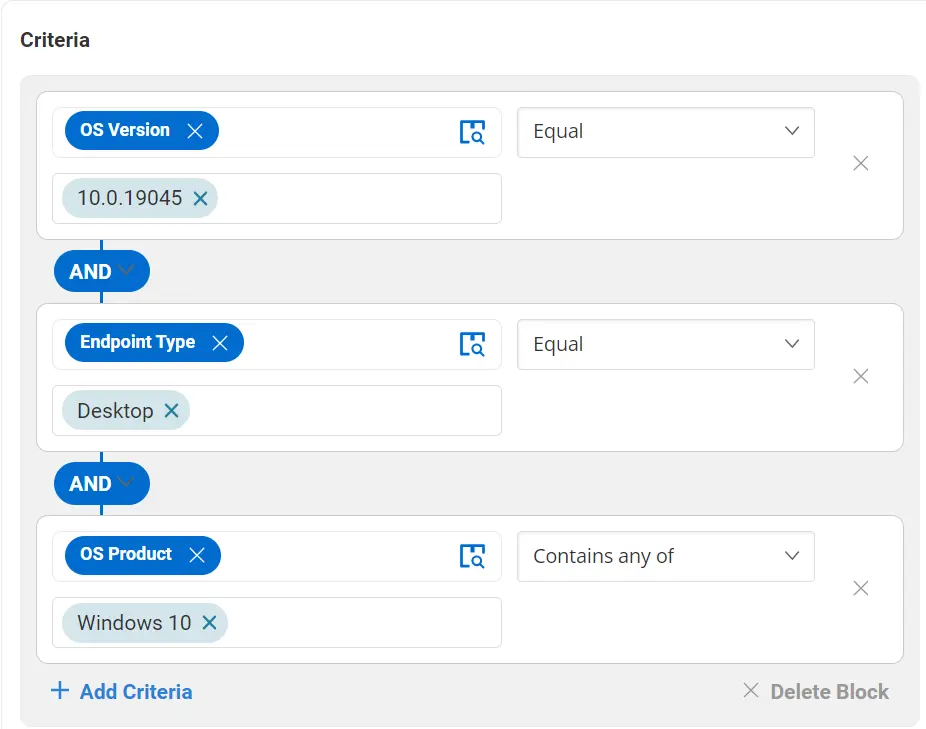
When adding criteria, please search for the OS Version.
Equal: 10.0.19045
AND
Endpoint Type
Equal: Desktop
AND
OS Product
Contains any of: Windows 10
This group holds all workstations that are up to the latest feature build.
Device Group Name: Windows 10 - Build Out of Date
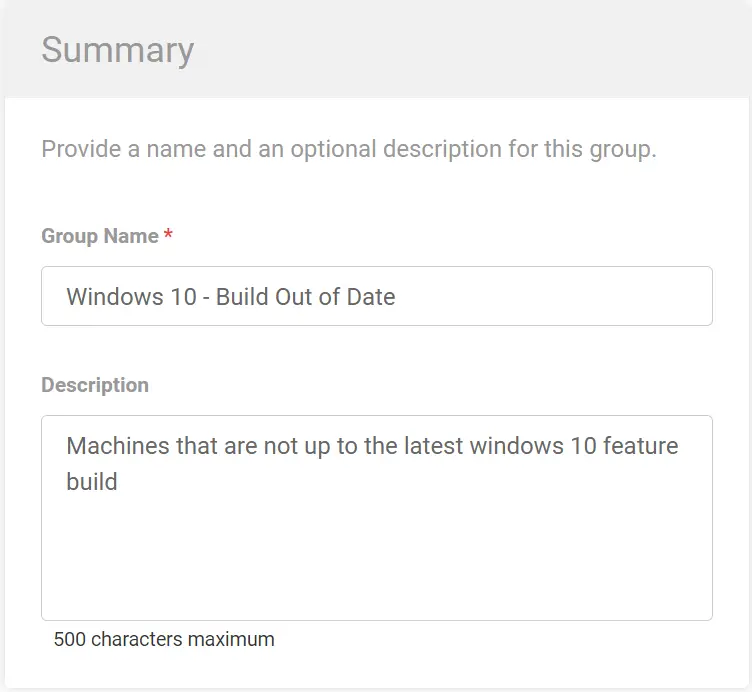
Description: Machines that are not up to the latest Windows 10 feature build.
Criteria:
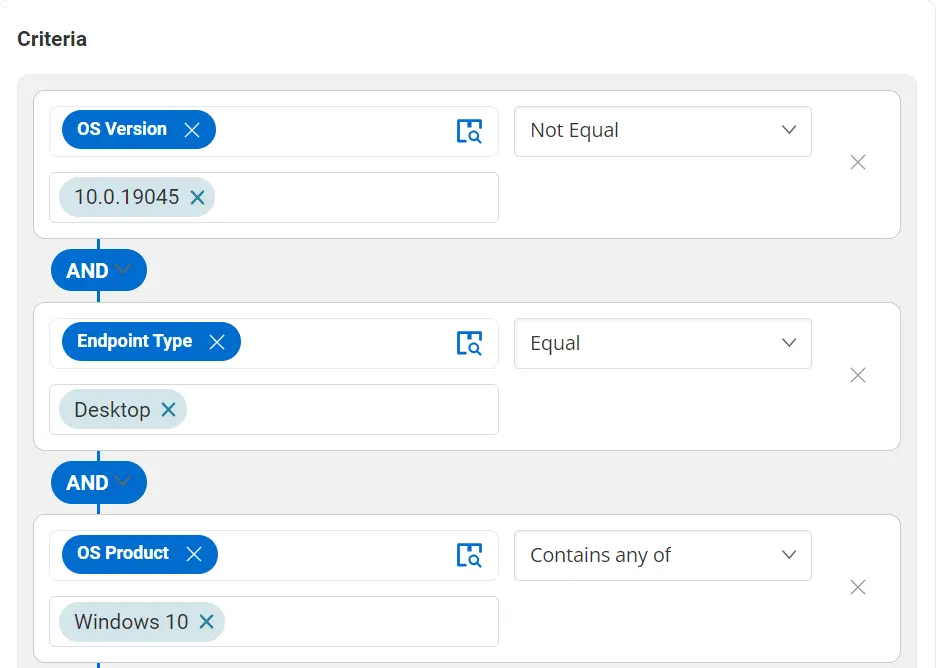
When adding criteria, please search for the OS Version.
Not Equal: 10.0.19045
AND
Endpoint Type
Equal: Desktop
AND
OS Product
Contains any of: Windows 10
This group holds all workstations that are not up to the latest feature build.
Changelog
2025-04-10
- Initial version of the document