HyperV - Snapshot Age > 3 Days

Summary

This monitor will generate alerts for HyperV host snapshots that have turned 3 days old in the past hour.

Dependencies

Monitor Setup Location

Monitors Path: ENDPOINTSAlertsMonitors

Monitor Summary

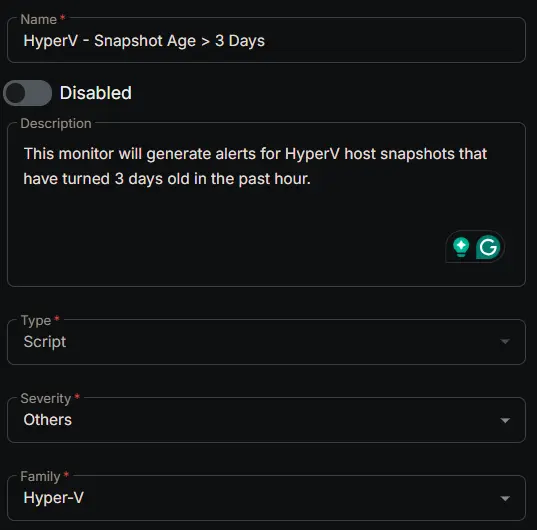
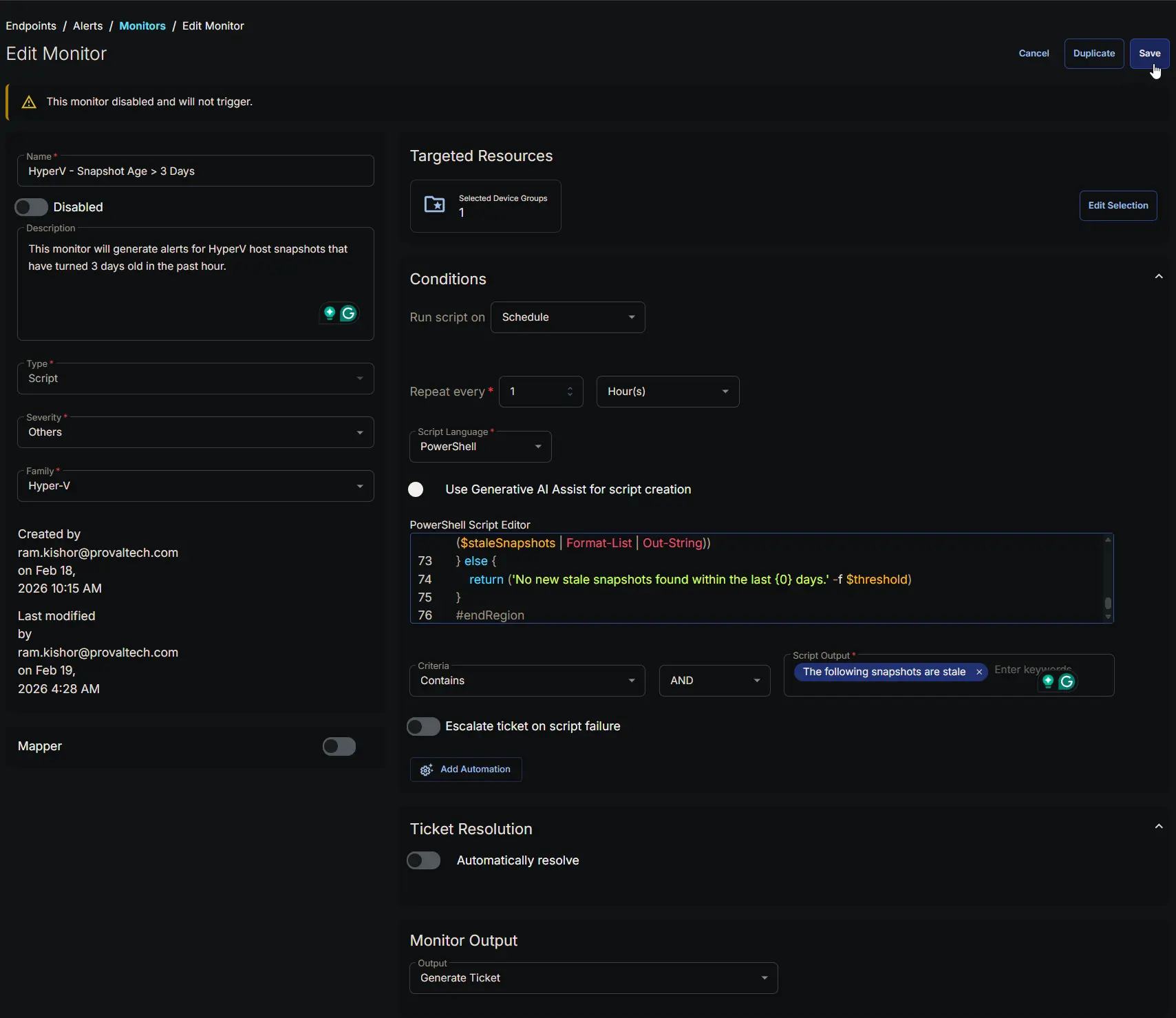
  • Name: HyperV - Snapshot Age > 3 Days
  • Description: This monitor will generate alerts for HyperV host snapshots that have turned 3 days old in the past hour.
  • Type: Script
  • Severity: Others
  • Family: Hyper-V

Image1

Targeted Resources

  • Target Type: Device Groups
  • Group Name: HyperV Snapshot Age Monitoring
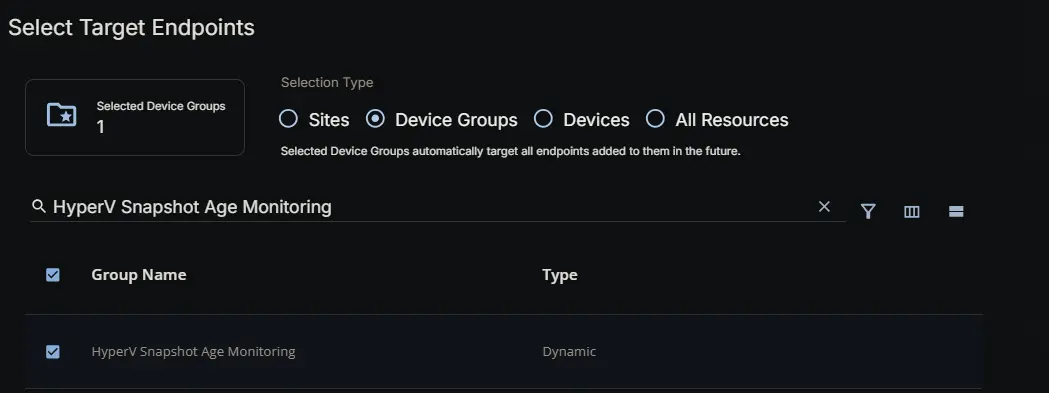
Image2

Conditions

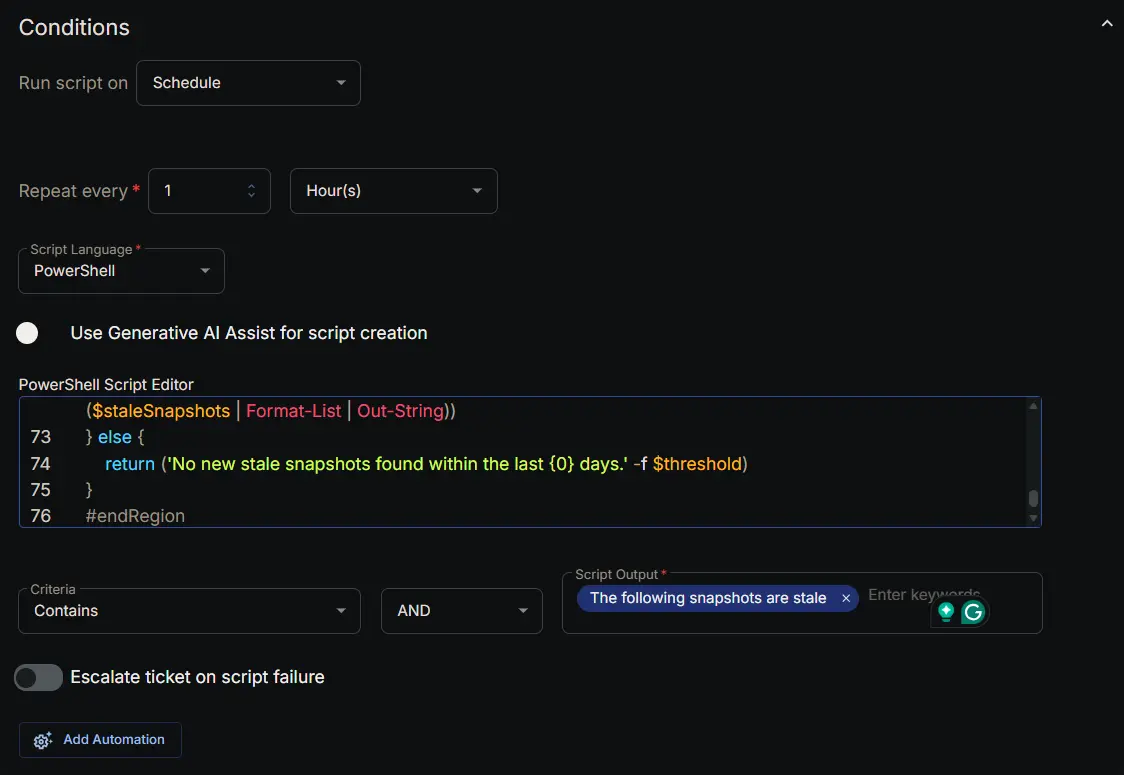
  • Run Script on: Schedule
  • Repeat every: 1 Hours
  • Script Language: PowerShell
  • Use Generative AI Assist for script creation: False
  • PowerShell Script Editor:
#region globals
$ProgressPreference = 'SilentlyContinue'
$WarningPreference = 'SilentlyContinue'
$InformationPreference = 'Continue'
#endRegion

#region variables
$threshold = 3 # days
$tableName = 'staleSnapshots'
#endRegion

#region set tls policy
$supportedTLSversions = [enum]::GetValues('Net.SecurityProtocolType')
if (($supportedTLSversions -contains 'Tls13') -and ($supportedTLSversions -contains 'Tls12')) {
[System.Net.ServicePointManager]::SecurityProtocol = [System.Net.ServicePointManager]::SecurityProtocol::Tls13 -bor [System.Net.SecurityProtocolType]::Tls12
} elseif ($supportedTLSversions -contains 'Tls12') {
[System.Net.ServicePointManager]::SecurityProtocol = [System.Net.SecurityProtocolType]::Tls12
} else {
Write-Information 'TLS 1.2 and/or TLS 1.3 are not supported on this system. This download may fail!' -InformationAction Continue
if ($PSVersionTable.PSVersion.Major -lt 3) {
Write-Information 'PowerShell 2 / .NET 2.0 doesn''t support TLS 1.2.' -InformationAction Continue
}
}
#endRegion

#region strapper
Get-PackageProvider -Name NuGet -ForceBootstrap | Out-Null
Set-PSRepository -Name PSGallery -InstallationPolicy Trusted
try {
Update-Module -Name Strapper -ErrorAction Stop
} catch {
Install-Module -Name Strapper -Repository PSGallery -SkipPublisherCheck -Force
Get-Module -Name Strapper -ListAvailable | Where-Object { $_.Version -ne (Get-InstalledModule -Name Strapper).Version } | ForEach-Object { Uninstall-Module -Name Strapper -MaximumVersion $_.Version }
}
(Import-Module -Name 'Strapper') 3>&1 2>&1 1>$null
Set-StrapperEnvironment
#endRegion

#region get information
$staleSnapshots = Get-VM |
Get-VMSnapshot |
Where-Object {
$_.creationTime -le (Get-Date).AddDays(-$threshold) -and $_.IsDeleted -eq $false
} |
Select-Object -Property VMName, Name, ParentSnapshotName, SnapshotType, CreationTime
#endRegion

#region get stored data from table
$alertedSnapshots = try {
Get-StoredObject -TableName $tableName -WarningAction SilentlyContinue -ErrorAction Stop
} catch {
$null
}
$staleSnapshots | Write-StoredObject -TableName $tableName -WarningAction SilentlyContinue -Clobber -Depth 10
#endRegion

#region get stale snapshots that haven't been alerted on
if ($alertedSnapshots) {
$staleSnapshots = $staleSnapshots | Where-Object {
$snapshot = $_
-not ($alertedSnapshots | Where-Object {
$_.VMName -eq $snapshot.VMName -and
$_.Name -eq $snapshot.Name -and
$_.ParentSnapshotName -eq $snapshot.ParentSnapshotName
})
}
}
#endRegion

#region output
if ($staleSnapshots) {
return ('The following snapshots are stale (older than {0} days):{1}{2}' -f $threshold, [char]10, ($staleSnapshots | Format-List | Out-String))
} else {
return ('No new stale snapshots found within the last {0} days.' -f $threshold)
}
#endRegion
  • Criteria: Contains
  • Operator: AND
  • Script Output: The following snapshots are stale
  • Escalate ticket on script failure: False
  • Add Automation: NONE

Image3

Ticket Resolution

Automatically resolve: False

Image4

Monitor Output

Output: Generate Ticket

Image5

Completed Monitor

Image6

Changelog

2026-02-19

  • Initial version of the document