Simple Notification App [Param]
Summary
This script is designed to deliver a one-time, customized message to the partner, featuring your company's branding through an optional image URL. For branding purposes, using a PNG or JPEG image URL is recommended, though not mandatory. Once executed, the script will display the message on the logged-in user's screen within one minute.
Sample Run
Example 1
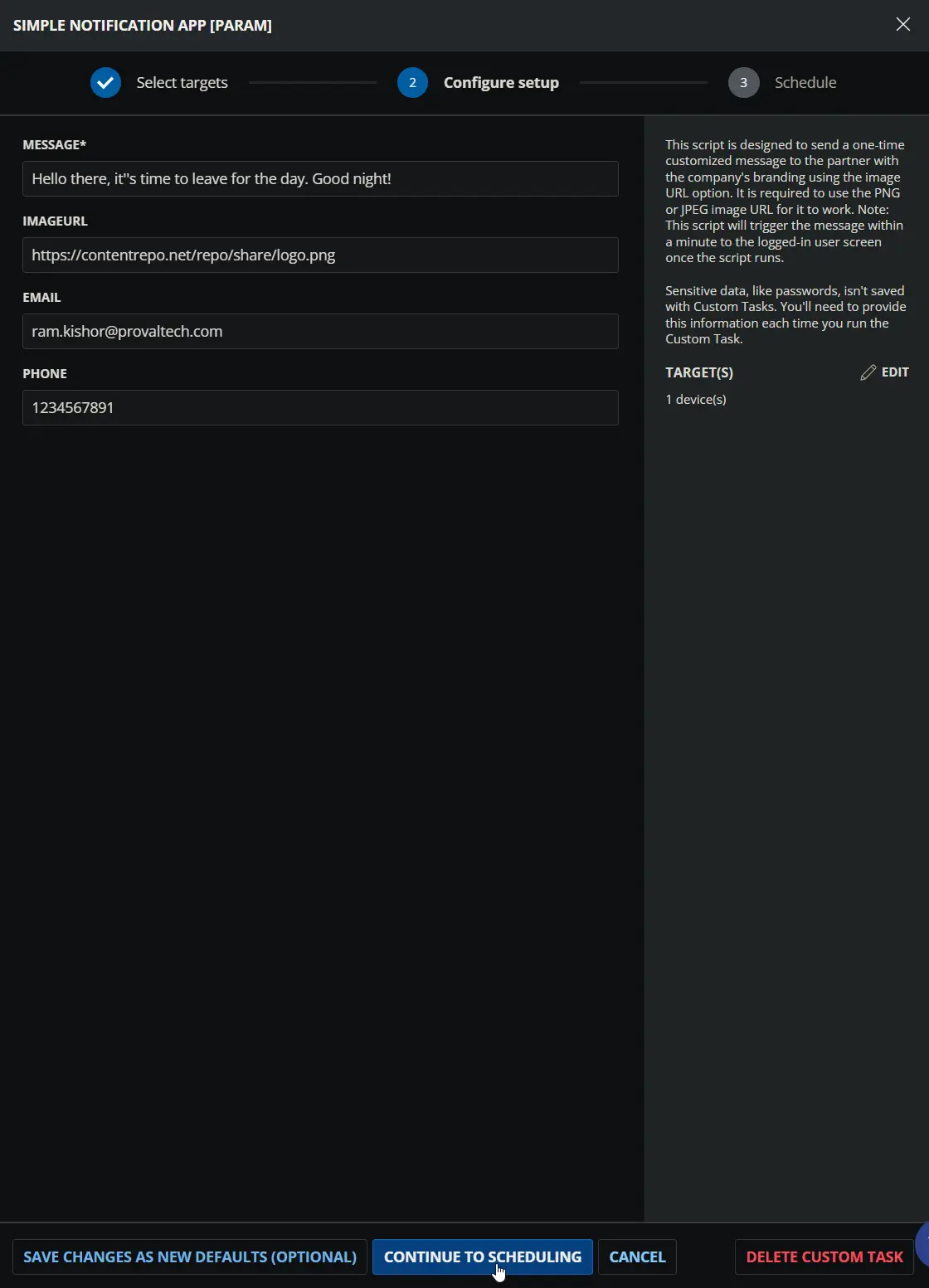
Using custom value for each parameter.
- Message:
Hello there, it''s time to leave for the day. Good night! - ImageUrl:
https://contentrepo.net/repo/share/logo.png - Email:
ram.kishor@provaltech.com - Phone:
1234567891
Notification:
Example 2
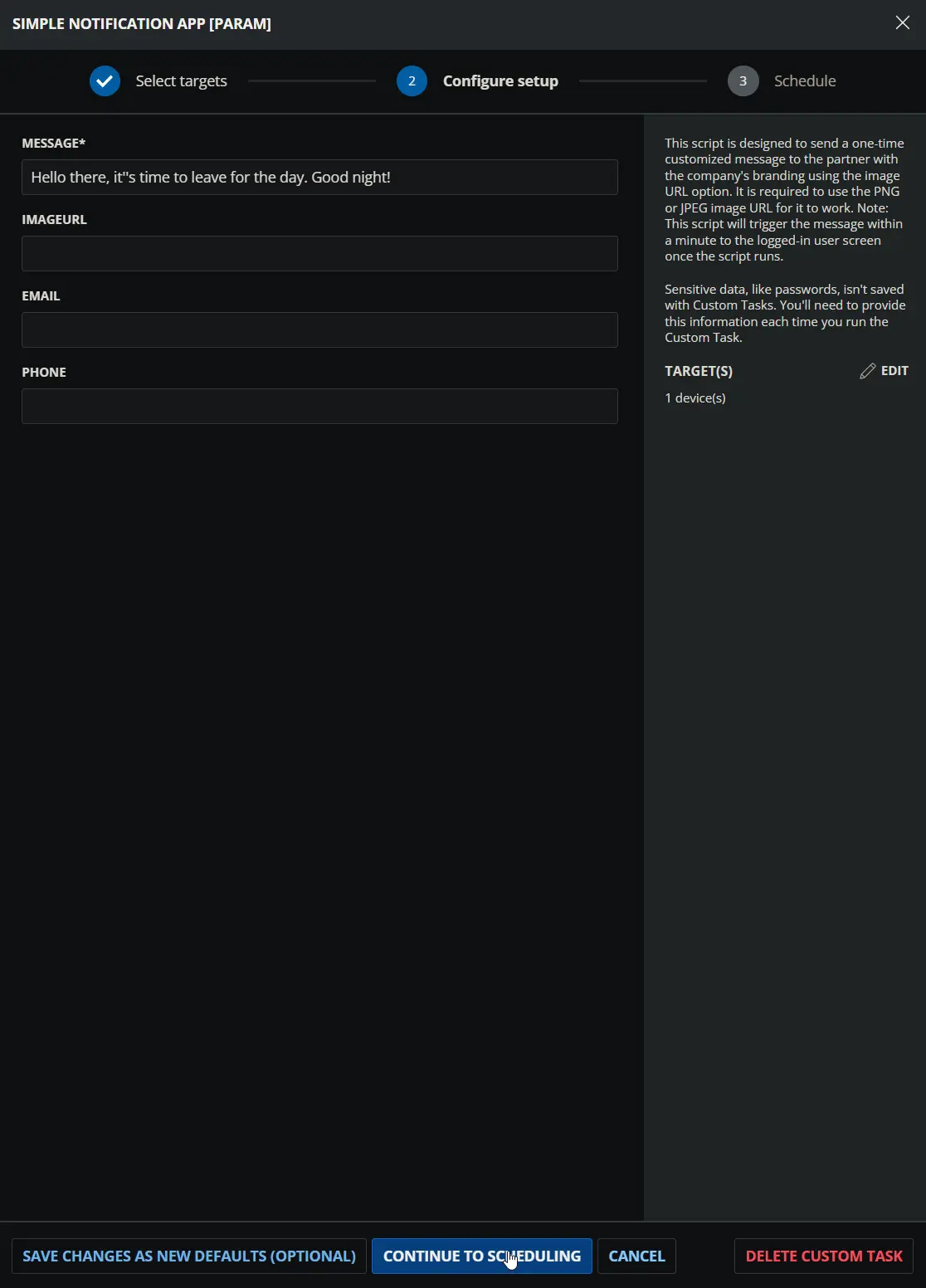
Using default values for non-mandatory parameters.
- Message:
Hello there, it''s time to leave for the day. Good night! - ImageUrl: ' '
- Email: ' '
- Phone: ' '
Notification:
Example 3
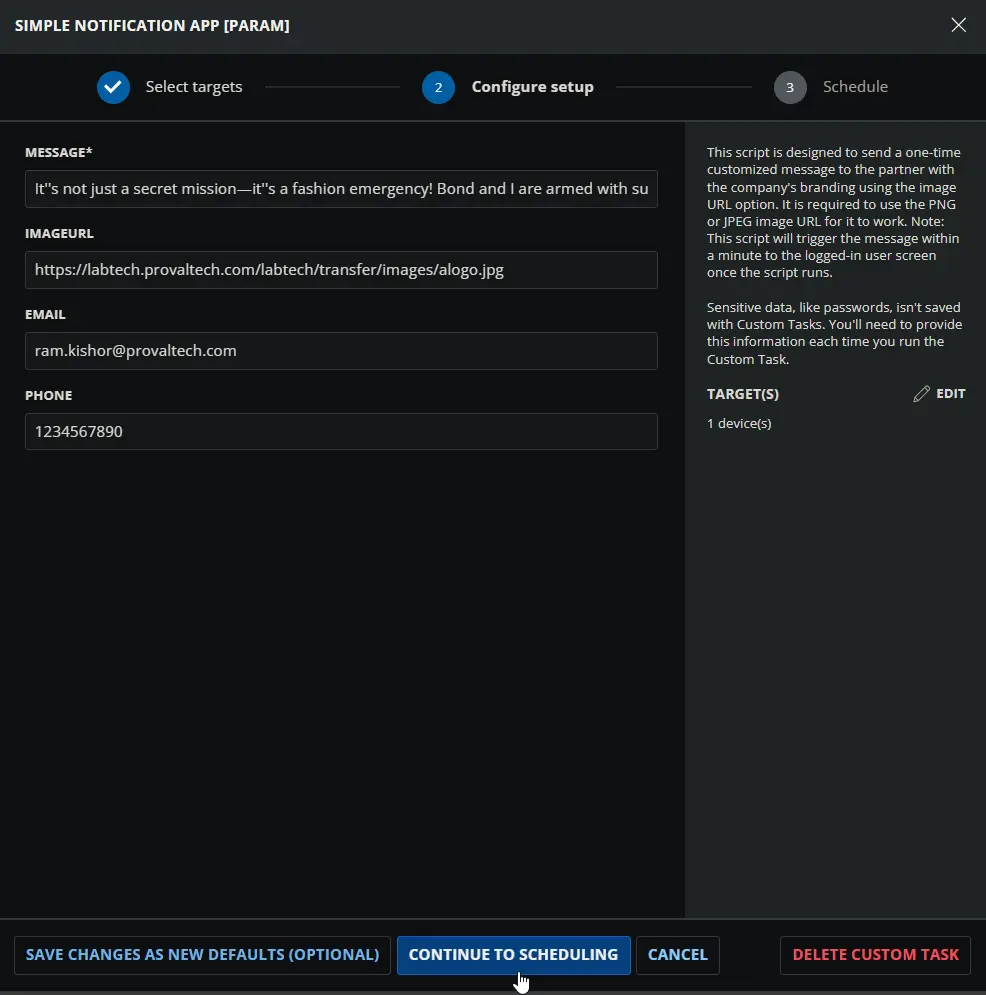
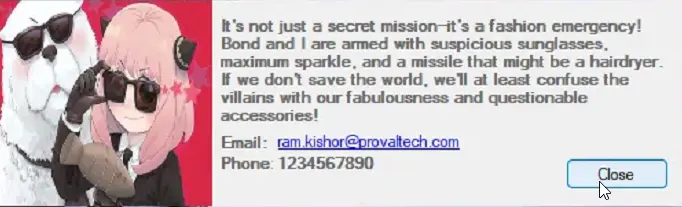
Using custom value for each parameter.
- Message:
It''s not just a secret mission—it''s a fashion emergency! Bond and I are armed with suspicious sunglasses, maximum sparkle, and a missile that might be a hairdryer. If we don''t save the world, we''ll at least confuse the villains with our fabulousness and questionable accessories! - ImageUrl:
https://labtech.provaltech.com/labtech/transfer/images/alogo.jpg - Email:
ram.kishor@provaltech.com - Phone:
1234567890
Notification:
Dependencies
User Parameters
| Name | Example | Required | Description |
|---|---|---|---|
| Message | This is a test message | True | The message is displayed to the end user. (Maximum 888 characters). Replace single quotes with two single quotes. Incorrect: it'sCorrect: it''s |
| ImageURL | http://p.favim.com/orig/2018/08/24/cute-beautiful-couple-avatar-Favim.com-6224738.jpg | False | The URL for the image to display instead of the default. |
| someone@testing.com | False | The support e-mail address is displayed to the user. | |
| Phone | 000-000-0000 | False | The support phone number is displayed to the user. |
Task Setup Path
- Tasks Path:
AUTOMATION➞Tasks - Task Type:
Script Editor
Task Creation
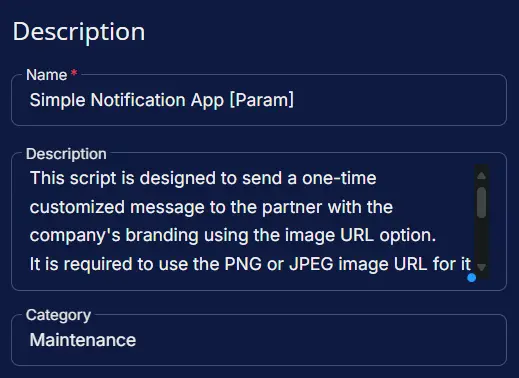
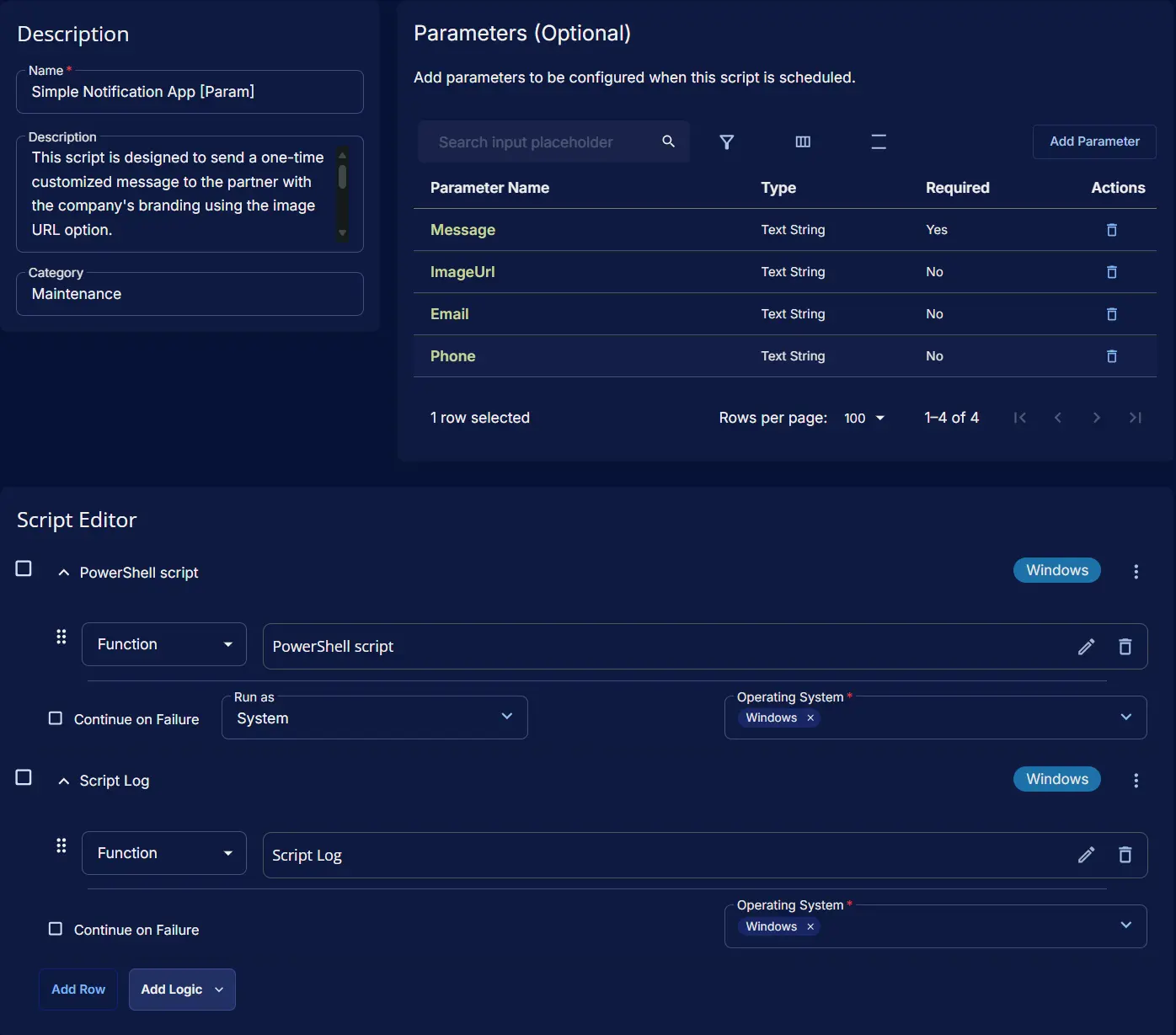
Description
-
Name:
Simple Notification App [Param] -
Description:
This script is designed to send a one-time customized message to the partner with the company's branding using the image URL option.It is required to use the PNG or JPEG image URL for it to work.Note: This script will trigger the message within a minute to the logged-in user screen once the script runs. -
Category:
Maintenance
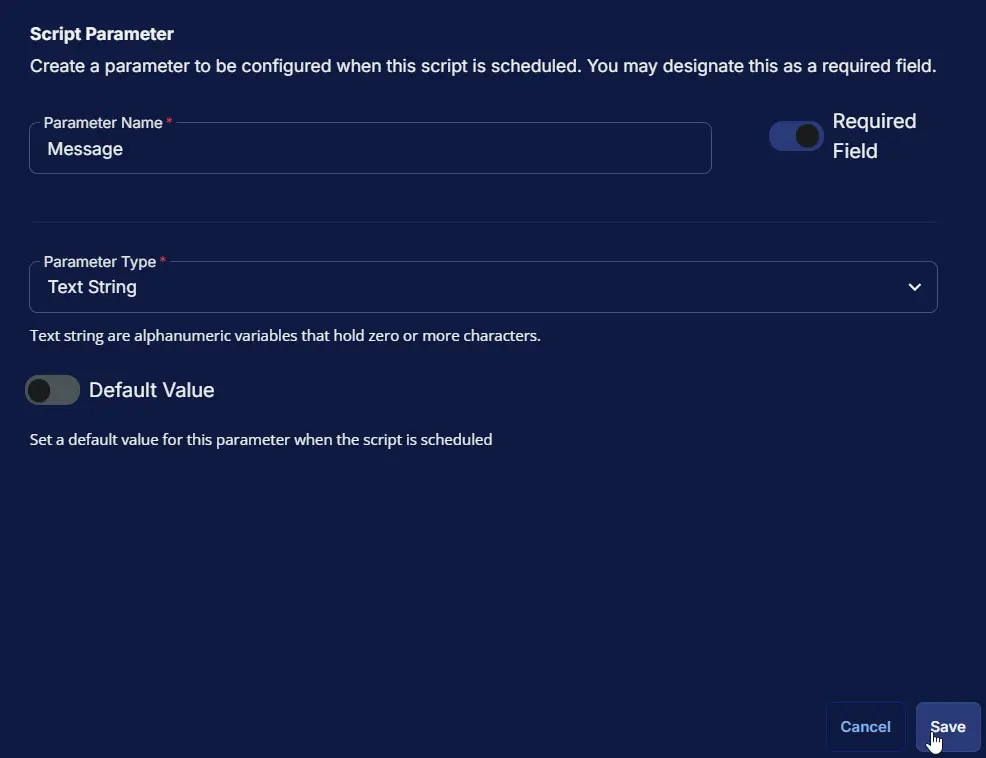
Parameters
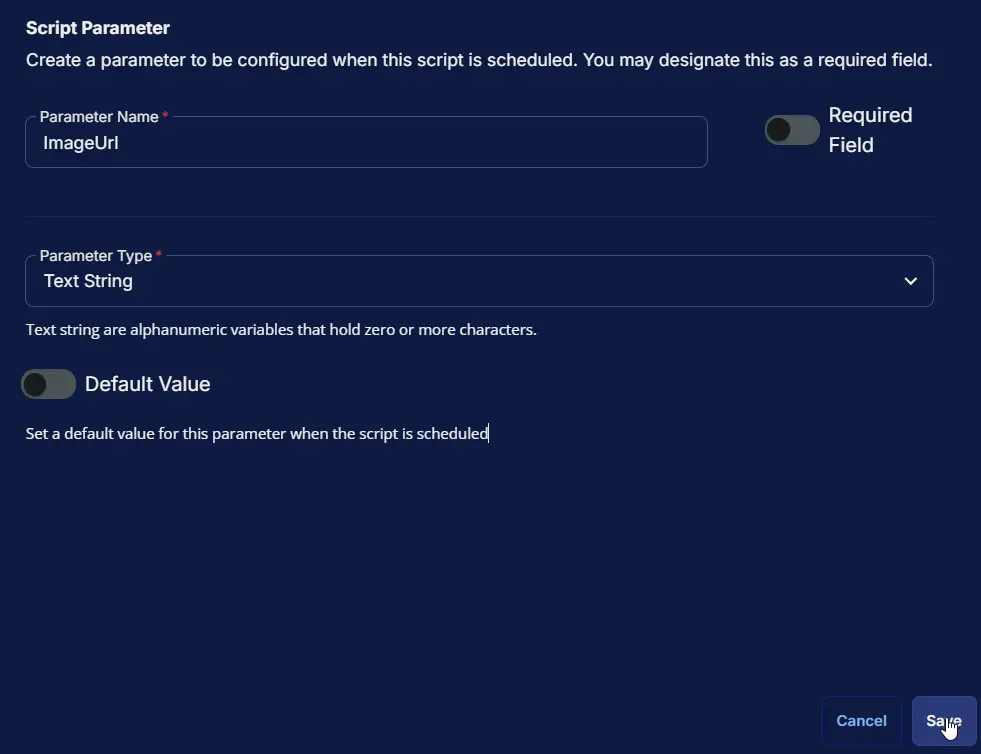
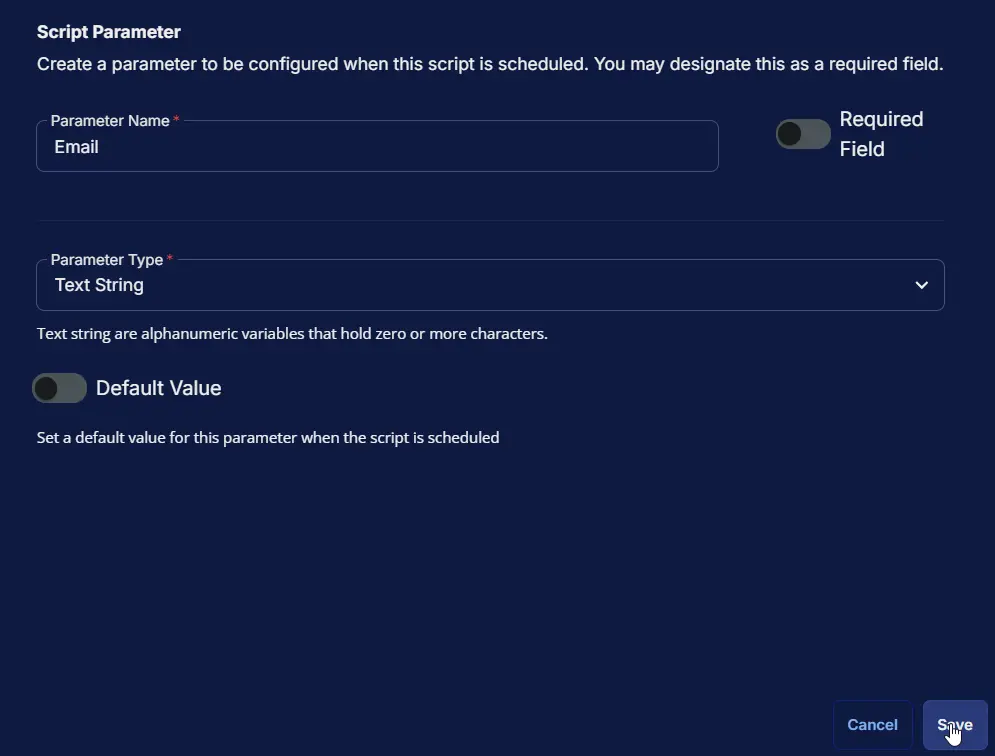
| Parameter Name | Required Field | Parameter Type | Default Value |
|---|---|---|---|
| Message | Enabled | Text String | Disabled |
| ImageUrl | Disabled | Text String | Disabled |
| Disabled | Text String | Disabled | |
| Phone | Disabled | Text String | Disabled |
Message:
ImageUrl:
Email:
Phone:
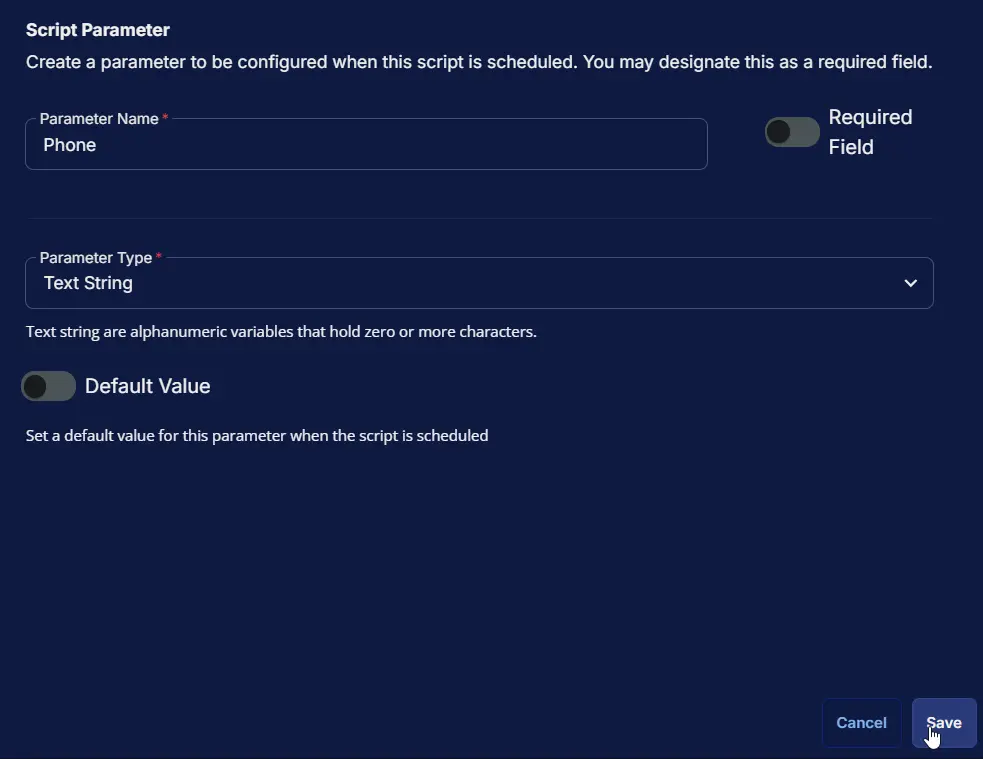
Parameters Section
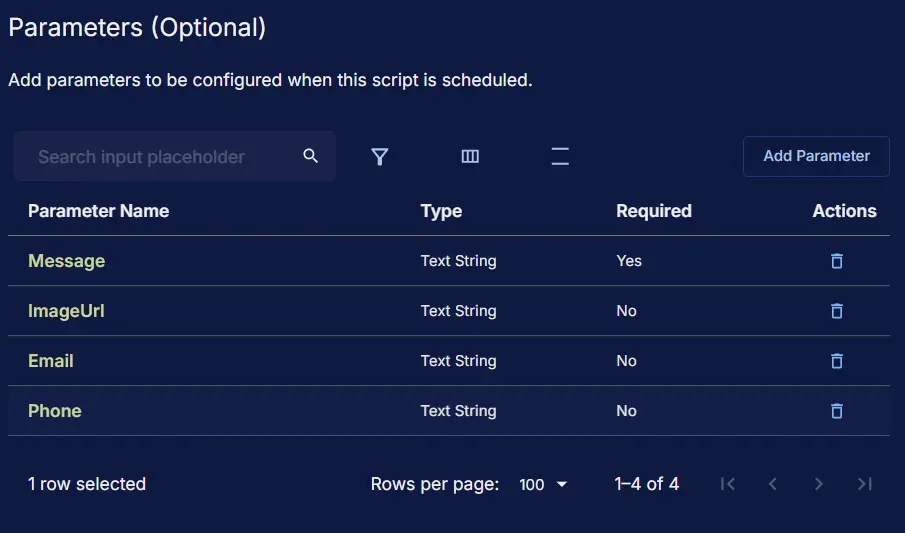
Script Editor
Step 1: Row ➞ PowerShell script
- Use Generative AI Assist for script creation:
False - Expected time of script execution in seconds:
300 - Continue on Failure:
False - Run as:
System - Operating System:
Windows - PowerShell Script Editor:
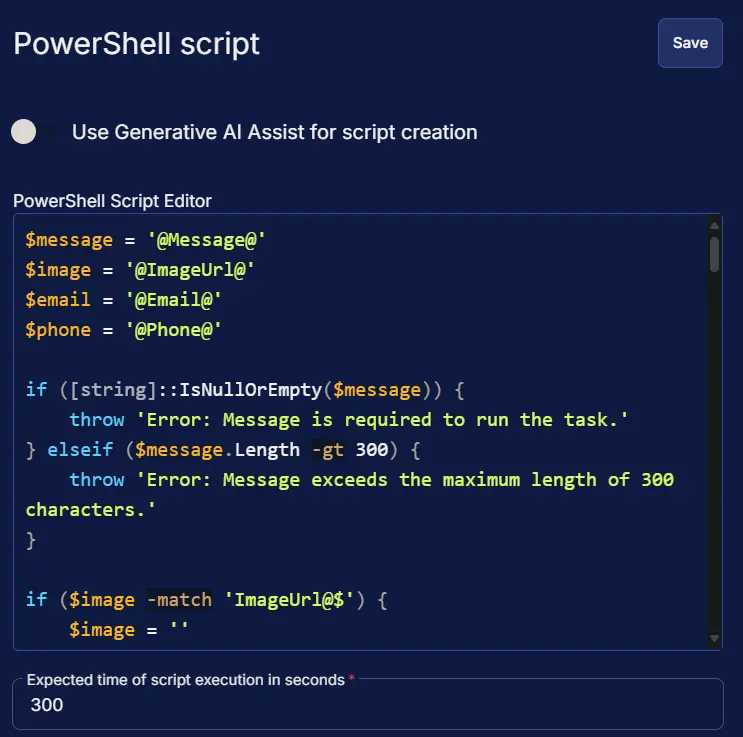
$ProgressPreference = 'SilentlyContinue'
$message = '@Message@'
$image = '@ImageUrl@'
$email = '@Email@'
$phone = '@Phone@'
if ([string]::IsNullOrEmpty($message) -or $message -match 'Message@$') {
throw 'Error: Message is required to run the task.'
} elseif ($message.Length -gt 888) {
throw 'Error: Message exceeds the maximum length of 888 characters.'
}
if ($image -match 'ImageUrl@$' -or !$image) {
$image = ''
}
if ($email -match 'Email@$' -or !$email) {
$email = ''
}
if ($phone -match 'Phone@$' -or !$phone) {
$phone = ''
}
$loggedInUser = (Get-CimInstance -ClassName Win32_ComputerSystem).UserName
if (!$loggedInUser) {
return 'Warning: No user is currently logged in.'
}
$SupportedTLSversions = [enum]::GetValues('Net.SecurityProtocolType')
if ( ($SupportedTLSversions -contains 'Tls13') -and ($SupportedTLSversions -contains 'Tls12') ) {
[System.Net.ServicePointManager]::SecurityProtocol = [System.Net.ServicePointManager]::SecurityProtocol::Tls13 -bor [System.Net.SecurityProtocolType]::Tls12
} elseif ( $SupportedTLSversions -contains 'Tls12' ) {
[System.Net.ServicePointManager]::SecurityProtocol = [System.Net.SecurityProtocolType]::Tls12
} else {
Write-Information 'Warning: TLS 1.2 and/or TLS 1.3 are not supported on this system. This download may fail!' -InformationAction Continue
if ($PSVersionTable.PSVersion.Major -lt 3) {
Write-Information 'Warning: PowerShell 2 / .NET 2.0 doesn''t support TLS 1.2.' -InformationAction Continue
}
}
$URL = 'https://github.com/ProVal-Tech/SimpleNotification/releases/latest/download/SimpleNotification.exe'
$appName = 'SimpleNotification'
$WorkingDirectory = '{0}\_automation\script\Run-SimpleNotification' -f $env:ProgramData
$EXEPath = '{0}\{1}.exe' -f $WorkingDirectory, $appName
$ConfigFile = '{0}\config.toml' -f $WorkingDirectory
if (-not (Test-Path -Path $WorkingDirectory)) {
try {
New-Item -Path $WorkingDirectory -ItemType Directory -Force -ErrorAction Stop | Out-Null
} catch {
throw ('ERROR: Failed to create {0}. Reason: {1}' -f $WorkingDirectory, $Error[0].Exception.Message)
}
}
if (-not ((Get-Acl -Path $WorkingDirectory).Access | Where-Object { $_.IdentityReference -match 'Everyone' -and $_.FileSystemRights -match 'FullControl' })) {
try {
$Acl = Get-Acl $WorkingDirectory
$AccessRule = New-Object System.Security.AccessControl.FileSystemAccessRule('Everyone', 'FullControl', 'ContainerInherit, ObjectInherit', 'None', 'Allow')
$Acl.AddAccessRule($AccessRule)
Set-Acl -Path $WorkingDirectory -AclObject $Acl
} catch {
throw ('ERROR: Failed to set permissions on {0}. Reason: {1}' -f $WorkingDirectory, $Error[0].Exception.Message)
}
}
$ConfigDirectory = [System.IO.Path]::GetDirectoryName($ConfigFile)
if (-not (Test-Path -Path $ConfigDirectory)) {
New-Item -ItemType Directory -Path $ConfigDirectory -Force | Out-Null
}
try {
Invoke-WebRequest -Uri $URL -OutFile $EXEPath -UseBasicParsing
if (-not (Test-Path -Path $EXEPath)) {
throw 'ERROR: Failed to download SimpleNotification.exe. Exiting.'
}
} catch {
throw ('ERROR: Failed to download file. Reason: {0}' -f $Error[0].Exception.Message)
}
$content = @"
message = "$message"
image_url = "$image"
email = "$email"
phone = "$phone"
"@
$Utf8NoBomEncoding = New-Object System.Text.UTF8Encoding $False
try {
[System.IO.File]::WriteAllLines($ConfigFile, $content, $Utf8NoBomEncoding)
} catch {
throw ('ERROR: Failed to write config file. Reason: {0}' -f $Error[0].Exception.Message)
}
$TaskName = 'Simple Notification'
$Description = 'Running Simple Notification app to send the prompt'
$Parameter = "-c `"$ConfigFile`""
# Unregister existing task if it exists
if (Get-ScheduledTask -TaskName $TaskName -ErrorAction SilentlyContinue) {
Unregister-ScheduledTask -TaskName $TaskName -Confirm:$false
}
$Action = New-ScheduledTaskAction -Execute $EXEPath -Argument $Parameter
# Create task trigger (run once 20 seconds from now)
$TriggerTime = (Get-Date).AddSeconds(20)
$Trigger = New-ScheduledTaskTrigger -Once -At $TriggerTime
$Settings = New-ScheduledTaskSettingsSet
$Principal = New-ScheduledTaskPrincipal -GroupId ((New-Object System.Security.Principal.SecurityIdentifier('S-1-5-32-545')).Translate([System.Security.Principal.NTAccount]).Value) -RunLevel Highest
try {
Register-ScheduledTask -Action $Action -Trigger $Trigger -TaskName $TaskName -Description $Description -Settings $Settings -Principal $Principal | Out-Null
return 'Task created successfully.'
} catch {
throw ('ERROR: Failed to create scheduled task. Reason: {0}' -f $Error[0].Exception.Message)
}

Step 2: Row ➞ Script Log
- Script Log Message:
%Output% - Operating System:
Windows
Completed Task
Output
- Script Log
- Popup Message on User's desktop
Changelog
2026-03-10
- Implemented dynamic UI resizing for the notification prompt based on the length of the incoming message.
- Added three responsive layout tiers: Small (less than equal 300 characters), Medium (between 301-500 characters), and Large (greater than 500 characters).
- Established a maximum character limit of 888 characters for the Large layout; exceeding text will not be displayed.
2025-08-29
- Updated the task to use parameter instead of variable.
2025-04-10
- Initial version of the document