Ticket Creation - Offline Network Devices
Summary
The purpose of the script is to create a formatted ticket for an offline or unreachable network device. It will create a ticket for the concerned network device, so for the ticket to sync with CW Manage, the network device should be synced beforehand.

Note: Both the script and the monitoring can only be used if the network probe of the device's location is online.
Sample Run
This is an autofix script for network devices and will not function for manual executions.
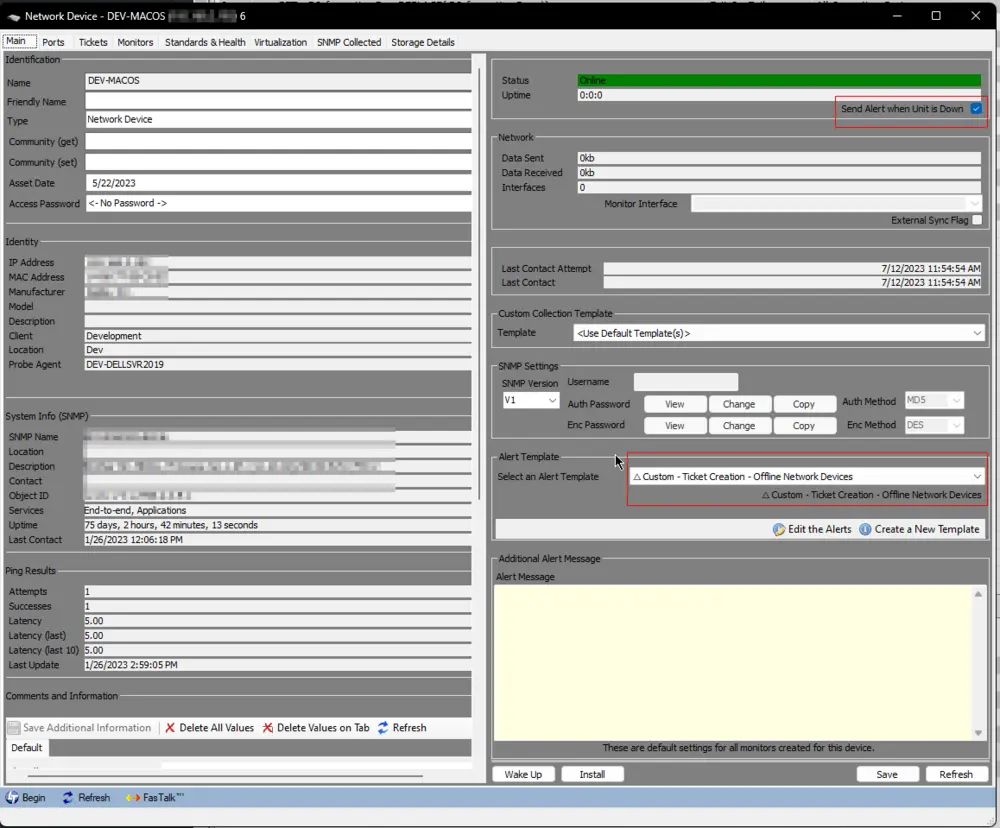
The Send Alert when Unit is Down checkbox on a network device is required for the script to run from an alert template.

Dependencies
CWM - Automate - Script - Network Devices - Offline Ticket Enabling
Variables
| Name | Description |
|---|---|
| Status | Success/Failed/Warning returned by the alert template |
| Message | Alert Message returned by the Network Device |
System Properties
| Name | Example | Required | Description |
|---|---|---|---|
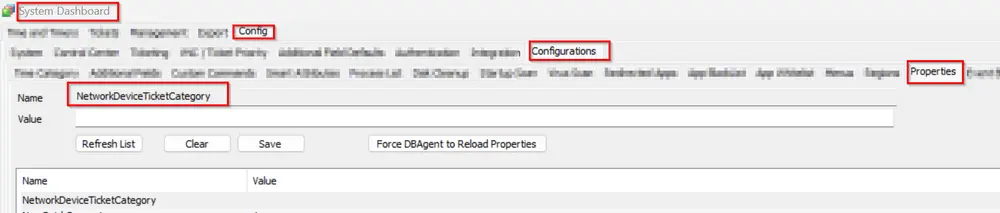
| NetworkDeviceTicketCategory | 5 | False | This will determine the service board where the offline network device ticket should be created. |
| ScriptTicketCategory | 8 | False | This is a default system property that is set at the CW Manage plugin to create tickets via script to this service board if no ticket category is defined in the script. |
Implementation
Refer to the client-script document. This will guide you on how to enable ticketing on manufacturer-based network devices or apply it to all network devices with specific exclusions of the device IDs.
Documentation Link
Output
- Script Log
- Ticket
Ticketing
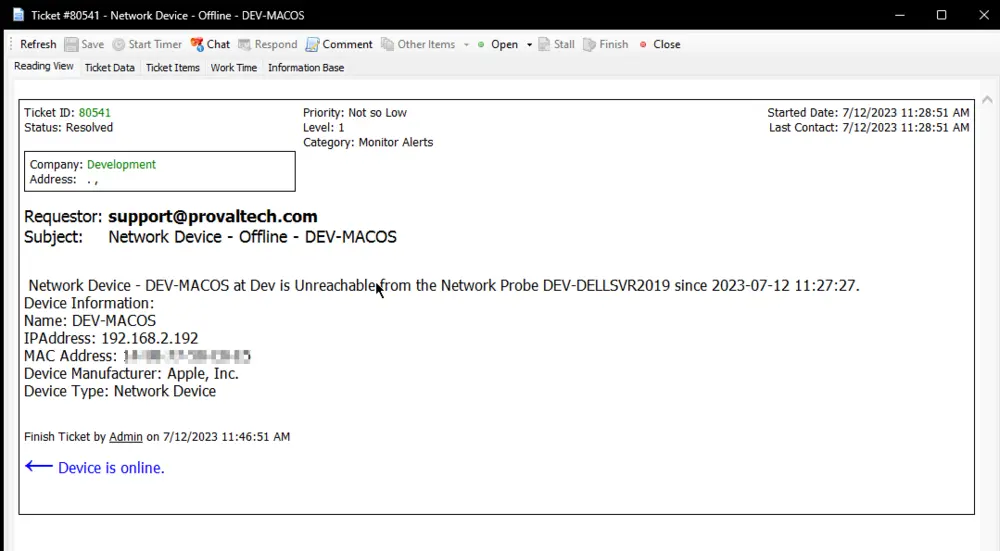
Subject: Network Device - Offline - \<Network Device Name>
Body:
Network Device - <Network Device Name> at <Location Name> is Unreachable from the Network Probe <Network Probe Name> since <Last Contact>.
Device Information:
Name: <Network Device Name>
IPAddress: <Network Device IP Address>
MAC Address: <Network Device MAC Address>
Device Manufacturer: <Network Device Manufacturer>
Device Type: <Network Device Type>
Ticket Category:
To create this ticket to a specific service board in manage, provide the category ID to the property "NetworkDeviceTicketCategory"; otherwise, it will create the ticket to the default service board.
Example Ticket:
Changelog
2025-04-10
- Initial version of the document