cPVAL Network Neighbours
Summary
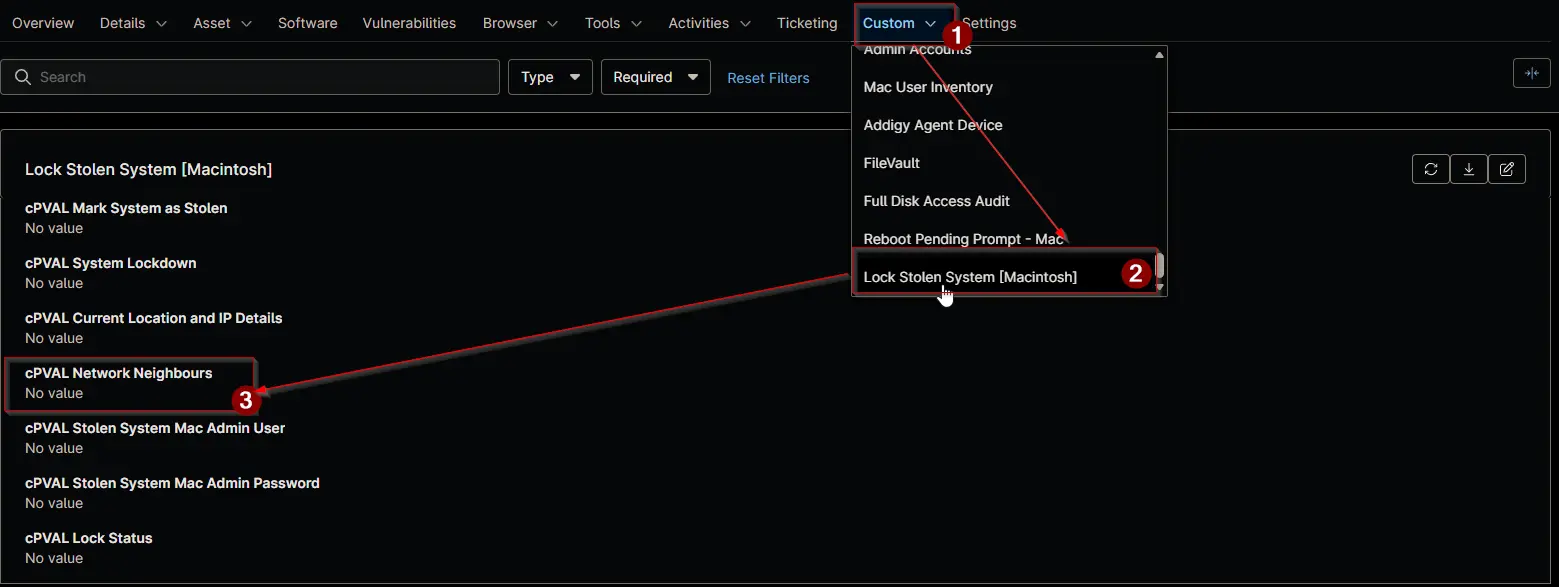
Lists up to 30 devices found on the same local network as a stolen device, with their IP address, MAC address, network interface, DNS name and collection time (UTC). Windows computers also show each device's connection state. The Lock Stolen System solution fills it in each time the device is online. Names such as a router or printer name can help identify the network the device is using. The field is on the Lock Stolen System [Windows] tab of Windows devices and the Lock Stolen System [Macintosh] tab of Macs.
Details
| Label | Field Name | Example | Definition Scope | Type | Required | Default Value | Dropdown Options | Editable | Custom Field Tab |
|---|---|---|---|---|---|---|---|---|---|
| cPVAL Network Neighbours | cpvalNetworkNeighbours | A table of nearby devices | Device | WYSIWYG | No | Yes |
|
Dependencies
- Automation: Lock Stolen System [Windows]
- Automation: Lock Stolen System [Macintosh]
- Solution: Lock Stolen System
Custom Field Creation
Sample Screenshot
Changelog
2026-11-12
- Added the field to Mac devices on the Lock Stolen System [Macintosh] tab and moved it to the Lock Stolen System [Windows] tab on Windows devices. The table now lists up to 30 devices, including devices without a DNS name, and shows the network interface of each.
2026-02-25
- Initial version of the document