Check Uptime and Reboot Pending Flag
Overview
Checks system uptime and pending reboot status on a Windows endpoint. Conditionally runs each check based on the UptimeDays and PendingReboot environment variables passed by Datto RMM.
Import
-
Download the component Check Uptime and Reboot Pending Flag from the attachments.
-
After downloading the file, click on the
Importbutton in the Datto RMM interface. -
Select the component just downloaded and add it to the Datto RMM interface.

For detailed instructions on importing a Datto component, see Workflow for Implementing Engineers.
To implement the Check Uptime and Reboot Pending Flag over a policy, follow these steps:
Implementation
-
Under the
Policies > Monitoringsection, click on create policy.

-
State the name of the policy
xPVAL Uptime and Reboot check -
Provide the description.
-
State the Scope of the policy.
-
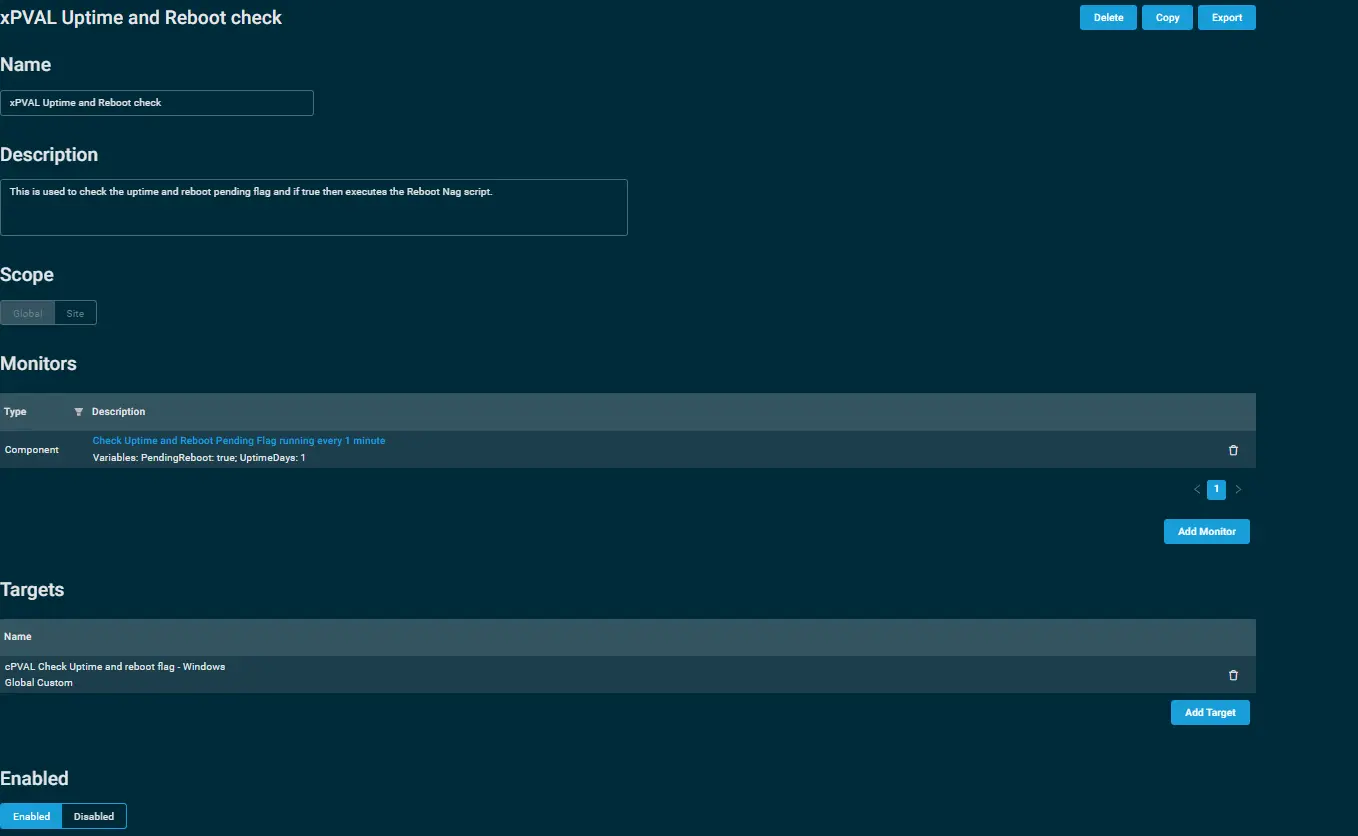
-
Within the Monitors section, click on
Add Monitor. -

-
Under the
Monitor Type, click onSelectand then select theComponentoption. -
 .
Add Alert
- Inorder to configure your
componentvia alerting, follow the below steps:-
Click on
Select a Component Monitorand then select the componentCheck Uptime and Reboot Pending Flagfrom the search bar. -
Set the
UptimeDaysandPendingRebootValue as per requirement. -
Set the interval to
execute the component monitor. -
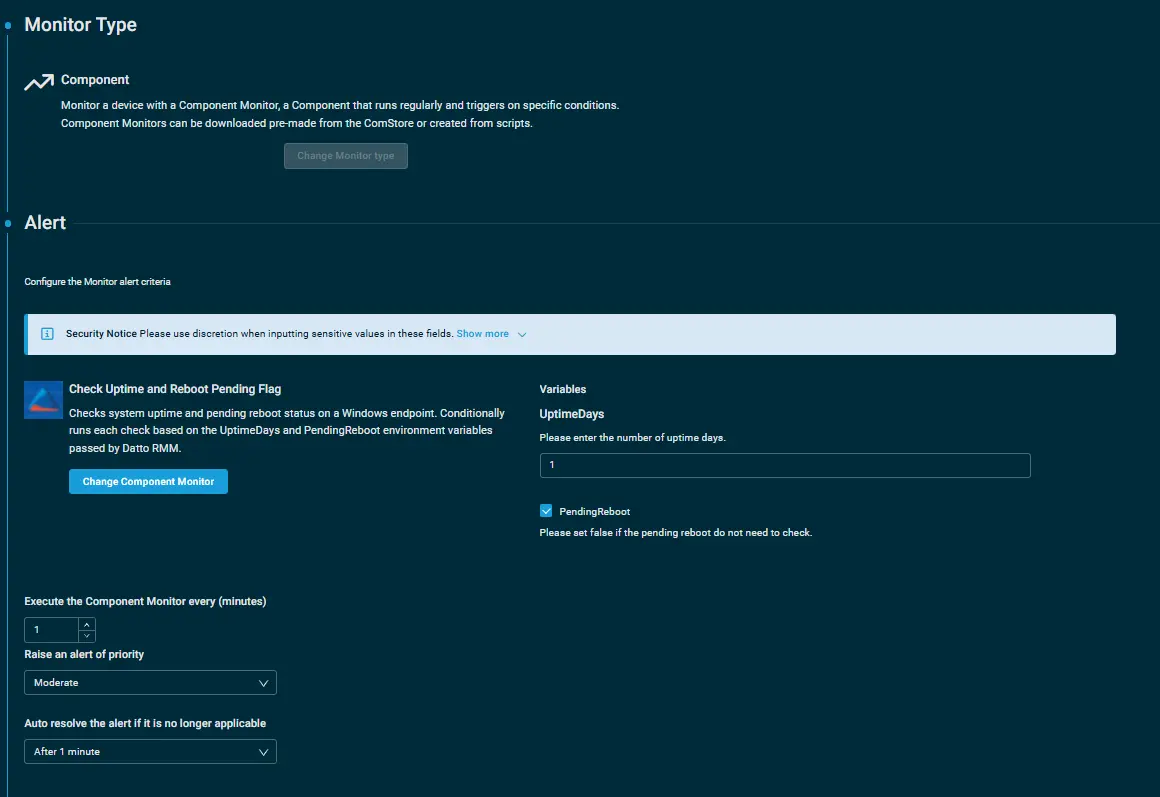
-
Response
-
Click Run a component
Reboot Nag [Restart Alert] [Prompter]. -
Update the variables of reboot Nag.
-
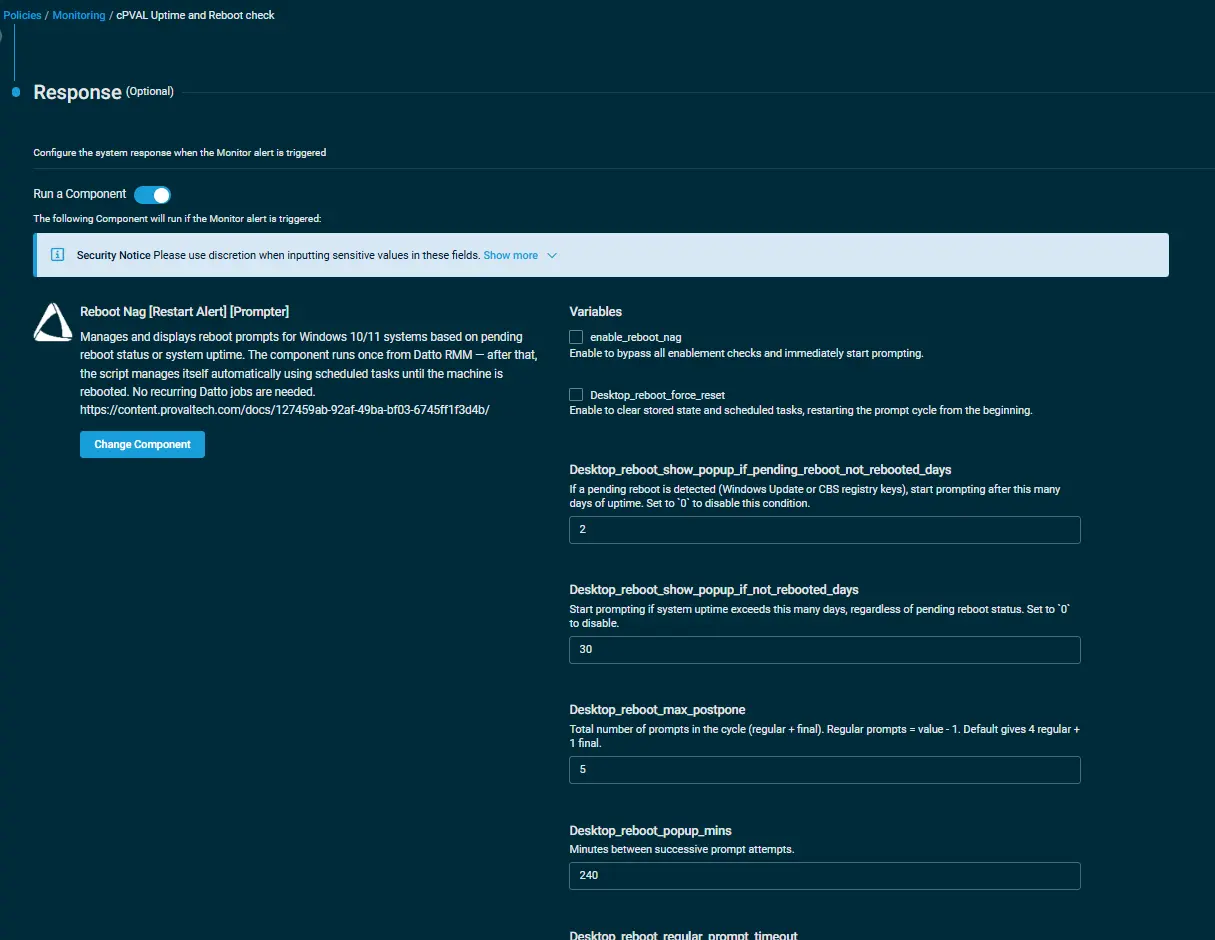
-
Click Save
-
-
Click on
Add Targetto provide the targeted machines.
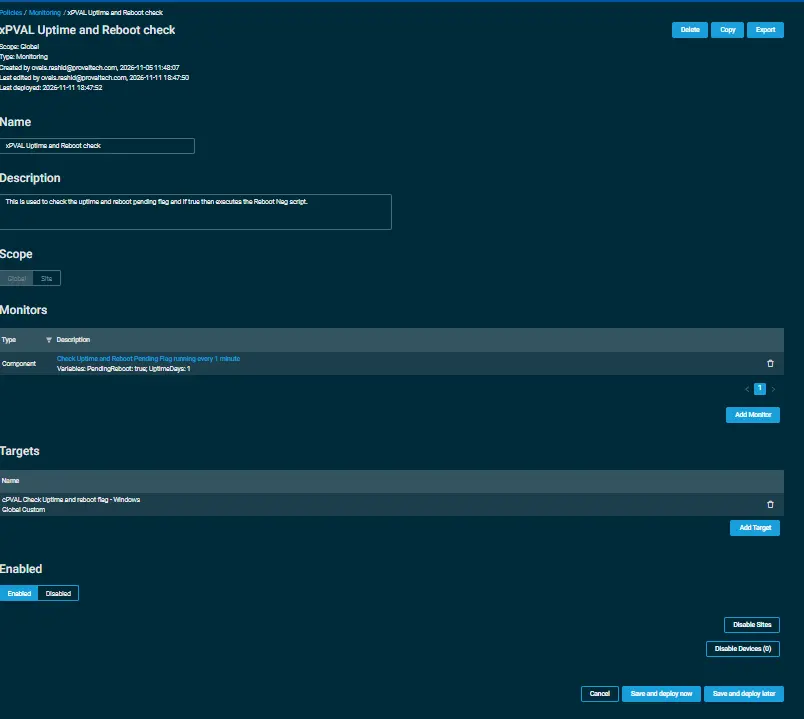
- Click on
Save and Deploy Nowto save the policy.
Datto Variables
| Variable Name | Type | Default | Description |
|---|---|---|---|
UptimeDays | String | 0 | Please enter the number of uptime days. |
PendingReboot | Boolean | True | Please set false if the pending reboot do not need to check. |
Output
- Alert Tab
Attachments
Changelog
2026-11-09
- Initial version of the document