Lock Stolen System
Overview
This script is used to track and lock down stolen systems. If Custom Field cPVAL System Lockdown is marked, it will enable BitLocker and shut down the computer.
Sample Run
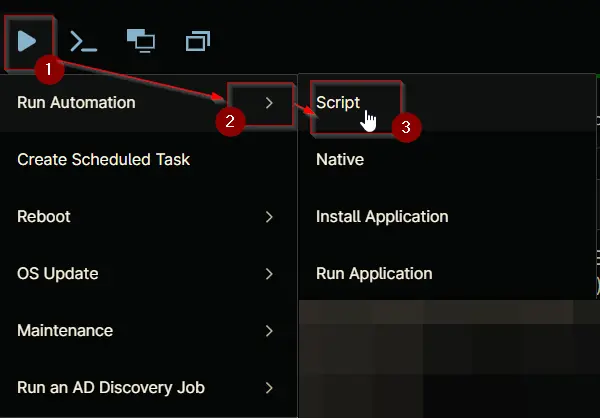
Play Button > Run Automation > Script

Dependencies
- Custom Field - cPVAL Mark System as Stolen
- Custom Field - cPVAL System Lockdown
- Custom Field - cPVAL Current Location and IP Details
- Solution - Lock Stolen System
Automation Setup/Import
Output
- Activity Details
- Custom Field
Changelog
2026-02-10
- Initial version of the document