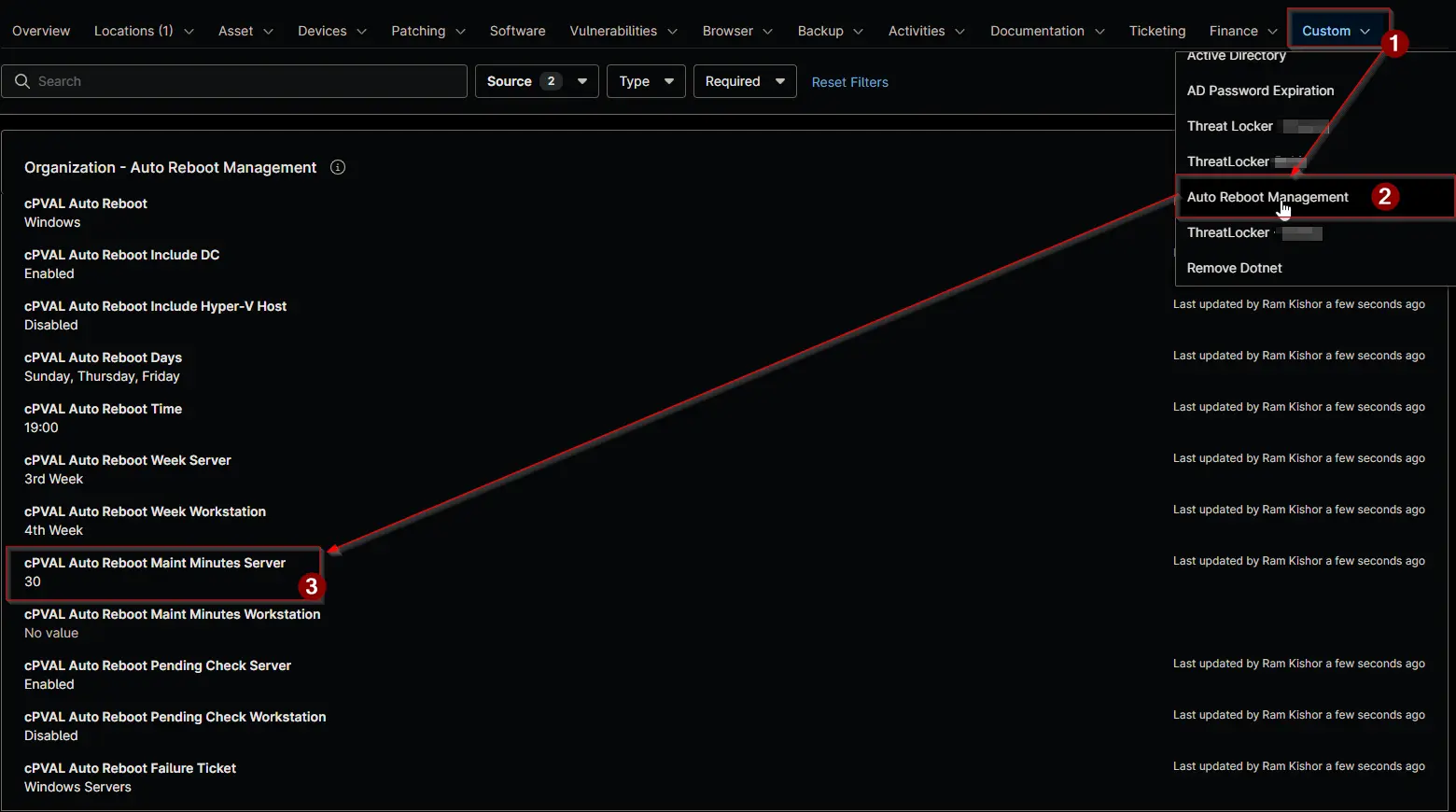
cPVAL Auto Reboot Maint Minutes Server
Summary
Sets how many minutes of NinjaOne maintenance mode cover the scheduled restart of servers, so the restart doesn't raise offline alerts or start tasks. Maintenance mode starts 5 minutes before the restart time and ends this many minutes after it.
| Value | Result |
|---|---|
| Blank | Inherits from the level above. Blank at every level means no maintenance mode. |
0 | No maintenance mode at this level, even if a level above sets one. |
1 to 14 | 15 minutes, the shortest window applied. |
15 or more | The number of minutes set. |
note
- Maintenance mode is scheduled only when a restart is requested, and suppresses alerts and tasks.
- The field applies to servers only and is ignored on workstations.
- A change takes effect at the next run of the Auto Reboot Management automation, within an hour.
Details
| Label | Field Name | Example | Definition Scope | Type | Required | Default Value | Dropdown Options | Editable | Custom Field Tab |
|---|---|---|---|---|---|---|---|---|---|
| cPVAL Auto Reboot Maint Minutes Server | cpvalAutoRebootMaintMinutesServer | 30 | Organization, Location, Device | Integer | No | Yes |
|
Dependencies
Custom Field Creation
Sample Screenshot
Changelog
2026-11-11
- Initial version of the document