BlackPoint SnapAgent Installer - Windows
Overview
Downloads, validates, and runs the Install-BlackPointAgent from the ProVal content repository to install the BlackPoint agent.
Sample Run
Play Button > Run Automation > Script
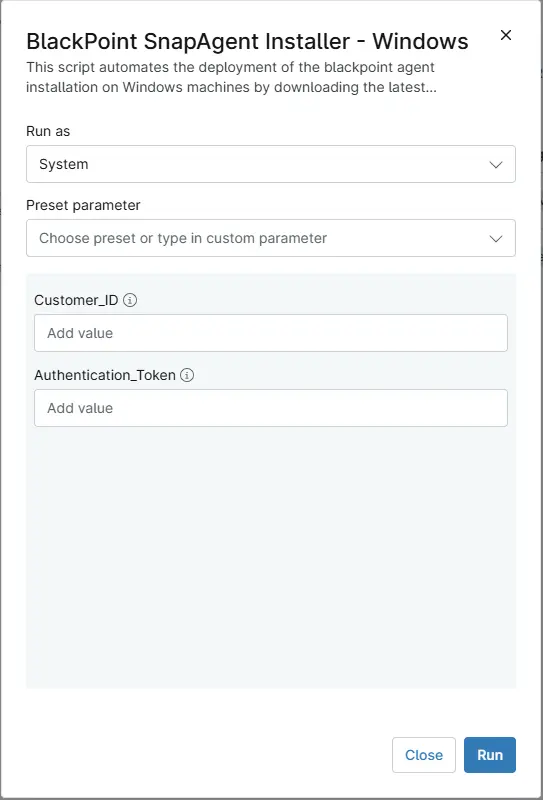
Parameters
Note: If the value is present under the custom field then variables do not need to be put during the script execution. As the script get the data from either Custom field or variables.
| Name | Example | Accepted Values | Required | Default | Type | Description |
|---|---|---|---|---|---|---|
| Customer_ID | -- | -- | NO | "" | String/Text | Stores the unique BlackPoint Account UID used to identify and link endpoints to the correct BlackPoint account. |
| Authentication_Token | -- | -- | NO | "" | String/Text | Unique BlackPoint Authentication Code required to authenticate and install the BlackPoint Agent on endpoints. |
Dependencies
- Custom Field - cPVAL BP CustomerID
- Custom Field - cPVAL BP Authentication Token
- Solution - BlackPoint SnapAgent Deployment
- Install-BlackPointAgent
Automation Setup/Import
Output
- Activity Details
Changelog
2026-11-06
- Replaced the
BP_AccountUIDandBP_Win_CompanyEXEparameters withCustomer_IDandAuthentication_Token. - Updated the PowerShell script with the following changes:
- The script no longer downloads a company EXE from the BlackPoint portal.
- The script is now a NinjaOne wrapper. It downloads the Install-BlackPointAgent script from contentrepo.net and checks its signature against ProVal's approved thumbprints.
- The script then runs
Install-BlackPointAgent.ps1with-CustomerIDand-AuthenticationTokenand reports the agnostic script's log and error log. - The script now reads the
cpvalBpCustomeridandcpvalBpAuthenticationTokencustom fields instead ofcpvalbpaccountuidandcpvalbpwincompanyexe. - Custom field values now take precedence over script variables. Previously, script variables took precedence.
2025-11-28
- Initial version of the document