cPVAL Stolen System BitLocker Message
Summary
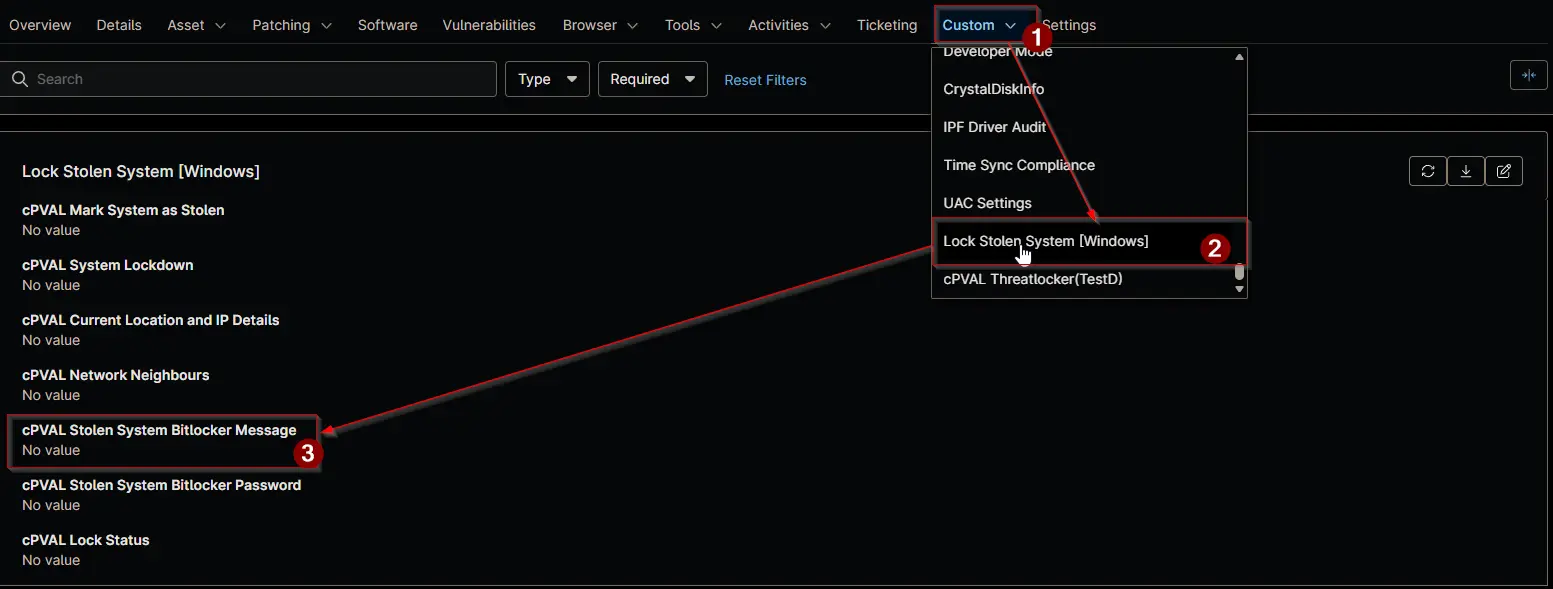
The message shown on a device locked by the Lock Stolen System solution: on the BitLocker recovery screen on Windows, and on the login window and the FileVault screen on a Mac. Use it to tell whoever has the device how to return it. If it's empty, the device shows Your device has been locked due to suspicious activity. The field is on the Lock Stolen System [Windows] tab of Windows devices and the Lock Stolen System [Macintosh] tab of Macs.
Details
| Label | Field Name | Example | Definition Scope | Type | Required | Default Value | Dropdown Options | Editable | Custom Field Tab |
|---|---|---|---|---|---|---|---|---|---|
| cPVAL Stolen System BitLocker Message | cpvalStolenSystemBitlockerMessage | This device belongs to Contoso and has been reported stolen. Call 555-0100 to return it. | Device | Text | No | Yes |
|
Dependencies
- Automation: Lock Stolen System [Windows]
- Automation: Lock Stolen System [Macintosh]
- Solution: Lock Stolen System
Custom Field Creation
Sample Screenshot
Changelog
2026-11-12
- Added the field to Mac devices on the Lock Stolen System [Macintosh] tab, where the message shows on the login window and the FileVault screen, and moved it to the Lock Stolen System [Windows] tab on Windows devices.
2026-02-25
- Initial version of the document